

After shipping with DHL, you will need to manage your payment. Whether you're a small business owner, an e-commerce entrepreneur, or someone sending an important document overseas, DHL Express offers secure and flexible ways to pay your invoices. This guide will walk you through how to pay a DHL invoice online.
Understand your DHL invoice
Your DHL invoice will provide you with a detailed breakdown of the shipping services you’ve used, including shipment dates, tracking numbers, and associated costs. It’s important to review your invoice carefully to ensure all charges are accurate and to keep track of your shipping expenses. Knowing how to read your invoice can help you manage your budget and plan future shipments more effectively.
Payment of your DHL invoice
Paying for shipping shouldn’t be complicated – and with DHL, it isn’t. That’s where DHL’s MyBill comes in. It’s an easy-to-use online tool that helps you manage, view, and pay your invoices all in one place. Whether you’re handling a few shipments or managing a busy logistics operation, MyBill is designed to make billing simple and stress-free. Let’s walk through how it works in addition to looking at the key features and benefits.
What is MyBill?
MyBill from DHL is a secure, web-based platform designed for paying and managing your DHL Express invoices. It’s designed for customers who want to eliminate time-consuming paperwork. It combines the convenience of an online interface with the speed and security of credit card or bank transfer payments.
With MyBill, you can:
- View and download current and past DHL invoices
- Pay invoices online via credit card or bank transfer
- Manage multiple accounts and users in one portal
- Set payment reminders and track payment status
- Report and resolve invoice issues without delays
- Export invoice data for accounting purposes
MyBill Benefits:

Easy access to your invoices
With MyBill, you get 24/7 access to all your DHL invoices in one secure online portal.
It takes just seconds to download an invoice! You can export your data in Excel (.csv) format to fit your accounting setup.
You can even see up to 12 months of billing history – perfect for tracking payments, preparing audits, or spotting trends.
Flexibility in paying
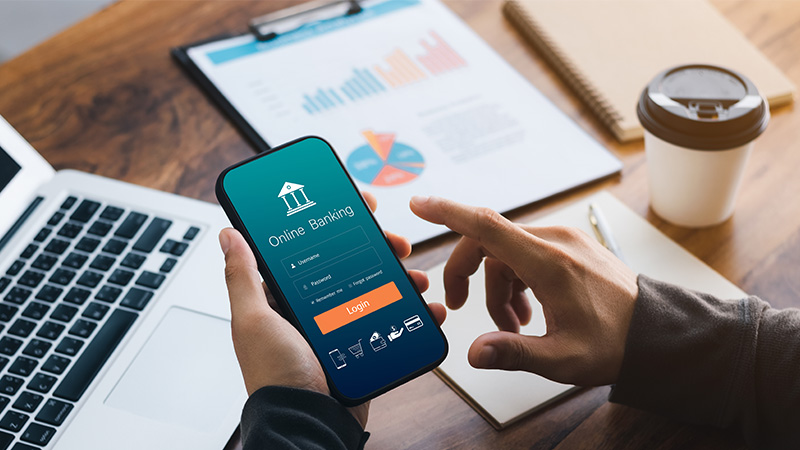
MyBill supports a wide range of payment options to fit your preferences. Make a DHL invoice payment online with your credit card, through bank transfer, or use modern platforms like instapay.
Prefer paying in person? No problem – MyBill can generate a QR code or payment reference you can use at participating outlets.
Set it and forget it with auto-pay
Tired of logging in to pay each invoice? With MyBill, you can set up automatic payments with your preferred credit card. It’s a smart way to make sure you never miss a payment – especially if you’re dealing with multiple shipments or recurring charges.

Access on-the-GO
With the DHL Express Mobile App, you can manage and pay invoices wherever you are. Whether you're at your desk or on the move, you’re in full control of your billing.
Another payment option: MyDHL+
If you already use MyDHL+, you might be curious about how it connects with MyBill. Although both are services for DHL Express customers, they serve different functions:
- MyDHL+ is your go-to platform for everything related to shipping. It lets you create shipments, track packages, and access tools designed for smooth international shipping, including air and overseas freight.
- MyBill is focused solely on billing. It’s a secure online portal where you can view, manage, and pay your DHL Express invoices.
Together, these platforms complement each other, helping you stay on top of your shipments and payments with ease.
How to register for MyBill
For customers with an existing DHL account, MyBill is eligible for them only. If you don’t have a DHL account yet, apply for one today.
From mobile:
- Download the DHL Express Mobile App from the App Store or Play Store.
- Register by clicking "Sign Up."
- Fill in your details and submit.
- Verify your account by entering the one-time password (OTP) sent to your mobile number.
- Activate your account: Check your email and click the verification link.
From desktop:
Visit https://mybill.dhl.com/login/. Click “Sign-up to MyBill” and then follow the instructions.
Once your account is active, you’ll have instant access to all the benefits of DHL MyBill and can easily pay your DHL invoice online.
For SMEs shipping internationally, paying DHL invoices promptly is more than just good practice – it’s vital for maintaining smooth operations. Late payments can delay shipments, disrupt supply chains, and damage business relationships.
With tools like DHL’s MyBill, managing and paying invoices is simple, secure, and fast. Timely payments help keep your shipments moving and your business growing across borders.
Get started with MyBill: open a DHL Express Business Account.


 Share
Share