


Arranging a DHL scheduled pickup by courier couldn’t be easier. This tutorial outlines the steps to ensure you experience the most seamless door-to-door service possible.
How to Schedule a Pickup
To begin, to schedule a pickup, you’ll require a MyDHL+ account.
If you’re not familiar with it yet, MyDHL+ is DHL Express’ all-in-one digital shipping platform. It streamlines international and domestic shipping with intuitive tools for creating labels, managing customs paperwork, booking pickups, tracking shipments, and more – all in one place. It’s designed to optimize your logistics and save you time – whether you’re sending a single parcel or hundreds a week.
Once your account is set up, scheduling a pickup is highly intuitive. Just log in, choose the “Schedule a Pickup” option, and follow the prompted steps.
Before you get started, ensure you have the following details ready to avoid any delays:
- Your DHL account number
- Pickup address – where the courier will collect your shipment
- Package location information – e.g. reception desk
- Total number of packages
- Weight of the shipment
- Contact’s phone number and email address
- Preferred pickup date and time frame
Verify the information and submit the request. You’ll then receive a confirmation email with all the details.
How to obtain a rate quote and estimated delivery time
Prior to dispatching any shipment– particularly internationally – it’s wise to check the total expense and the required transit timeframe. With MyDHL+, you can accomplish both in merely a few clicks.
Start by selecting the “Get a Rate and Time Quote” option on the platform. This tool gives you a quick estimate based on your shipment details, ensuring there are no unexpected fees later on.
Here’s what you’ll need to input:
Origin and destination postal codes and locations
Shipment date
Package weight and dimensions
Total piece count
Type of contents (documents or commodities)
Once entered, MyDHL+ will calculate an estimated shipping rate and delivery date based on the service options available. You’ll be able to compare express and economy choices, factoring in cost, speed, and tracking features – allowing you to select the ideal fit for your business (and your customers!)
It’s fast and reliable – exactly what you need when you’re planning your shipments around customer expectations or tight delivery windows.
Comprehending Volumetric Weight
One important factor that can influence your shipping rate – particularly for larger packages – is volumetric weight.
Volumetric (or dimensional) weight is a way of determining logistics costs according to package size, rather than its physical weight. This is highly applicable to lightweight but bulky items, like pillows or large boxes filled with light goods.
Here’s how DHL calculates volumetric weight:
Centimeter / KG = (Length × Width × Height) ÷ 5000
Inches / Pounds = (Length × Width × Height) ÷ 139
When your parcel's dimensional weight exceeds its true mass, the larger figure dictates the final transportation cost. This guarantees optimal utilization of cargo capacity across our cargo planes and transit fleets.
Before the Courier arrives
To guarantee a completely seamless pickup process, verify that all items are fully prepared ahead of the courier arrives. Review this final checklist:
Ensure your package is properly sealed and clearly labeled.
Labels should be visible and securely attached to prevent routing errors or transit holdups.Provide the finalized air waybill documentation
This serves as the primary tracking file for the journey, instructing our team on the exact destination and delivery service chosen.Attach any required customs documents for international shipments
Missing paperwork can cause delays at the border, so make sure your commercial invoice and any other required forms are filled out and attached.Stand prepared for the designated pickup window
Ensure an authorized person is on-site to hand off the cargo. If the parcel is stationed in a particular spot, such as a loading dock or front desk, double-check that this detail is specified in your pickup request.
Frequent Pickup Challenges and How to Prevent Them
To ensure your courier pickup occurs smoothly without any interruptions, keep these typical complications in mind when arranging your requests:
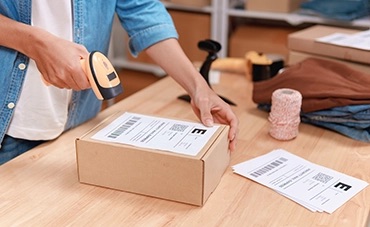
Missed pickups
This is frequently due to inaccurate time windows or no personnel being present at the pickup location. To prevent this, double-check the scheduled date, time frame, and ensure someone is available to hand over the shipment.

Inaccurate or incomplete address details
Minor slips such as spelling mistakes or missing suite numbers can confuse the courier and postpone pickup. Always double-check your data and provide specific directions (e.g., “Reception, 2nd floor”) before finalizing your request.
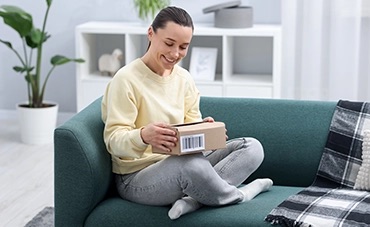
Packages not prepared when the courier arrives
Setbacks occur if shipments aren’t sealed, labeled, or completed on time. Ensure your packages are fully packed and labeled before the scheduled pickup.
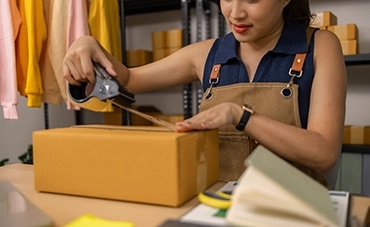
Absent or incorrect paperwork
International shipments require fully finalized customs forms and waybills. To prevent transit hold-ups or unsuccessful pickups, print and affix all required files in advance.
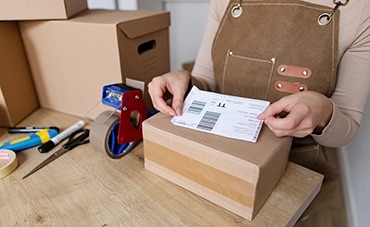
Missing contact details
When couriers are unable to connect with someone on-site, pickups can be unsuccessful. Always supply valid phone numbers and email addresses, and it is wise to include an alternative contact.
Cancelling or Rescheduling Your Pickups
If you need to cancel or call off a courier pickup with DHL, the process is simple and hassle-free. Just log into your MyDHL+ account and navigate to your upcoming pickups. From there, you can select the specific booking you want to change and choose to either cancel or update it.
Make sure to do this as early as possible to avoid any unnecessary fees or missed pickups. Rescheduling lets you pick a new date and time that better fits your availability, while cancelling lets you clear your account for future shipments.
If you run into any issues or require direct assistance, DHL’s customer service team is always ready to help.
Monitoring Your Shipment After Pickup
Once your shipment is on its way, you can track its progress online using MyDHL+ or the tracking link provided in your confirmation email.
MyDHL+ gives you a full view of your shipment’s journey – from pickup to final delivery –so you’re always informed. You’ll see key milestones like when your package leaves the origin facility, clears customs, and reaches the delivery destination.
You can also enable delivery notifications via email or SMS to keep yourself (and your customer) updated every step of the way.
Arranging a DHL home pickup service is just one of the many solutions designed to simplify daily logistics for SMEs and e-commerce businesses. To unlock premium features like dynamic shipment tracking and streamlined operations, open a DHL business account online.


 Share
Share