

After shipping with DHL, the next step is managing your payment. Whether you're a small business owner, an e-commerce entrepreneur, or someone sending an important document overseas, DHL Express offers secure and flexible ways to pay. This guide walks you through how to pay a DHL invoice online.
Understanding your DHL invoice
Operating a growing e-commerce storefront or small business in Latin America's largest digital economy requires extreme operational agility. For Brazilian entrepreneurs scaling international sales through platforms like VTEX, Loja Integrada, or Nuvemshop, managing outbound supply chains means keeping tight control over transactional cash flows.
When you handle international shipping lanes, settling your logistics invoices promptly is essential to avoid cargo holds or processing delays with the Receita Federal (Brazilian Federal Revenue). Failing to manage your accounts receivable cleanly can stall your next customer export dispatch.
This guide walks you through how to pay a DHL invoice online securely, ensuring your cross-border logistics continue moving without disruption.
What is MyBill and how does it optimize Brazilian business accounting?
DHL’s MyBill is a secure, web-based platform designed specifically for paying and managing DHL Express invoices digitally. It is structured for corporate customers and e-commerce store owners who want to eliminate time-consuming manual paperwork and avoid administrative bottlenecks.
The centralized dashboard combines the absolute convenience of an online financial interface with the data security of encrypted credit card transactions and instant bank transfers.
According to small business data from SEBRAE, manual billing errors and slow fiscal reconciliation are top contributors to cash flow friction for local start-ups. By moving away from loose paper spreadsheets and unvouched payment receipts, your financial team can leverage automated accounting parameters.
With the digital MyBill portal, your team can manage corporate logistics expenses efficiently:
View, audit, and download current and historical DHL invoices directly in a single portal.
Pay active invoices online via corporate credit cards, localized electronic bank transfers, or digital vouchers.
Manage multiple business branches, tax registrations (CNPJ corporate entries), and distinct users under one single login profile.
Configure automatic electronic payment reminders and monitor real-time invoice status to protect your credit ledger.
Formally report, dispute, and resolve specific billing line-item discrepancies without customer service delays.
Export comprehensive invoice data streams into standardized Excel (.csv) formats to match local corporate ERPs like Bling or Tiny.
What are the core benefits of using MyBill for your enterprise?
Using an automated billing portal provides your finance department with deep data accessibility and multiple ways to preserve corporate liquidity. It changes the way your business interacts with international shipping costs.
The platform delivers four distinct advantages tailored to modern e-commerce workflows:

Easy access to your invoices
With MyBill, you get 24/7 access to all your DHL invoices in one secure online portal.
Need to download an invoice? It takes just seconds. You can export your data in Excel (.csv) format to fit your accounting setup.
You can even see up to 12 months of billing history – perfect for tracking payments, preparing audits, or spotting trends.
Flexible ways to pay
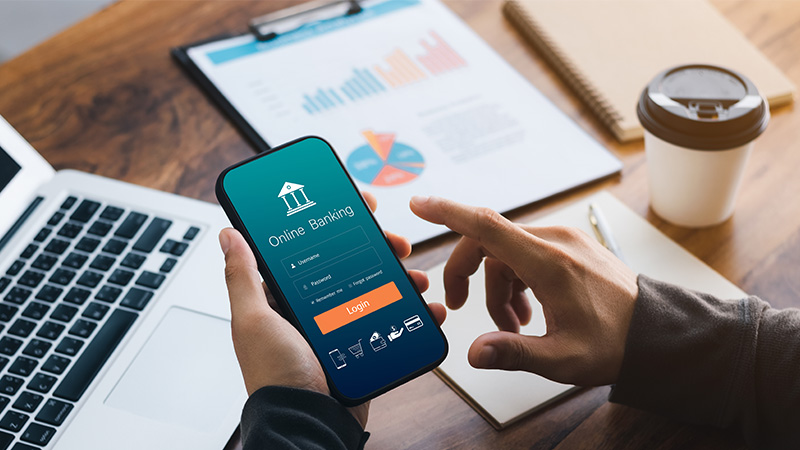
MyBill supports a wide range of payment options to fit your preferences. Make a DHL invoice payment online with your credit or debit card, through internet banking, or use modern platforms like Alipay, WeChat, Line Pay, and TrueMoney.
Prefer paying in person? No problem – MyBill can generate a QR code or payment reference you can use at participating outlets.
Set it and forget it with auto-pay
Tired of logging in to pay each invoice? With MyBill, you can set up automatic payments with your preferred credit or debit card. It’s a smart way to make sure you never miss a payment – especially if you’re dealing with multiple shipments or recurring charges.

On-the-go access
With the DHL Express Mobile App, you can manage and pay invoices wherever you are. Whether you're at your desk or on the move, you’re in full control of your billing.
How do MyBill and MyDHL+ work together to run your supply chain?
If your business already utilizes MyDHL+ to manage your international shipments, it is important to understand how it connects with the MyBill portal. Although both are core digital applications for corporate customers, they serve completely separate functional purposes:
THE DHL EXPRESS DIGITAL ECOSYSTEM CO-RELATION
MYDHL+ (The Logistics Engine): Used to create shipments, generate labels, schedule courier pickups, and manage international customs descriptions.
MYBILL (The Financial Hub): Used to view statements, download tax records, track payment milestones, and securely settle outstanding freight invoices.
Together, these digital systems complement each other perfectly, giving your team the combined tools needed to organize your physical shipments and settle your operational payments with ease.
How do you register for the MyBill platform in Brazil?
MyBill access is available exclusively to corporate or individual customers who hold an active, pre-approved DHL Express account number. If your company does not possess a trade account yet, you can easily apply for an international shipping business account online before setting up your billing credentials.
Once your account registration is confirmed, use these steps to activate your digital portal:
On a mobile device
Download the free DHL Express Mobile App from the iOS App Store or Google Play Store.
Launch the application and initiate registration by selecting the "Sign Up" option.
Populate the digital registration fields with your company credentials, tax details (CNPJ or CPF), and your active account number, then submit.
Verify your identity by entering the secure one-time password (OTP) transmitted instantly via SMS to your registered mobile number.
Complete account activation by checking your corporate inbox and clicking the unique verification hyperlink provided in the email.
On a desktop computer
Access the centralized login page at https://mybill.dhl.com/login/.
Click the “Sign-up to MyBill” action link and follow the guided step-by-step account configuration instructions.
Once your credentials are confirmed active by the system, you gain immediate access to all the features of the MyBill interface, allowing you to pay your invoices online without friction. For small businesses executing an international shipping strategy, maintaining an immaculate payment history is vital for ensuring long-term logistical continuity.
In the Brazilian market, letting invoices slip past their due dates can disrupt your supply chain, halt outbound customs clearance, and impact critical client relationships abroad.
Leveraging advanced digital billing systems ensures your administrative tasks remain simple, fast, and secure. Keeping your accounts settled on time prevents operational bottlenecks, protects your credit rating, and ensures your cross-border shipments keep moving smoothly across global boundaries.
To streamline your international logistics, open a DHL Express Business Account.


 Share
Share