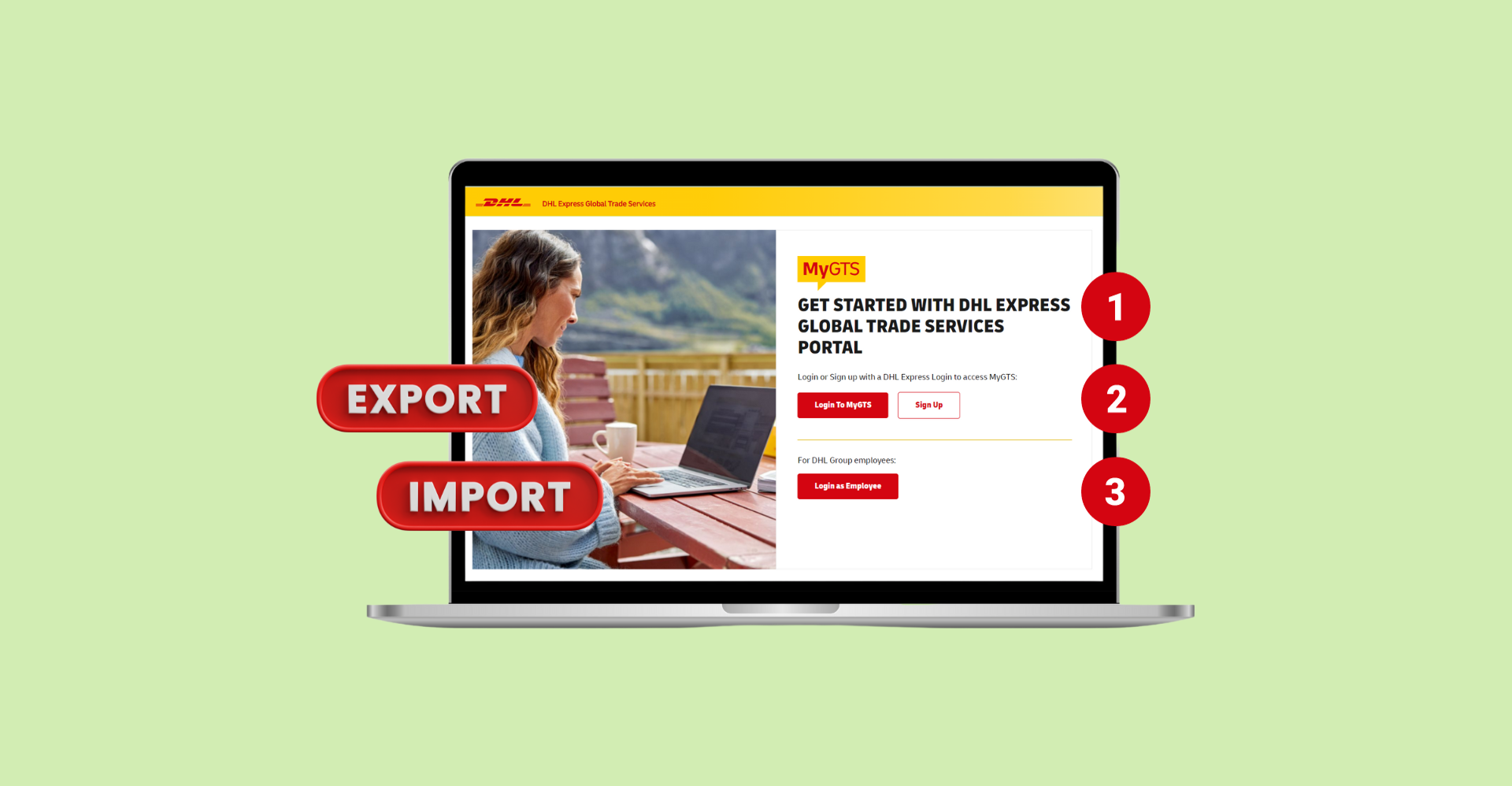
When shipping internationally, customs duties and taxes can differ by country and involve multiple types of charges such as import duty, sales tax, and excise duty. Calculating these manually can be complicated and prone to errors.
To make this easier, DHL Express provides MyGTS, a tool that instantly estimates duties and taxes for your shipment—even if you’re not using DHL Express.
This guide walks you through the process to get an instant estimate:
Step 1: Log in or Sign Up for MyGTS
Visit MyGTS and click 'Login to MyGTS' to get started.
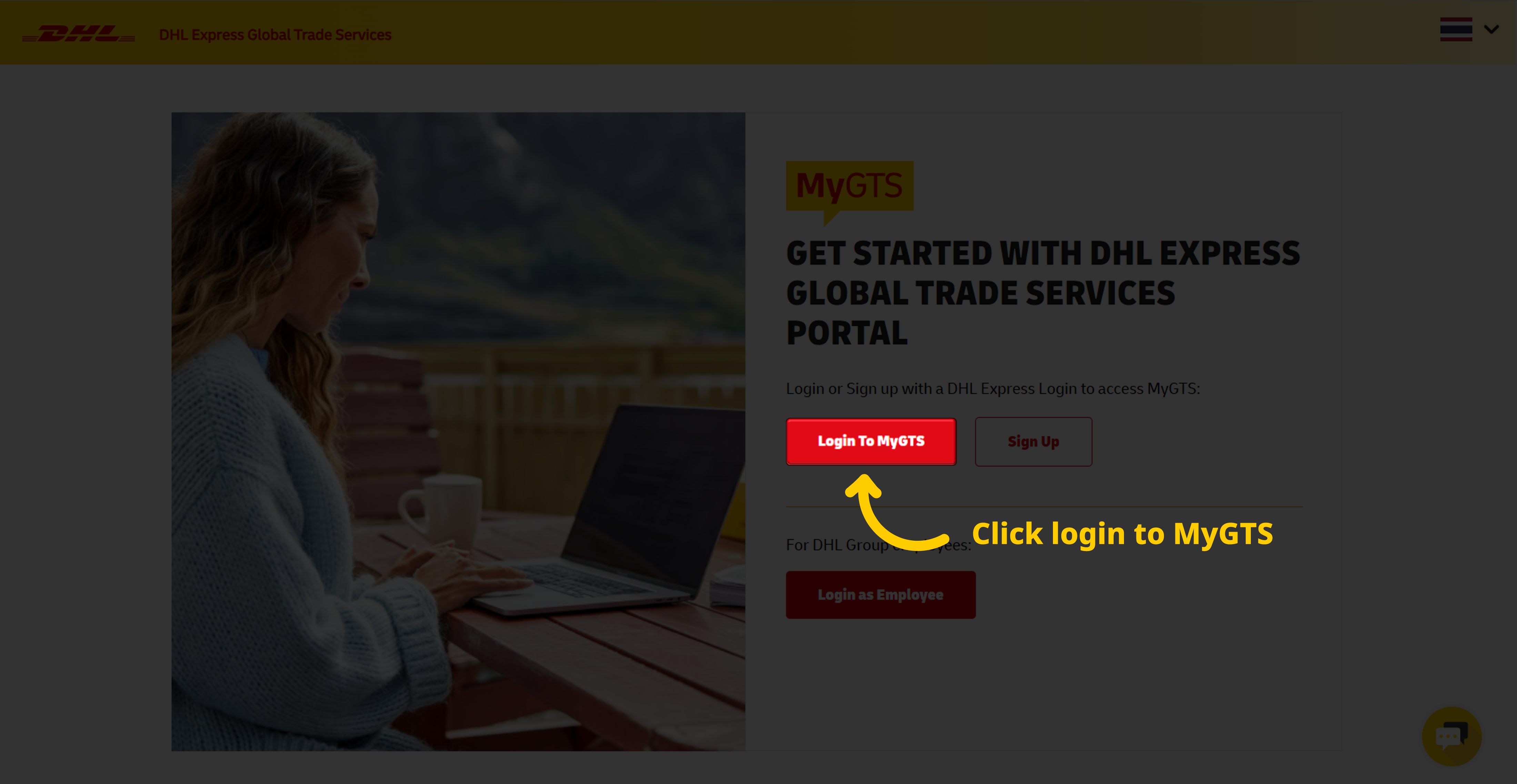
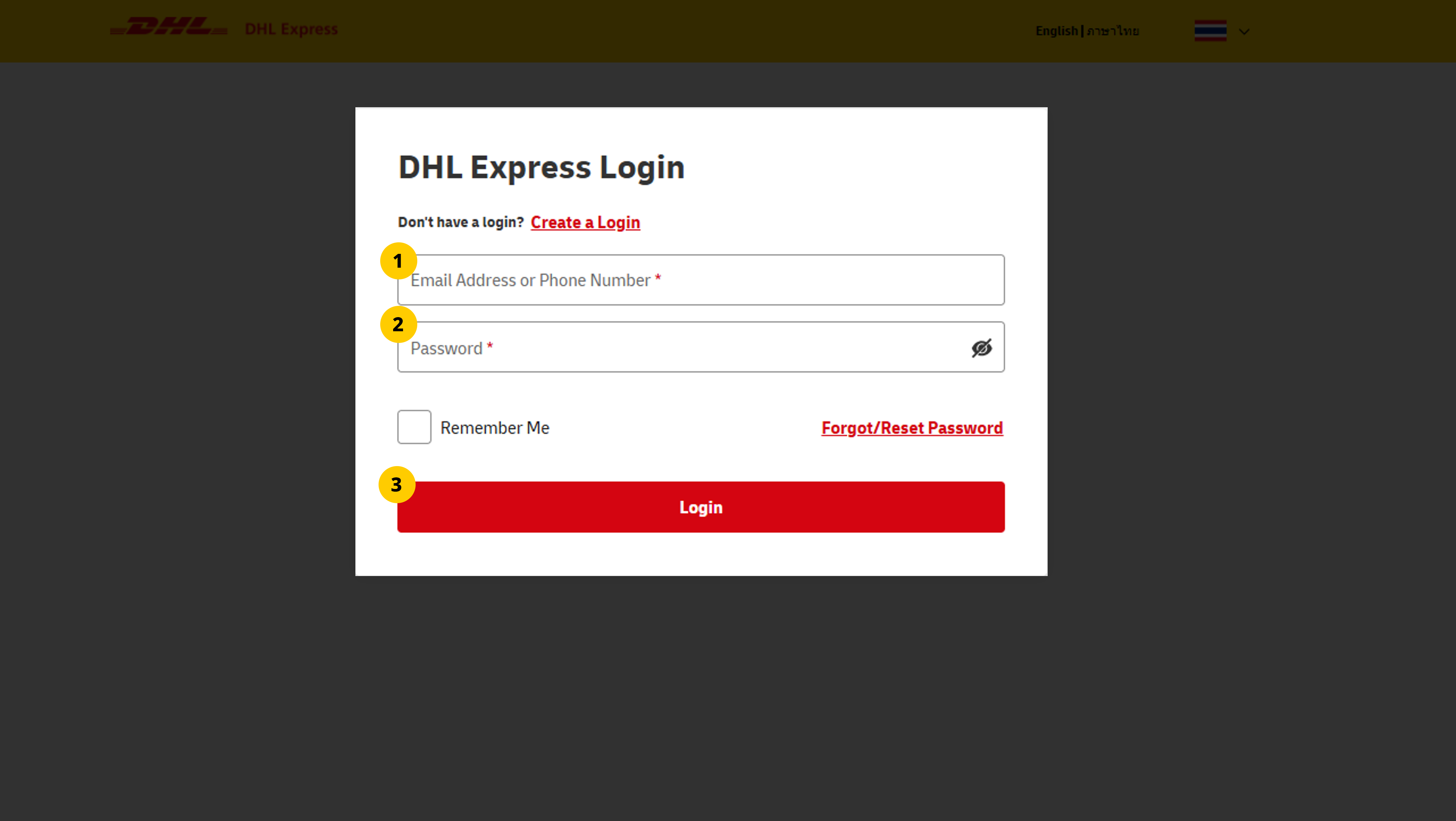
If you’re a DHL Express customer with a MyDHL+ account, log in with your MyDHL+ account, whether you’re new to MyGTS or a returning user.
- Enter email address or phone number.
- Enter password.
- Click 'Login' to proceed.
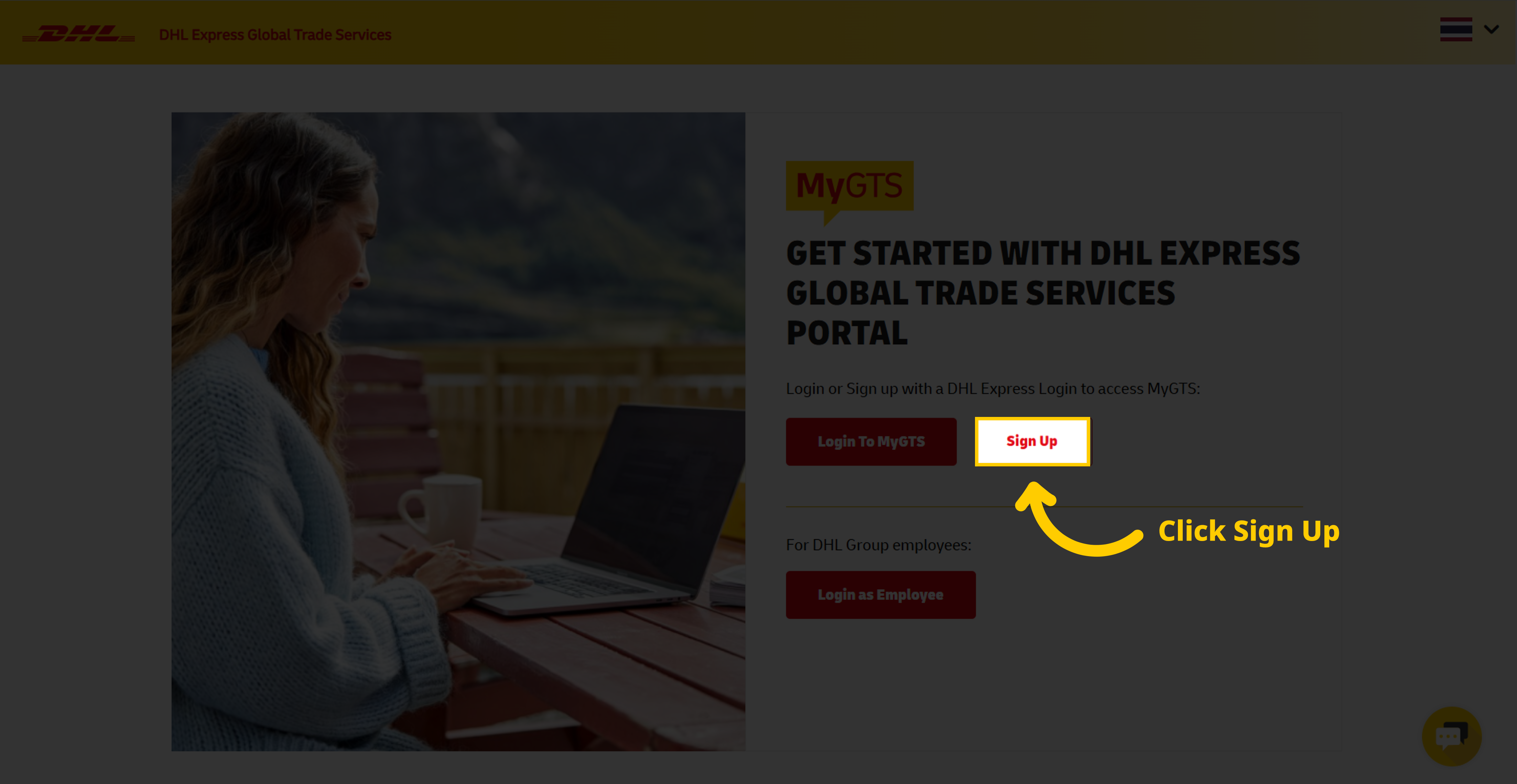
Sign Up for MyGTS
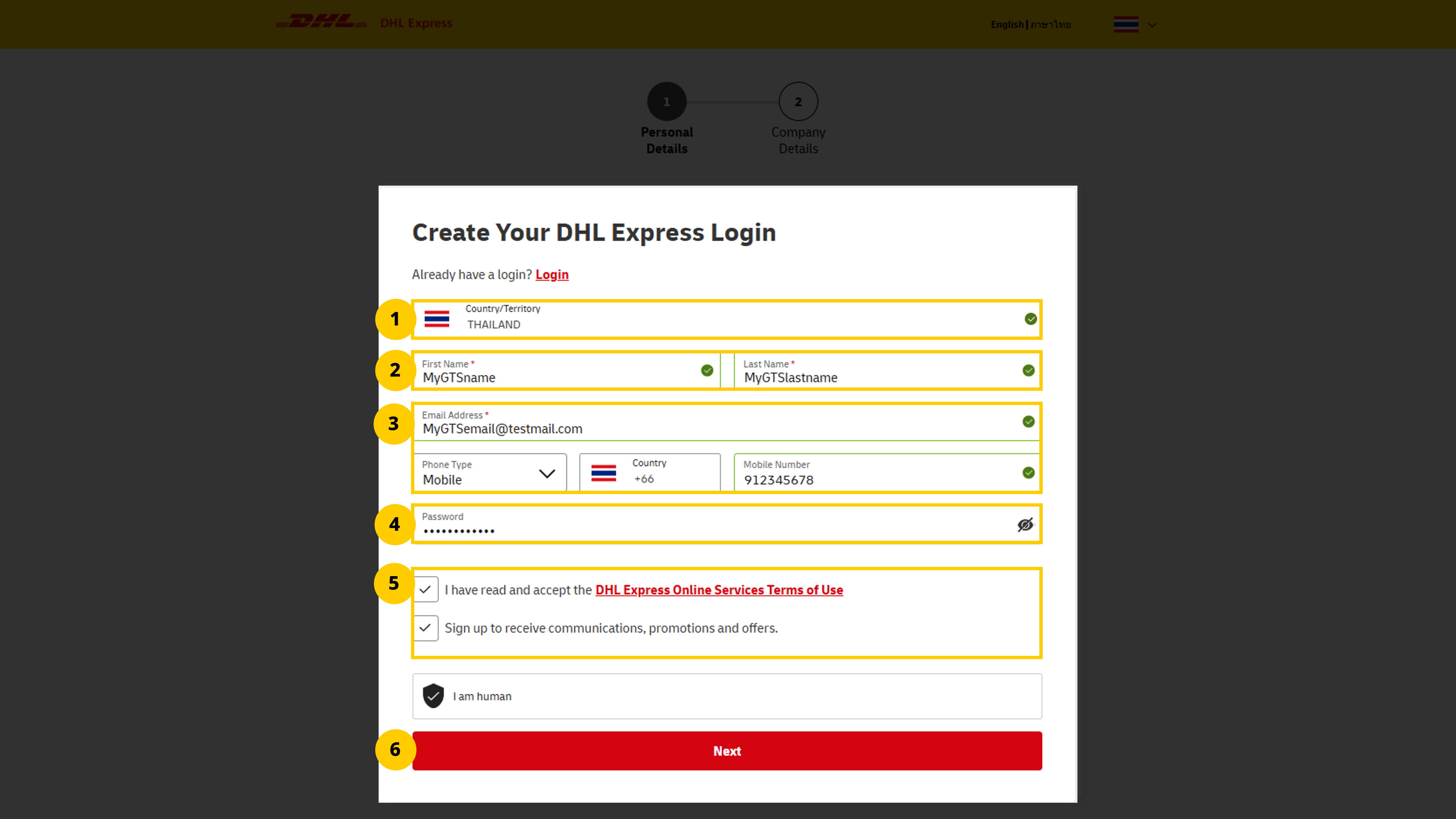
If you don’t have a MyDHL+ account, click 'Sign Up' and create a new account:
Select your country of residence.
Enter your first and last name.
Provide your email address and phone number.
Create a secure password.
Accept the terms and conditions.
Click 'Next' to proceed.
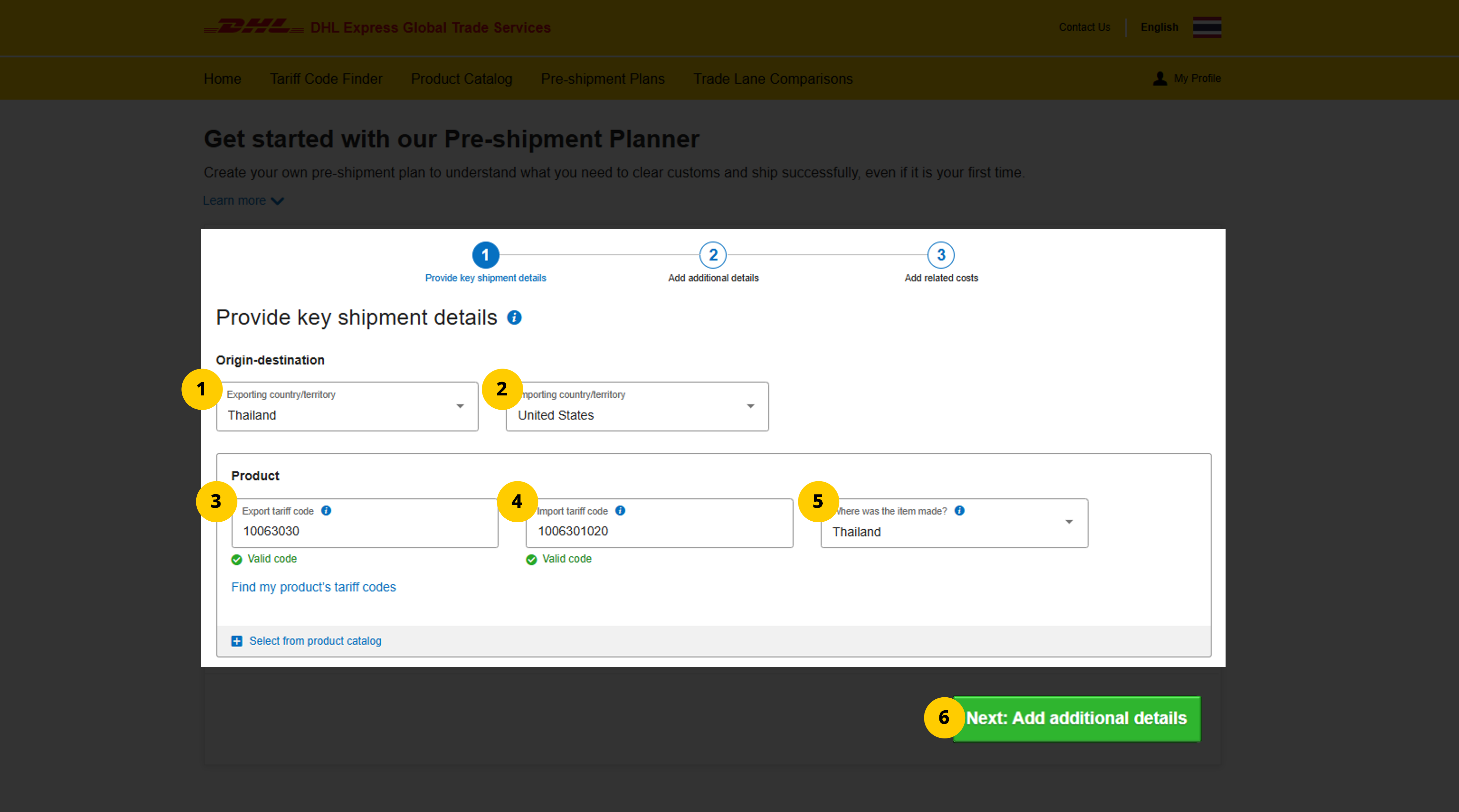
Step 2: Enter Shipment Details
Choose the export country.
Choose the destination country.
Enter the commodity codes for the export country.
Enter the commodity codes for the destination country.
Select the country where the goods were manufactured.
Click 'Next' to continue.
Need help finding commodity codes? Check out our 'how to find an HS Code' guide for detailed instructions.
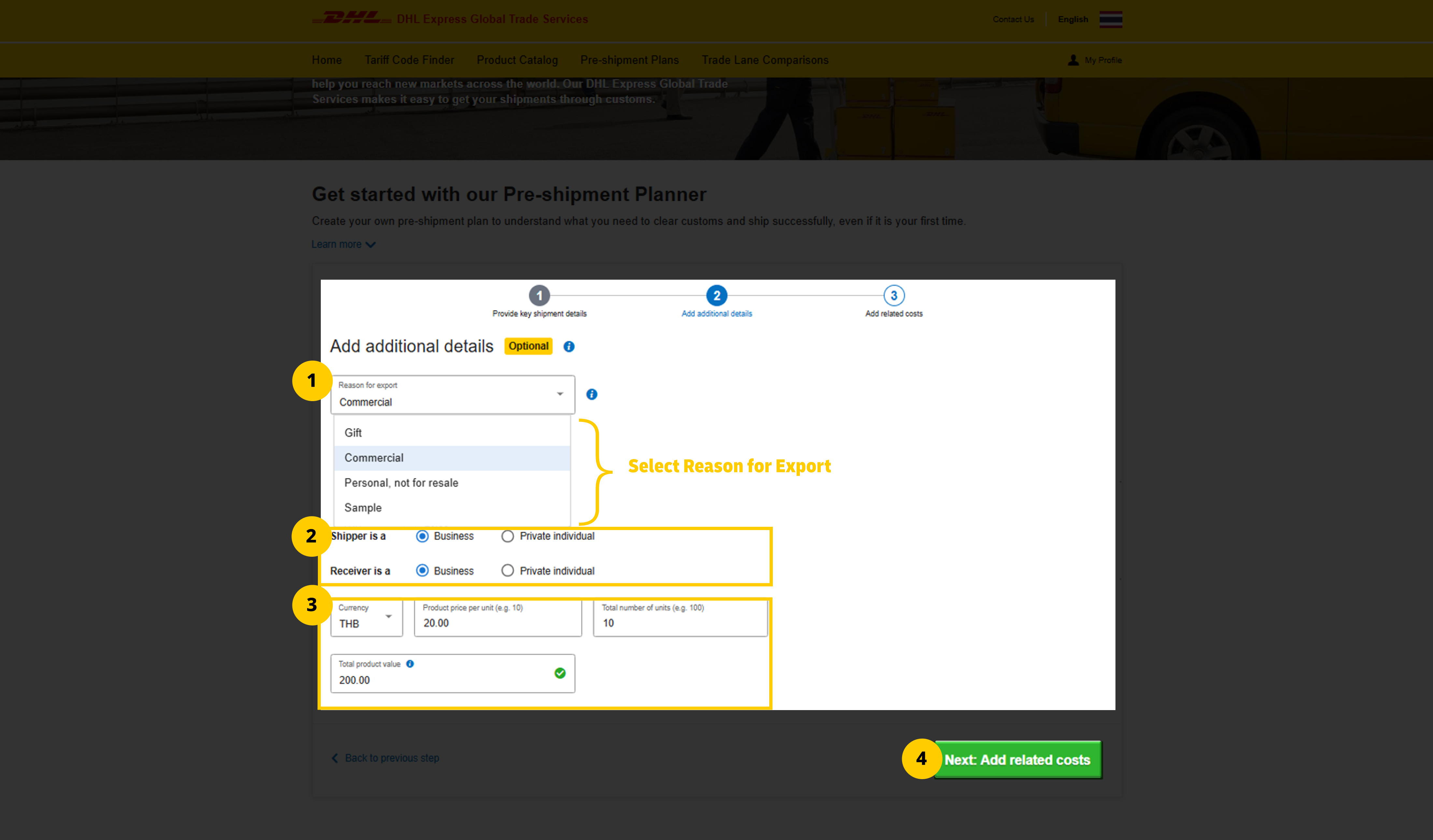
Step 3: Provide Commodity Value
Select a 'reason for export'.
Shipper and receiver details will auto-fill from your initial input.
Choose a currency, enter the unit price and quantity. The total price will auto-calculate.
Click 'Next' to proceed.
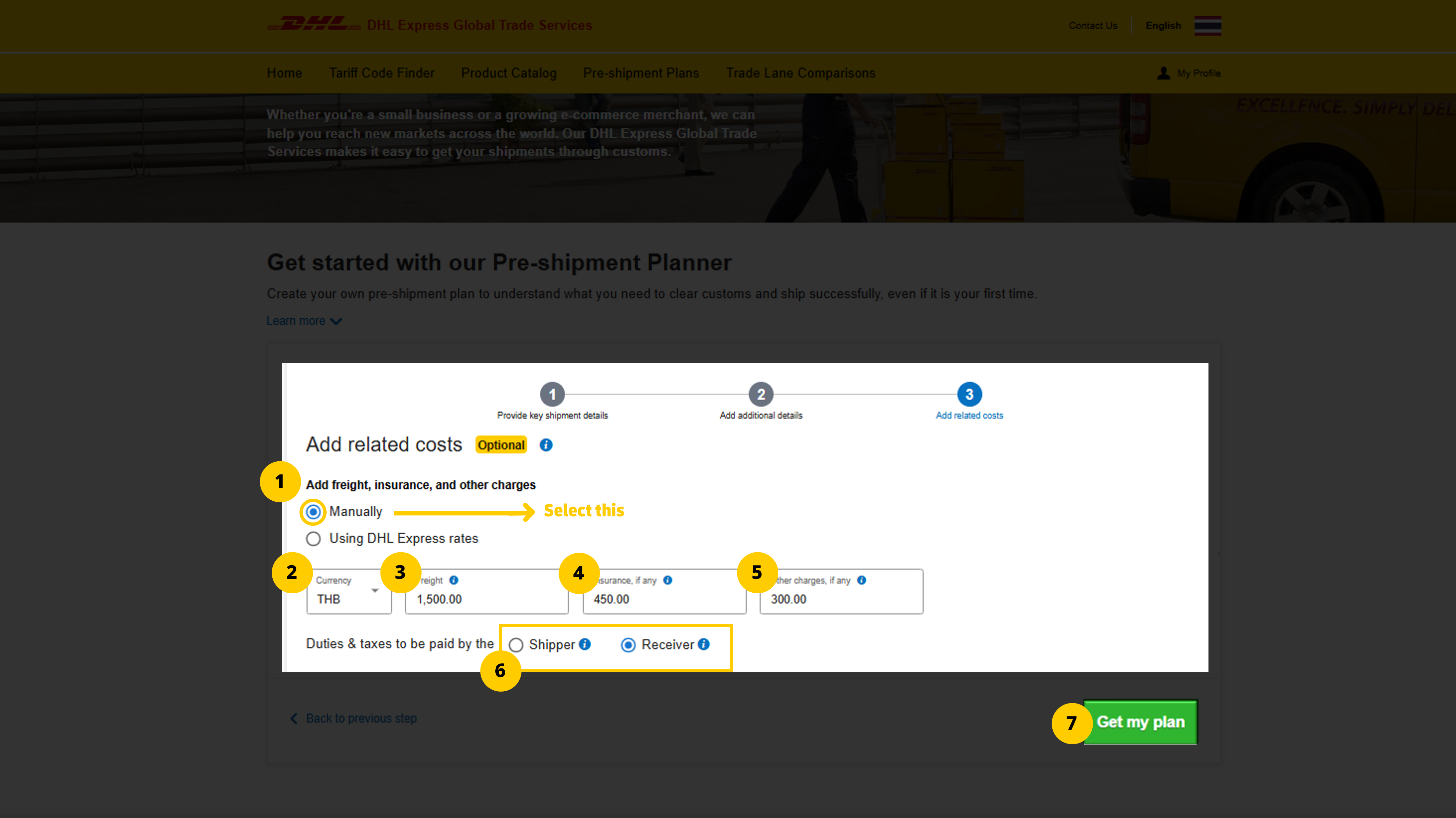
Step 4: Add Freight and Related Costs
There are two options - one for DHL Express customers and one for non-DHL Express users.
For non-DHL Express shippers:
Select ‘Manually’.
Choose a currency.
Enter freight cost.
Enter insurance cost.
Add any other shipping-related costs.
Specify who pays duties and taxes: shipper or receiver.
For DHL Express shippers:
Select 'Using DHL Express rates'.
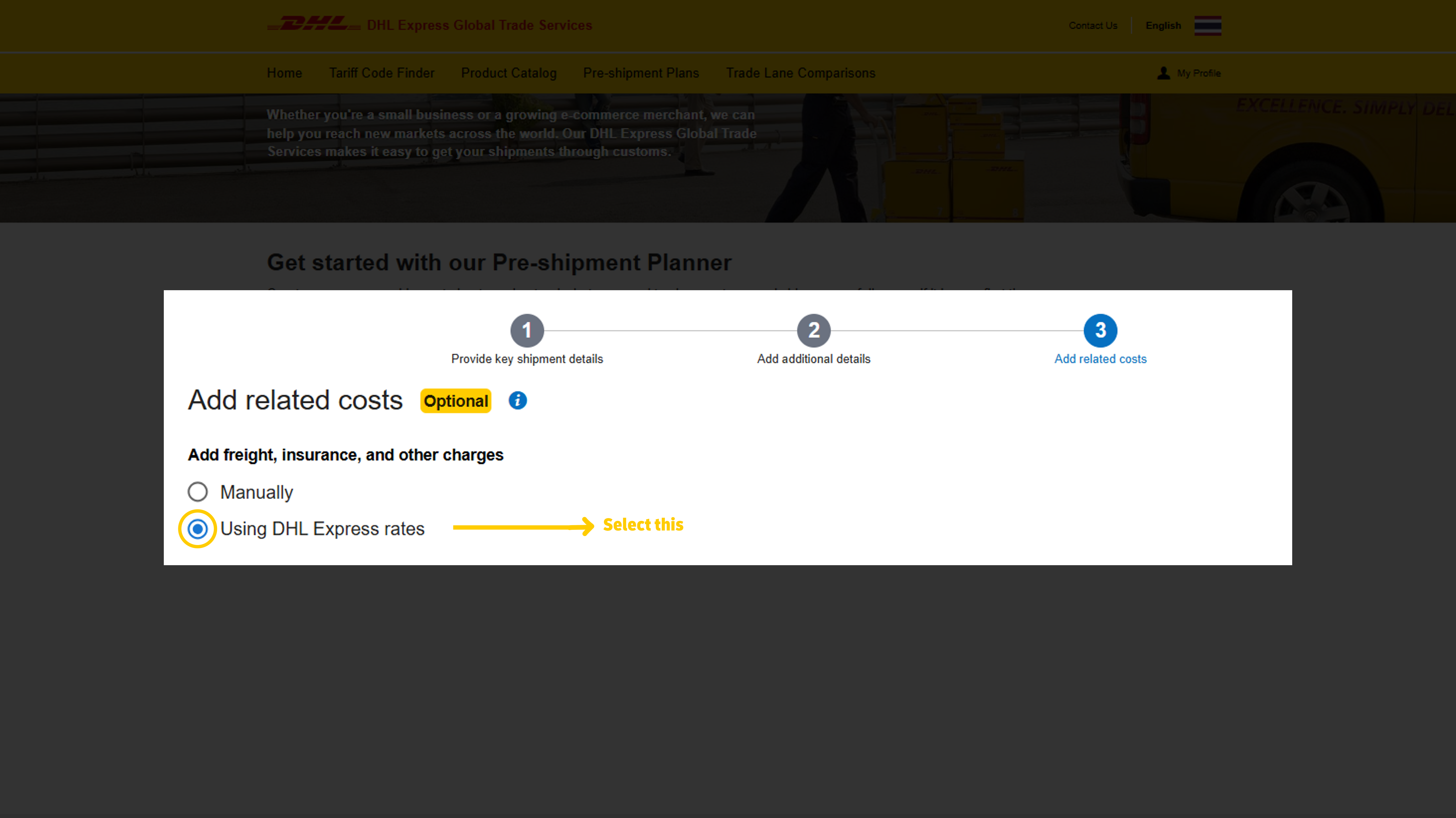
If you don’t have a DHL Express account, select ‘No’ and continue.
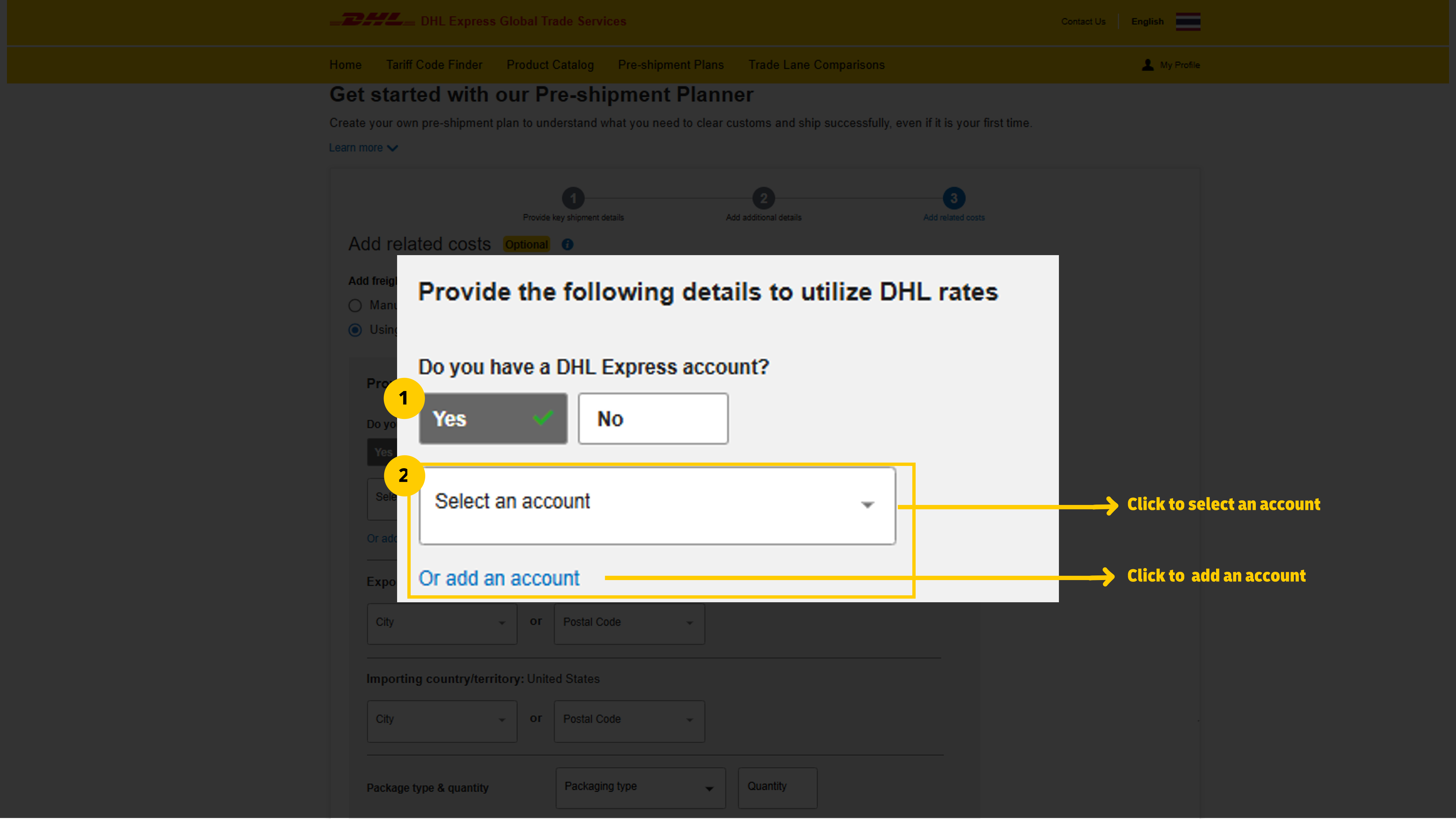
If you have a DHL Express account:
Select ‘Yes’.
Click ‘Select an Account’ from the dropdown or ‘Add an Account’ manually.
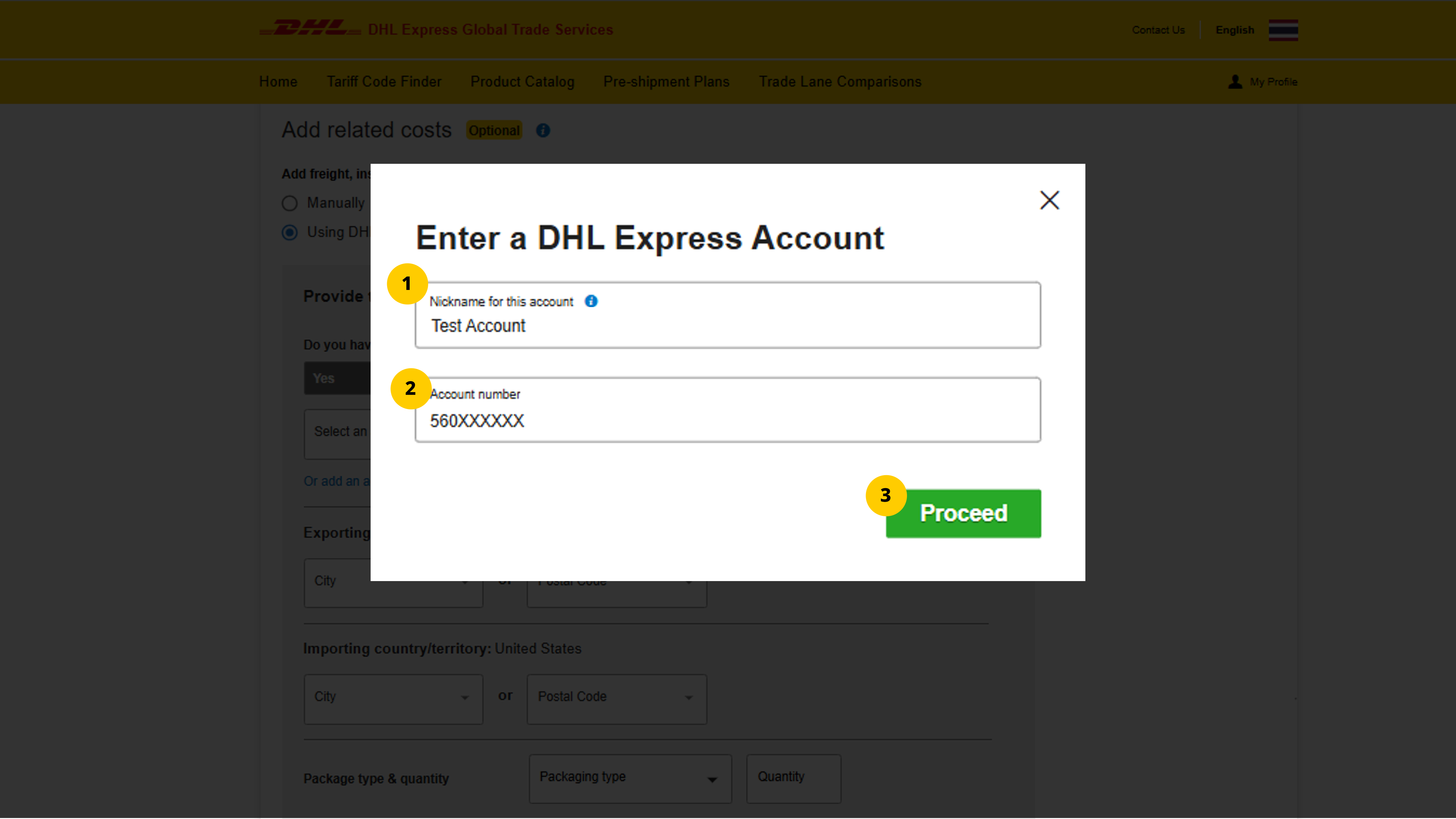
To add a DHL Express account:
Enter a 'name' for reference.
Enter the account number.
Click 'Proceed'.
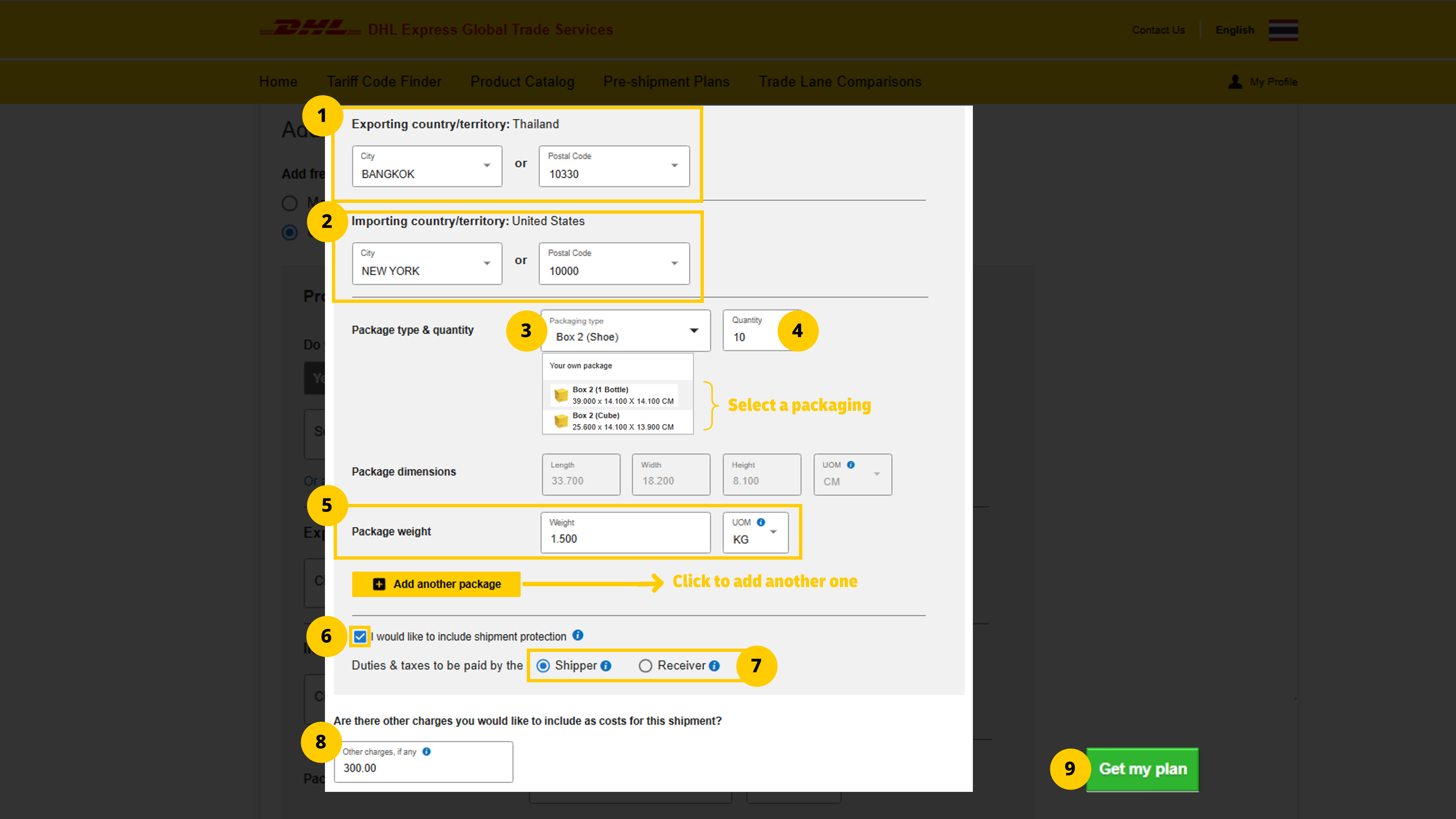
Then:
Enter the exporting city or postal code (other field auto-fills).
Enter the destination city or postal code (other field auto-fills).
Specify packaging type.
Enter shipment quantity.
Enter shipment weight in the chosen unit.
Check 'shipment protection' to add insurance.
Specify who pays duties and taxes: shipper or receiver.
Add any other shipping-related charges.
Click 'Get My Plan' to proceed.
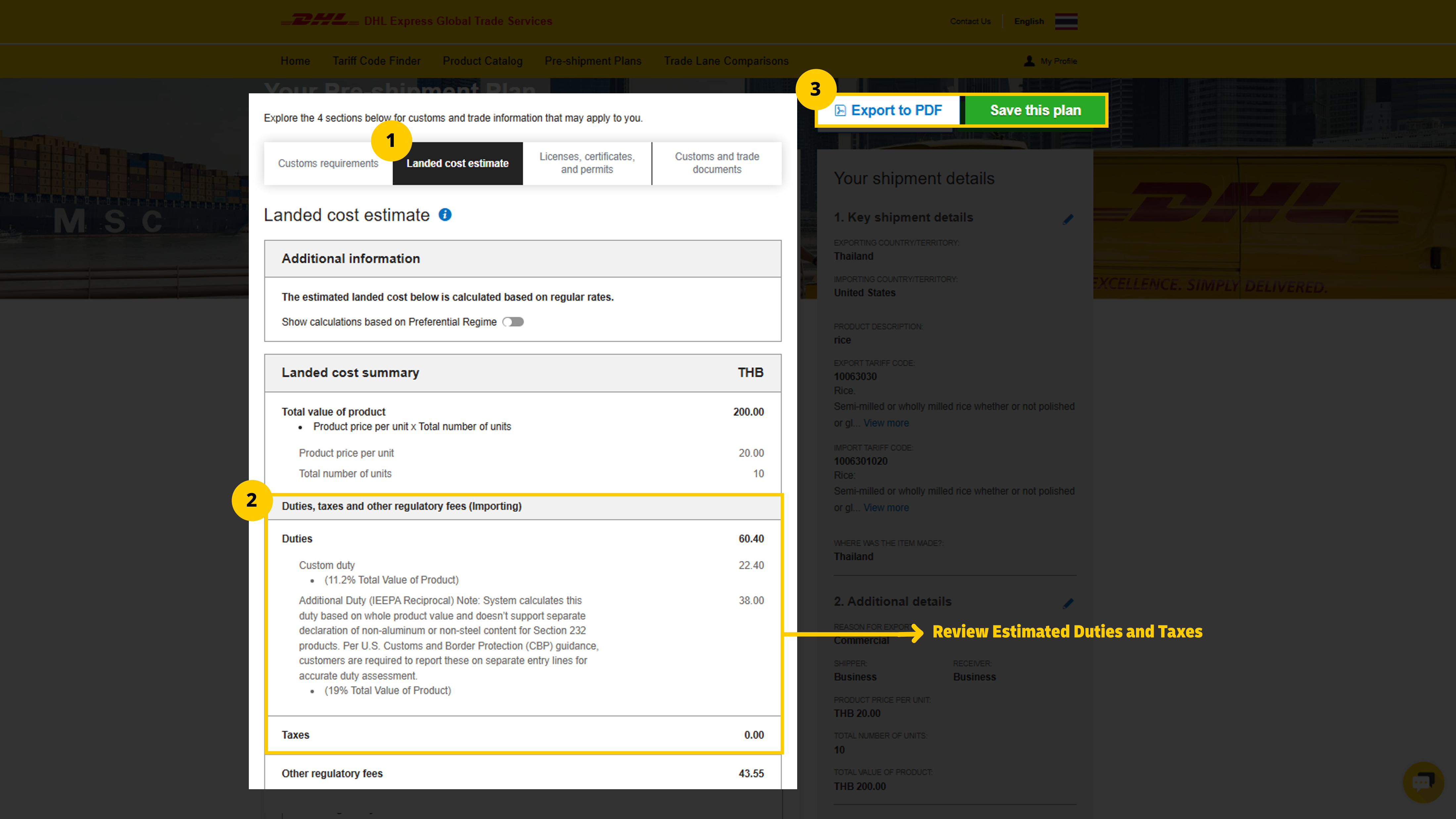
Step 5: Review Estimated Duties and Taxes
After completing the steps, customs requirements and shipment details will appear.
To view estimated duties and taxes:
Click 'Landed cost estimate'.
Review the types and amounts under 'Duties, Taxes, and Other Regulatory Fees (Importing)'.
Click 'Save this plan' to store it in MyGTS or 'Export to PDF' for a copy.
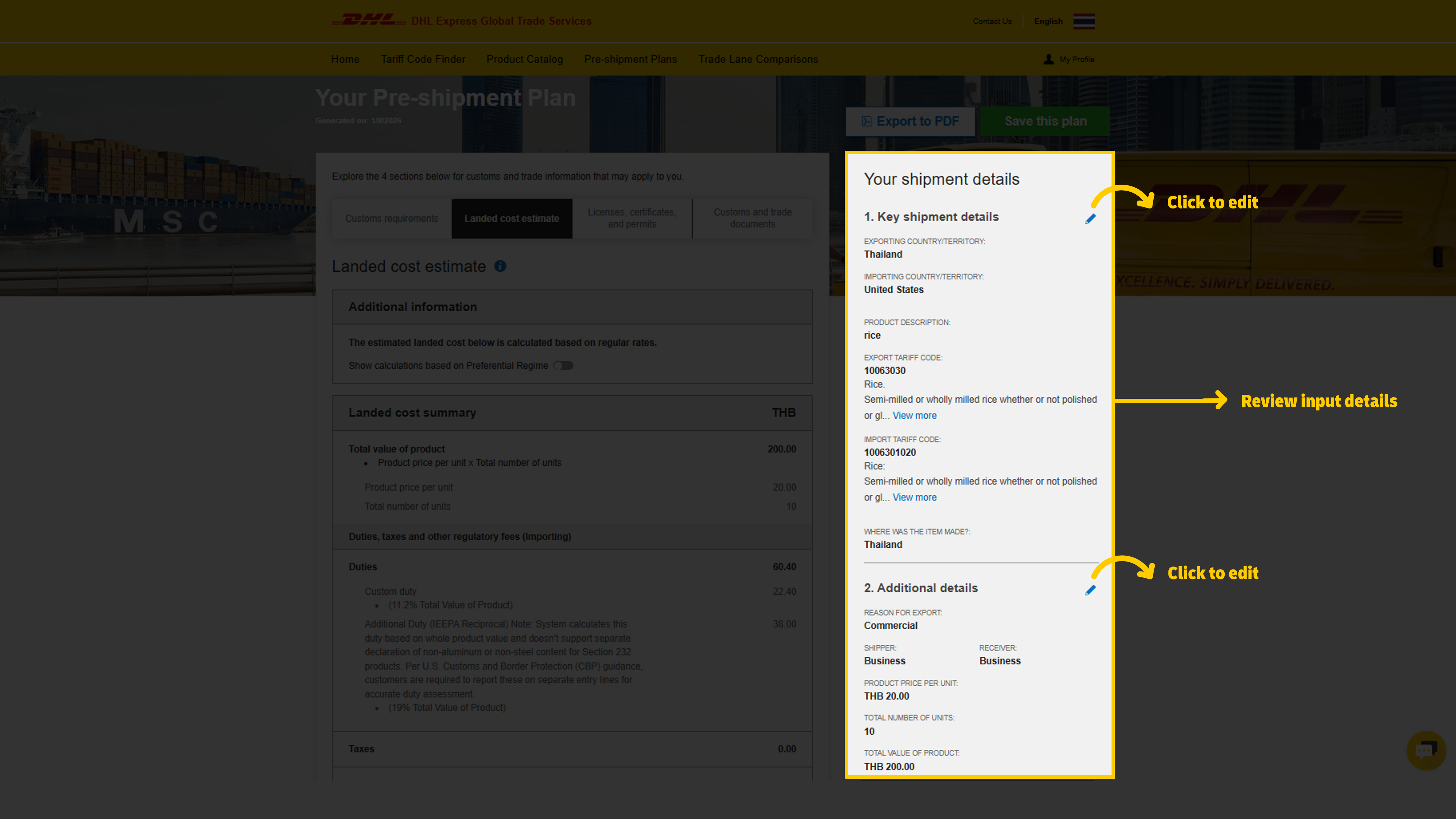
To edit shipment details or values, click the pencil icon in the right panel.
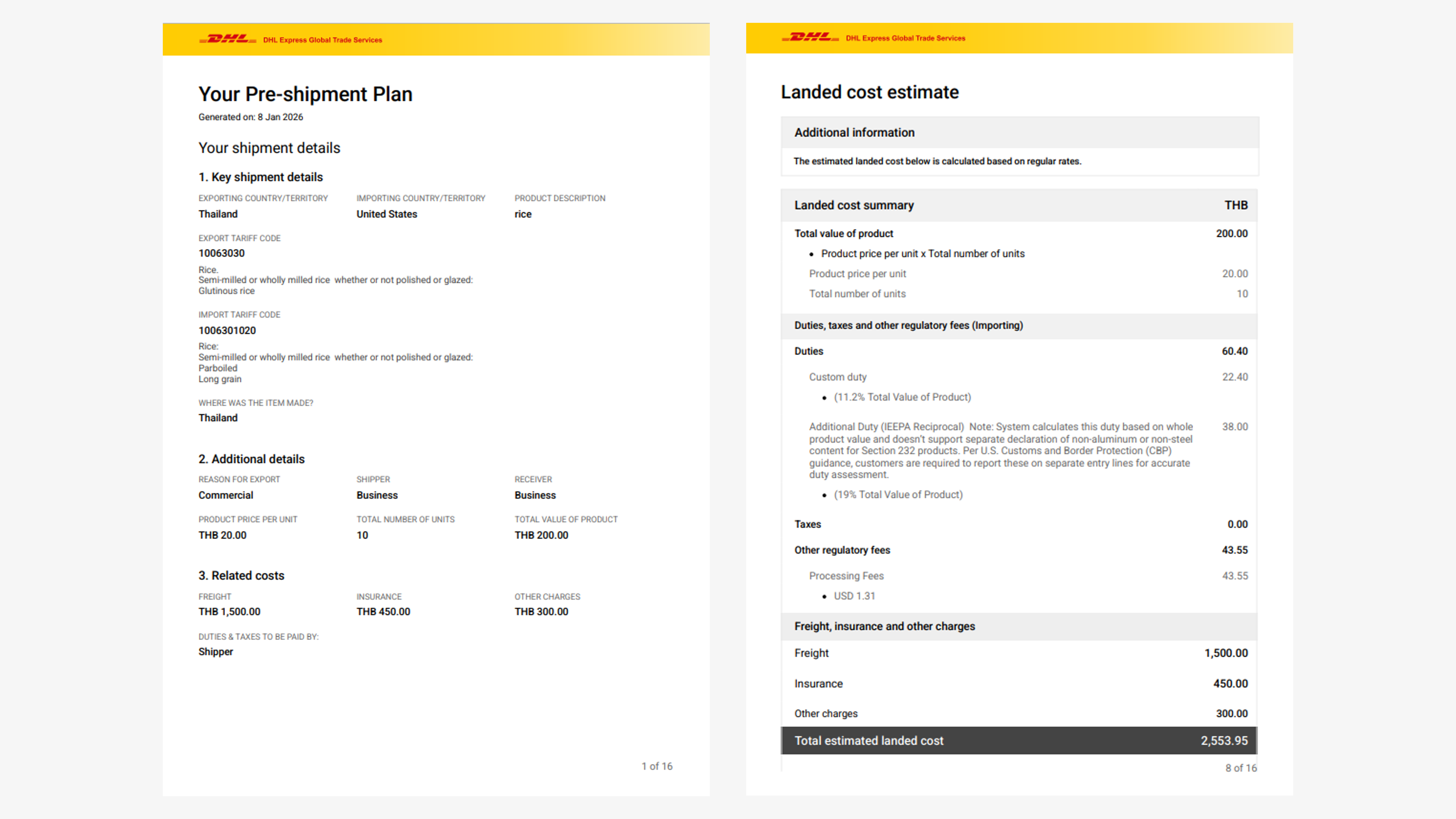
You can also preview a PDF showing customs details, including duties and taxes.


 Share
Share