Taking your small business global can take you to the next level, but getting international shipping right matters. Customers expect clear answers about where their order is, when it will arrive, and whether anything needs their attention. Good shipment tracking answers those questions before they become support tickets. It reinforces trust, reduces order-status inquiries, and gives your team a reliable operational tool.
A Moment of Truth About International Shipping
POV: you just found the EXACT cocktail dress/coffee table/candelabra you’ve been shopping for online. You add it to your cart and get halfway through the checkout process when you realize it’s shipping from a different country, and you start to second-guess the purchase. Will you end up paying excessive shipping fees? Will it take two weeks (or two months) to arrive instead of the two days you’re used to? Will your package get stuck in customs and never arrive at all? Should you just settle for an alternative that ships domestically even though it’s not your first choice?
If you own a small to medium-size e-commerce business and are ready to make the move to international shipping, keep this scenario in mind. A global audience opens up new possibilities for your company, but for the venture to be a success, you need to be able to inspire confidence in your customer when these questions arise. And that means working with the right shipping partner.
From Data to Doorsteps, DHL Delivers
Customers may be aware that their purchases are being shipped across borders, but it doesn’t necessarily change their expectations about how fast and easy to follow their shipping experience should be.
It’s typically easy for recipients to track their own packages online, but the tools DHL offers are extremely useful from the seller’s side as well. For e-commerce shippers, the bigger opportunity is learning how to use DHL international tracking data proactively to…
- Monitor international shipments
- Inform customers before they ask
- Identify delays early
- Provide support teams with consistent answers
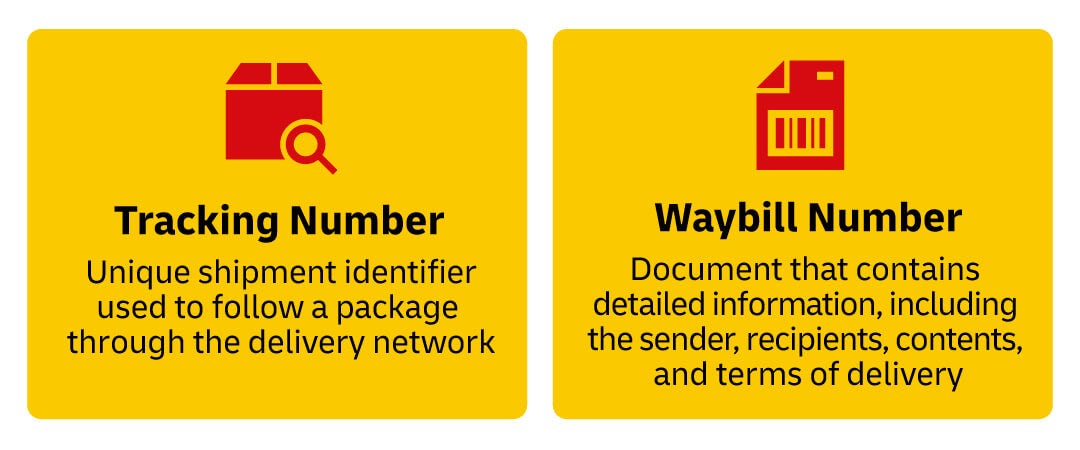
Tracking Numbers vs. Waybill Numbers
A tracking number is the broad term for the unique shipment identifier used to follow a package through the delivery network.
A waybill number is attached to the official document generated when a DHL Express shipment is created. While a tracking number only maps the movement of a parcel, the waybill contains detailed information, including the sender, recipients, contents, and terms of delivery. You could think of a tracking number as a passport ID number, while the waybill is the entire passport.
Customers may use their order number, tracking number, invoice number, email address, and more when they make inquiries. To be sure your support team has every base covered, store the DHL waybill number, DHL tracking number, and order number together in your fulfillment management system.
How to Track International DHL Shipments
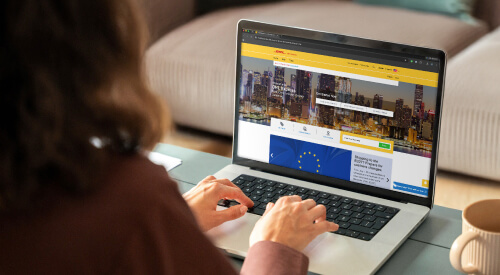
As mentioned, the same DHL tools that allow your customers to easily and accurately track their packages allow you to provide efficient and in-depth support when it’s needed. Here’s how you can maximize the benefits of using DHL as your international courier.
1. MyDHL+
MyDHL+ is the primary shipping and tracking workspace for DHL Express customers. Businesses can use it to:
- Create shipments and schedule pickups
- Track shipments (international and domestic)
- View shipment history
- Manage shipment preferences
- Monitor delivery status and view proof of delivery
- Communicate with customers
For support teams, MyDHL+ is especially useful because it centralizes shipment activity. Instead of asking a customer to refresh a public tracking page, a support agent can check the shipment record, confirm the latest checkpoint, and explain what is likely to happen next.
2. DHL Mobile App
The DHL mobile app (available for iOS or Android) helps users track shipments on the go. This is especially useful for business owners, warehouse leads, and customer support managers who need quick visibility outside the office. For companies with lean teams, mobile access can help keep urgent customer inquiries moving even when the person responsible for shipping is away from a desk.
3. SMS Alerts and Email Notifications
Real time updates that reach the right person automatically are key. DHL tracking tools can support notifications so shippers and recipients have the option to receive shipment updates by email or text. For e-commerce businesses, these alerts can reduce support volume by keeping customers informed before they contact your team.
Best practice: include tracking links in order confirmation and shipping confirmation emails, then train your support team to interpret DHL status updates consistently. That way, customers receive self-service visibility while your team remains prepared for exceptions.
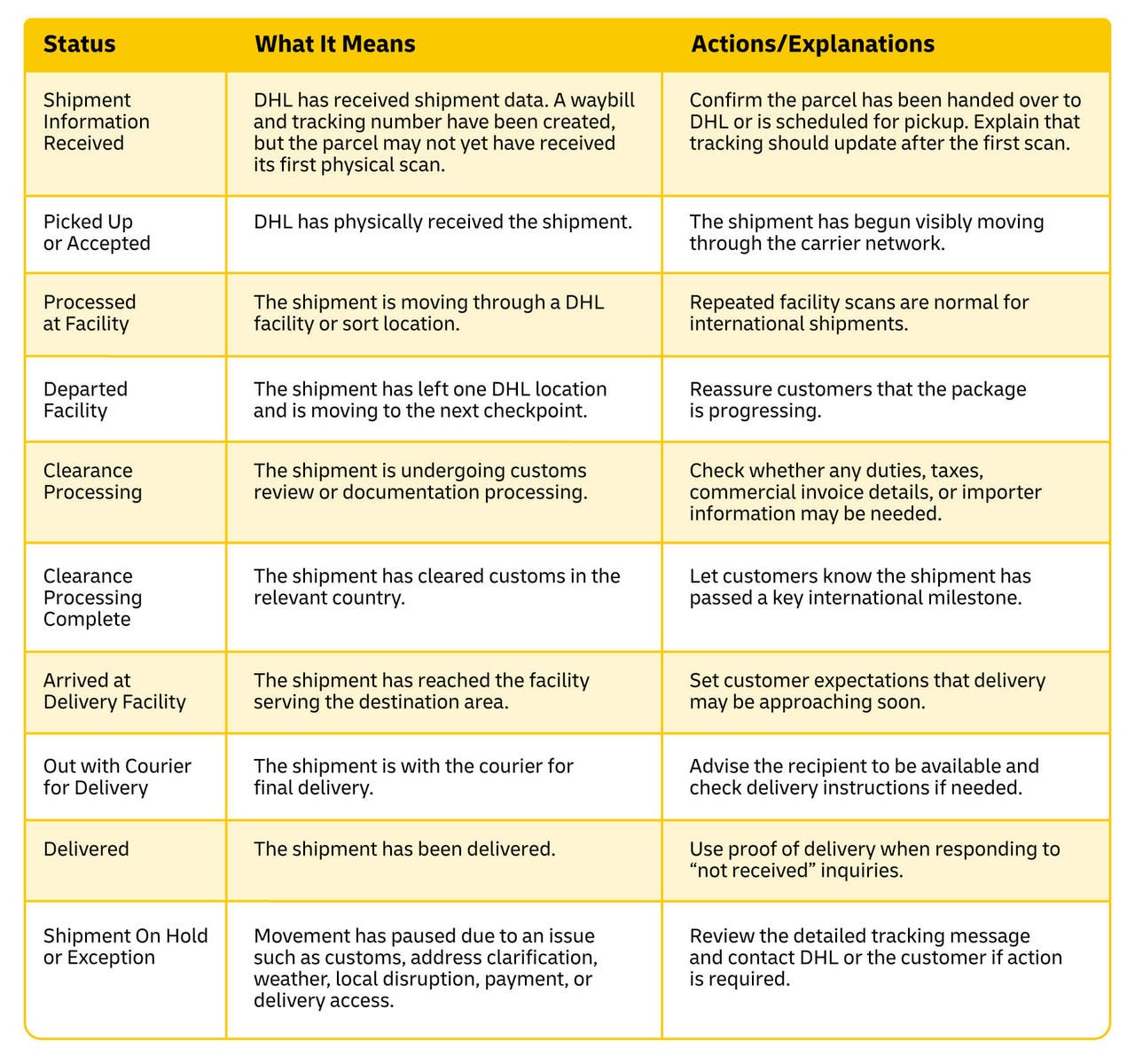
How to Read DHL Shipping Statuses
There are more steps to an international shipment than you might think, and your support team should be familiar with all of them so they can speak confidently when customers have questions or concerns.
What to Do if a Shipment Looks Stuck
A pause in tracking updates doesn’t necessarily mean a package is lost. International shipments may show gaps between scans because parcels are moving between countries, waiting for the next scheduled movement, undergoing customs review, or passing through partner and local delivery networks. The key is to determine whether the status is a normal delay, a documentation issue, or a customer-facing exception.
- Check the last meaningful scan. Identify whether the shipment is still pre-transit, in transit, in customs, at a delivery facility, or marked as an exception.
- Verify handoff timing. If the status says shipment information received, confirm your warehouse or fulfillment partner handed the parcel to DHL.
- Review customs documentation. For international shipments, missing or unclear commercial invoice details can slow clearance.
- Confirm the destination address. Address issues can lead to attempted delivery, exception, or return-to-sender events.
- Use DHL support channels when action is needed. If tracking indicates a hold, exception, or failed delivery, contact DHL with the waybill number and shipment details.
- Proactively update the customer. Even a short message explaining the latest status can prevent repeat inquiries and preserve trust.
Better Support for You. Better Support for Your Customers.
Multi-carrier tracking sites can be useful when shoppers want to check parcels from several providers in one place. But e-commerce shippers need more than a public status summary, and that’s what DHL’s tracking tools provide: context, a communication platform, and the ability to easily collect and connect all the information about a shipment.
DHL tools are built around the full shipping workflow: creating shipments, managing pickups, tracking packages, monitoring shipment history, and supporting customers when exceptions occur. For growing e-commerce brands, that integration really matters, because the same small team is often handling customer support, fulfillment, and logistics.
In other words, DHL tracking is not only about answering “where is my package?” It helps businesses build a more dependable post-purchase experience with fewer manual status checks, clearer communication, faster exception handling, and stronger confidence for customers ordering across borders.
How to Optimize DHL Tracking Resources
- Send the DHL tracking link automatically as soon as the shipment is created or handed over.
- Store the DHL waybill and/or tracking number in the same system as the customer order number.
- Create responses or reports for common statuses such as shipment information received, customs clearance, out for delivery, and on hold.
- Monitor shipments with high order value, time-sensitive delivery windows, or repeat customer importance.
- Use proof of delivery to resolve delivery confirmation questions quickly.
- Track recurring causes of delays, such as incomplete customs data or address issues, and fix them upstream.
If you ship internationally, the right tracking tools give you a distinct operational advantage. With DHL as your shipping partner, your e-commerce business can convert shipment visibility into outstanding customer service.


 Share
Share

Similar Stories