Your online sales are growing. Lekker! But once your business starts shipping beyond South Africa’s borders, getting an order packed and out of the warehouse is only the beginning.
International shipping involves several moving parts. You need to book the shipment, prepare the correct documents, arrange collection, track the parcel and deal with any duties or taxes. Miss a detail, and your delivery could be delayed at customs. Leave import charges unclear, and your customer may receive an unwelcome surprise.
MyDHL+ brings many of these shipping tasks together online, while other DHL tools support specific payment and billing needs. Knowing which tool to use and when can make cross-border shipping far simpler.
Your Shipment Is Ready. What Happens Next?
Before a parcel can leave your warehouse, you’ll need to provide the shipment details, select a service, prepare the required documents and arrange collection. Once it’s on its way, tracking allows both you and your customer to follow its progress.
For international orders, customs clearance adds another step. Depending on the destination and the contents of the shipment, duties and taxes may apply. Accurate information helps customs authorities assess the shipment and reduces the risk of unnecessary delays.
MyDHL+ helps you manage the core shipping process. Separate DHL tools are used for duties, taxes and account billing, depending on who is responsible for the charges.

What Can You Do With MyDHL+?
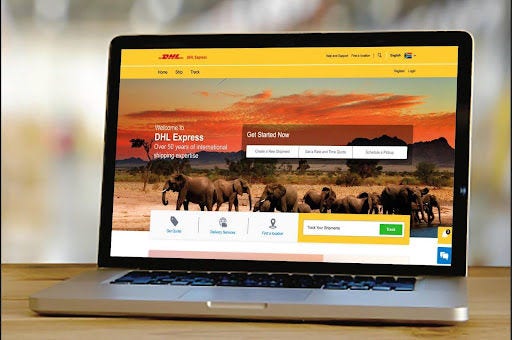
MyDHL+ is DHL Express’s online shipping platform. South African businesses can use it to obtain quotes, prepare shipment details and documents, arrange collections and track deliveries.
For first-time exporters, it provides a guided way to organise international shipments. For regular shippers, it offers a consistent process that can save time and make day-to-day shipping easier to manage.
How Do You Book a Shipment Without Missing a Step?
Before you begin, gather the sender’s and receiver’s contact details, along with the parcel’s weight, dimensions, contents and destination. This information is generally recorded on the Air Waybill (AWB). Shipments containing goods may also require a commercial invoice and additional customs information.
1. Enter the shipment details
Provide the origin, destination, contact details and package information. Describe the contents clearly and precisely.
Avoid vague descriptions such as “items”, “samples” or “products”. Customs authorities need to understand exactly what is inside the parcel, and unclear descriptions can slow down processing.
2. Compare services and quotes
Review the available services, rates and estimated transit times. The final cost and delivery estimate will depend on factors such as the parcel’s weight, dimensions, destination and selected service.
Accurate measurements matter. Incorrect details can affect the quote and may lead to additional charges later.
3. Prepare the required documents
Follow the prompts in MyDHL+ to prepare the waybill and any other required shipping documents. International shipments containing goods will generally need a commercial invoice.
Check that the product description, declared value, quantities and receiver details are accurate and consistent across all documents. Customs authorities use this information to assess the shipment and determine whether duties or taxes apply.
4. Confirm the booking and collection
Before confirming, review the selected service, shipment details and collection arrangements. A quick final check can help you catch small mistakes before they become bigger problems.
If you ship regularly, keeping your sender information consistent can make repeat bookings quicker and easier.
How Do You Track a Shipment After Dispatch?
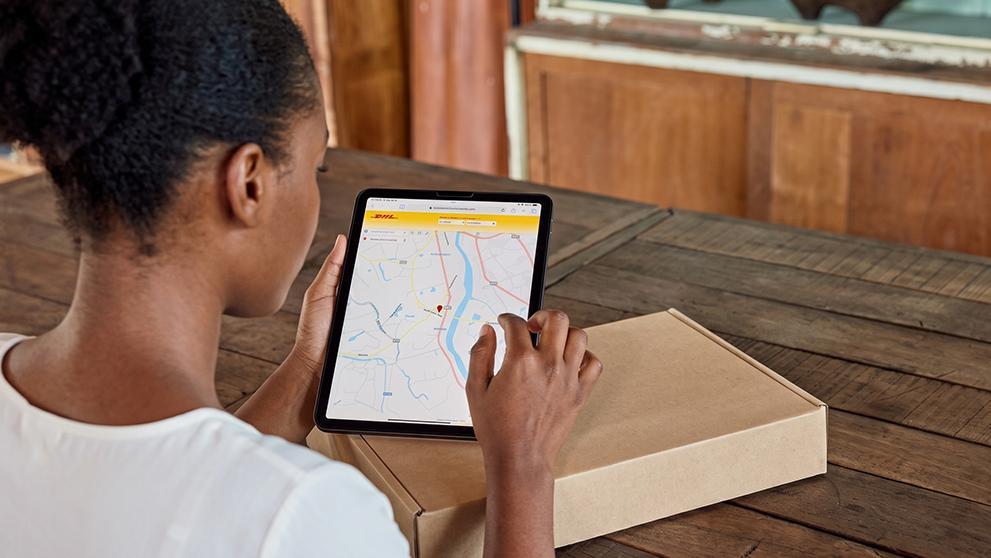
Once the parcel has been dispatched, use its tracking number in MyDHL+ or through DHL’s Track and Trace service.
Tracking helps your business monitor delivery progress and respond to customer enquiries. It doesn’t guarantee that every shipment will move without interruption, though. Customs authorities may require additional documents, information or payment before a parcel can continue its journey.
If action is required, follow the instructions provided through DHL’s official communication channels.
Who Pays the Import Duties and Taxes?
Shipping charges and import duties are not the same thing.
The shipping rate covers the selected transport service and related shipping charges. Duties and taxes are set according to the destination country’s rules, the type of goods being imported and the shipment’s declared value.
For goods entering South Africa, customs duty may depend on the tariff classification and customs value. Import VAT and other charges may also apply. The South African Revenue Service (SARS) determines the applicable customs requirements, while DHL may facilitate clearance and payment under its service arrangements.
Before dispatching an international order, make sure the sender and receiver agree on who will pay these charges.
Receiver-paid duties and taxes
When the receiver is responsible, DHL may pay the customs authority on the receiver’s behalf as part of the clearance process. DHL will then request repayment before releasing the shipment.
Duties & Taxes Paid
Where available and selected, DHL Express’s Duties & Taxes Paid service allows destination duties and taxes to be billed to the sender or an eligible third party instead of the receiver.
This can help businesses create a smoother customer experience by reducing the chance of an unexpected payment request at delivery.
Which DHL Tool Should You Use to Manage Charges?
The correct option depends on who is paying, the destination and how the shipment or DHL account has been set up.
If the receiver needs to pay
For applicable shipments entering South Africa, DHL uses its Online Payment Portal when the receiver is responsible for duties and taxes.
The receiver will receive a payment link by email. An SMS may also be sent if a mobile number was included in the shipment details. The receiver can follow the official DHL notification to review and pay the charges.
Payment must still be allocated and customs processing completed before the parcel can be released. If a payment request seems unusual, verify that it came through an official DHL channel before entering any personal or banking details.
If your business is covering the duties
Ask DHL about the Duties & Taxes Paid service before dispatch.
If the service is available for the destination and selected for the shipment, duties and taxes can be billed to the sender or an eligible third party rather than the receiver. Confirm the terms and any applicable charges for the specific shipment before booking.
If your business has a DHL billing account
Eligible account holders can use DHL MyBill, a separate electronic billing platform, to review and manage DHL invoices. Depending on your account arrangements, these invoices may include duties and taxes advanced by DHL.
MyBill and MyDHL+ serve different purposes. MyDHL+ is used to prepare, book and track shipments. MyBill supports invoice review and billing administration.
Always follow the payment terms shown on your account statement. You can also consult DHL’s Billing & Account Receivables page for more information about your available billing options.
Keep Every Part of the Shipping Journey Clear
Smooth international shipping starts before the driver arrives for collection.
Confirm the shipment details, prepare the correct documents and decide who will pay any duties and taxes. If the receiver is responsible, they should follow DHL’s official payment instructions. If your business wants to cover destination charges, check whether the Duties & Taxes Paid service is available before dispatch.
Each DHL tool supports a different part of the journey:
MyDHL+ helps you prepare, book and track shipments.
The Online Payment Portal supports applicable receiver payments.
Duties & Taxes Paid allows eligible destination charges to be billed to the sender or a third party.
DHL MyBill helps account holders review invoices and manage billing.
Once you know which tool handles each task, international shipping becomes much easier to manage. And if cross-border deliveries are becoming a regular part of your business, consider opening a DHL Express Business Account to explore shipping and billing options suited to your needs.
Frequently Asked Questions
Yes. MyDHL+ South Africa makes it easy to manage your shipments online, from getting a quote and preparing shipment details to booking a collection and tracking your delivery. Available services may vary depending on your shipment type, destination and route. Visit MyDHL+ South Africa to get a quote, schedule a pickup, find a DHL location, track a shipment and more.
Customs duties aren’t always paid directly through MyDHL+. For eligible shipments entering South Africa, the receiver may be directed to DHL’s Online Payment Portal. DHL’s Duties and Taxes Paid (DTP) service can also arrange payment of qualifying destination charges by the sender or an approved third party. Eligible DHL account holders can use MyBill to view and manage invoices. Check DHL South Africa’s customs and payment FAQs to find the right process for your shipment.
Customs duties and taxes are calculated according to the type of goods, their declared customs value, tariff classification and applicable South African customs regulations. Import VAT and other fees may also apply. The South African Revenue Service (SARS) determines the final amount payable, while DHL can assist with customs clearance and facilitate payment where applicable. For a more detailed breakdown, refer to DHL’s cross-border trade guide for South Africa.


 Share
Share

Similar Stories