If you have recently opened a DHL account or need to use a DHL account to pay for shipments in MyDHL+, this guide is for you. Whether you're creating your first shipment, using a different DHL account for billing, or setting up an account in advance for future shipments, it will walk you through the available options.
MyDHL+ allows transportation charges to be paid using any eSecure enabled DHL account, including a third party DHL account. Depending on your shipping needs, there are three ways to add and use a DHL account in MyDHL+.
- Create a Shipment – Without A Saved DHL Account : Registered MyDHL+ user without a DHL account saved and need to add one while creating a shipment.
- Create a Shipment - With a Saved DHL Account : Registered MyDHL+ user with a DHL account but wish to use another DHL account to pay for a shipment.
- Set Up Account In Advance : Add and manage DHL accounts in MyDHL+ before creating shipments.
Tip: Ask the DHL account owner to pre-authorize your MyDHL+ login through eSecure before creating shipments. This helps ensure a smoother shipping experience and reduces the likelihood of account authorization issues.
This guide explains the setup process for each scenario and shows you how to add and manage DHL accounts in MyDHL+.
Create a Shipment – Without A Saved DHL Account
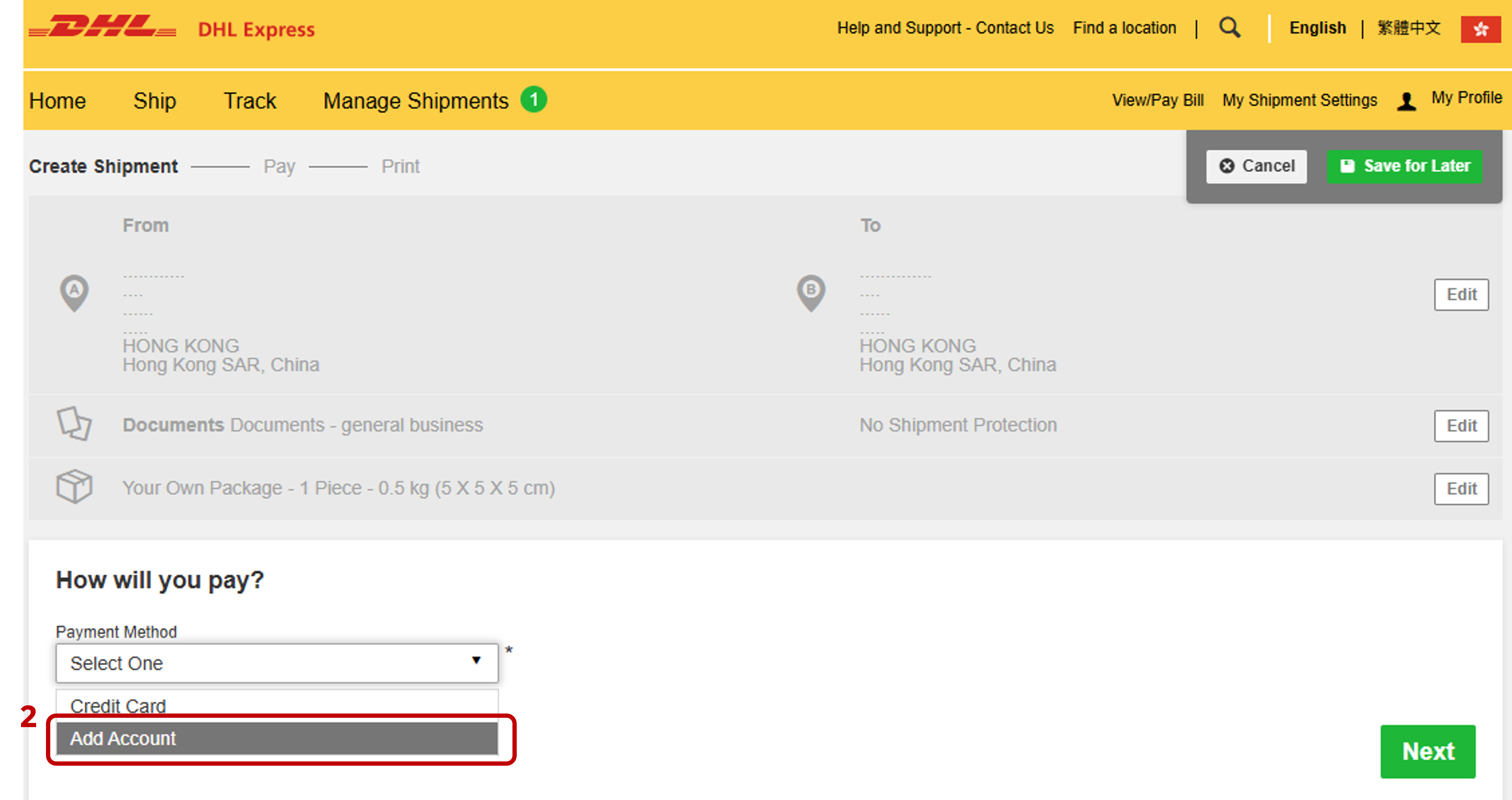
Step 1: After you have completed the first four steps (1. From and To, 2. Shipment Details, 3. Customs Invoice Details & 4. Select Packaging) under the 'Create a Shipment' tab, you will be taken to the ‘How Will You Pay?’ step.
Step 2: In the ‘How will you pay?’ section, please select ‘Add Account’ under ‘Payment Method’.
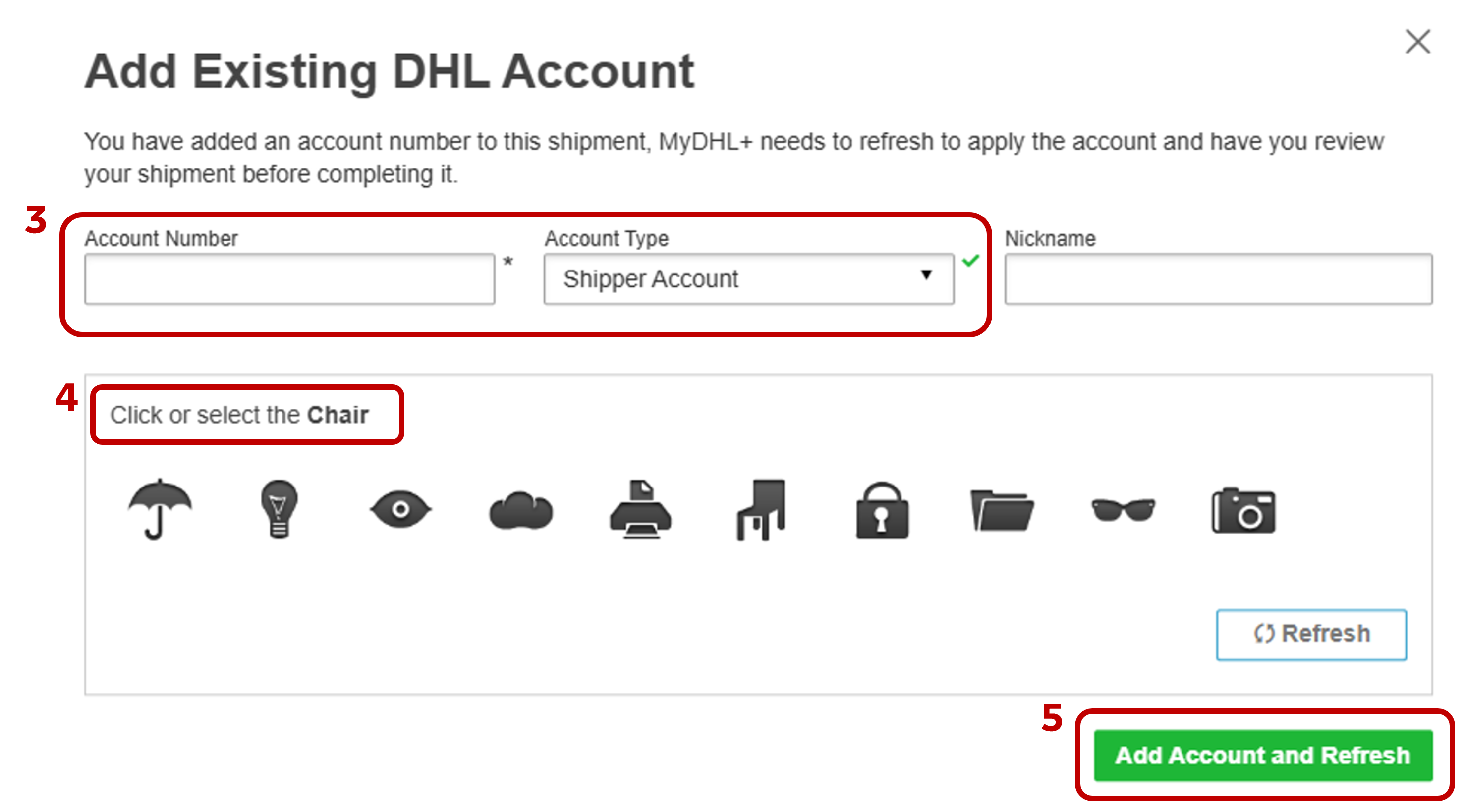
Step 3: Enter the DHL account number in ‘Account Number’ field and keep Account Type default as ‘Shipper Account’.
Step 4: Complete the verification by selecting the matching icon.
Step 5: Click ‘Add Account and Refresh’.
The page will reload automatically, and the newly added account will be set as the default payment account for the shipment.
Create a Shipment – With A Saved DHL Account
Best for users who already have a DHL account saved to their MyDHL+ profile and need to use a different DHL account to pay for a shipment.
Step 1: After you have completed the first four steps (1. From and To, 2. Shipment Details, 3. Customs Invoice Details & 4. Select Packaging) under the 'Create a Shipment' tab, you will be taken to the ‘How Will You Pay?’ step.
Step 2: In the ‘How will you pay?’ section, please select ‘Alternative DHL Account Number’ under ‘How will you pay for transportation charges?’ option.
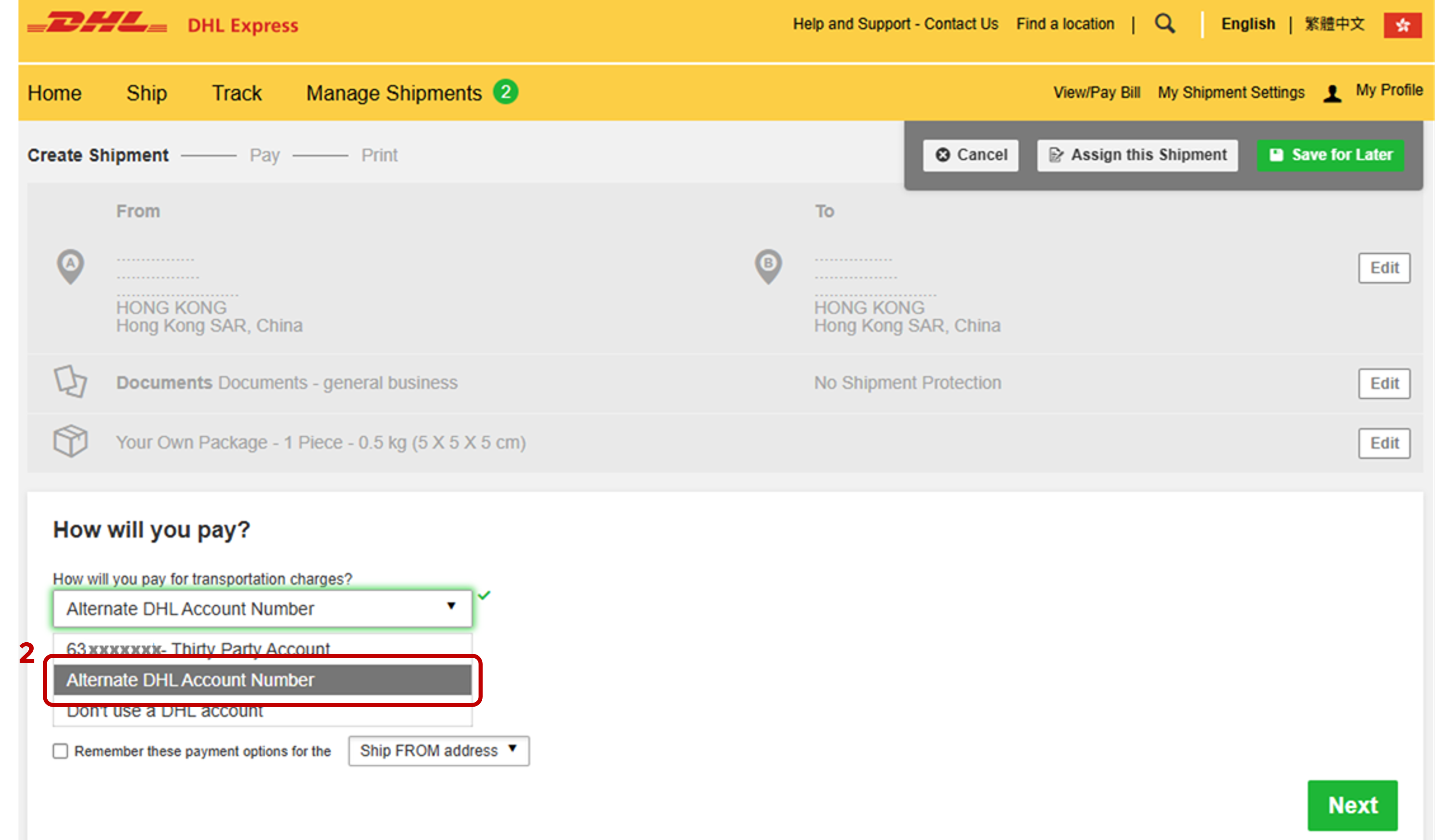
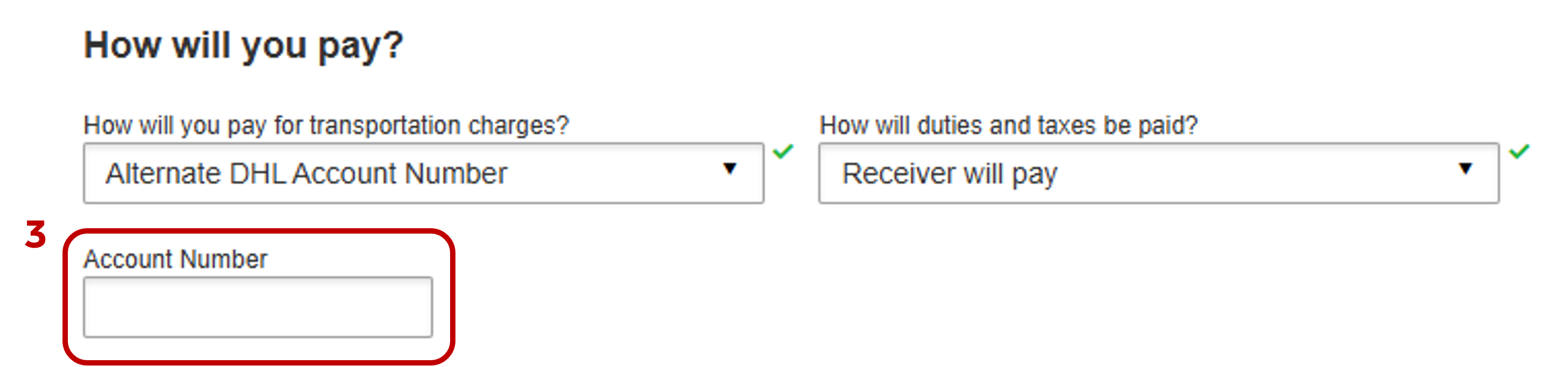
Step 3: Enter a different DHL account number under ‘Account Number’ field.
Once the account has been added, you can continue with shipment creation and select the new account as the payer account.
Set Up Account In Advance
Recommended for frequent shippers who regularly use the different DHL accounts and prefer to set them up before creating shipments.
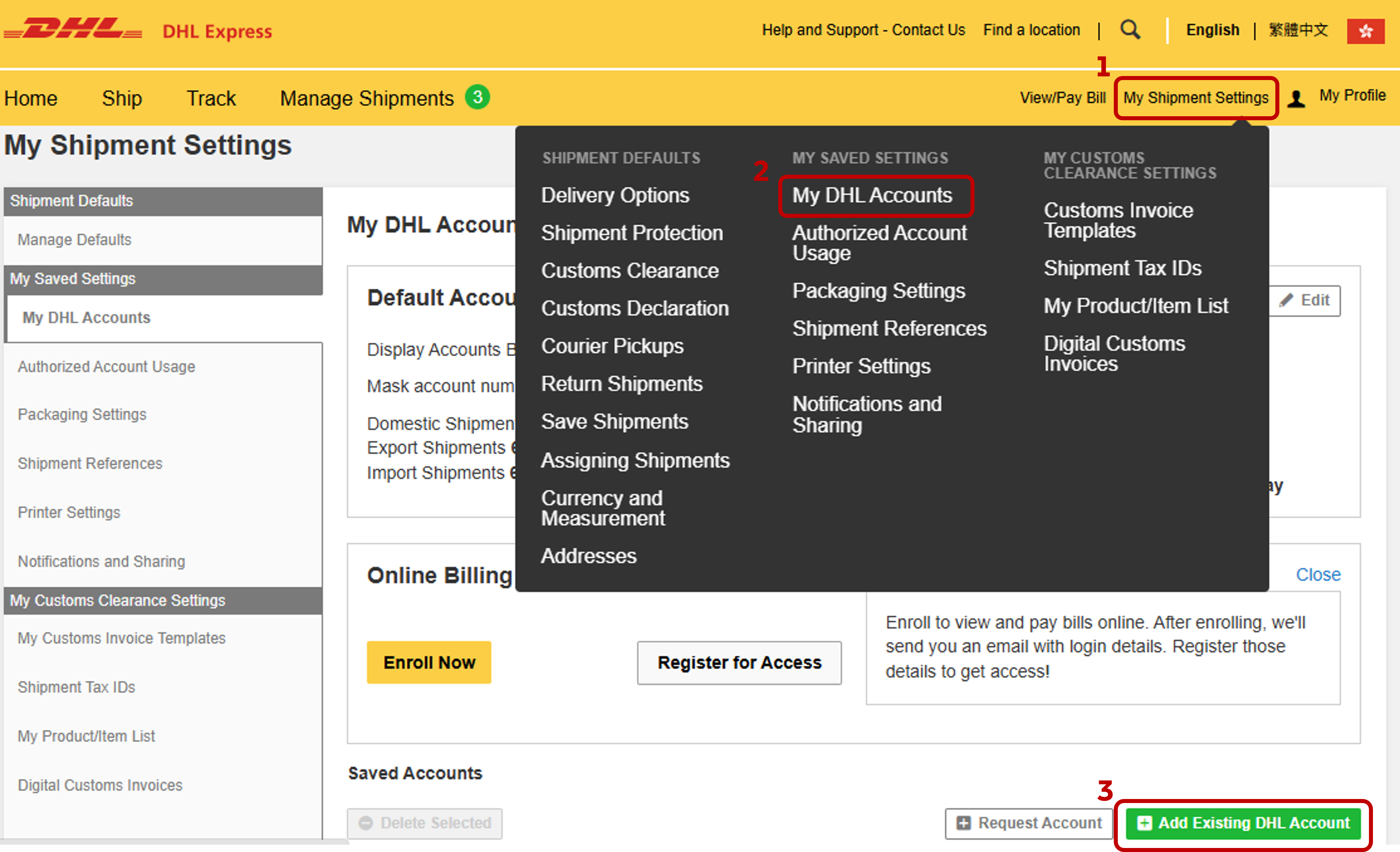
Step 1: Go to ‘My Shipment Settings’ in the top right navigation.
Step 2: Select ‘My DHL Accounts’.
Step 3: Click ‘Add Existing DHL Account’.
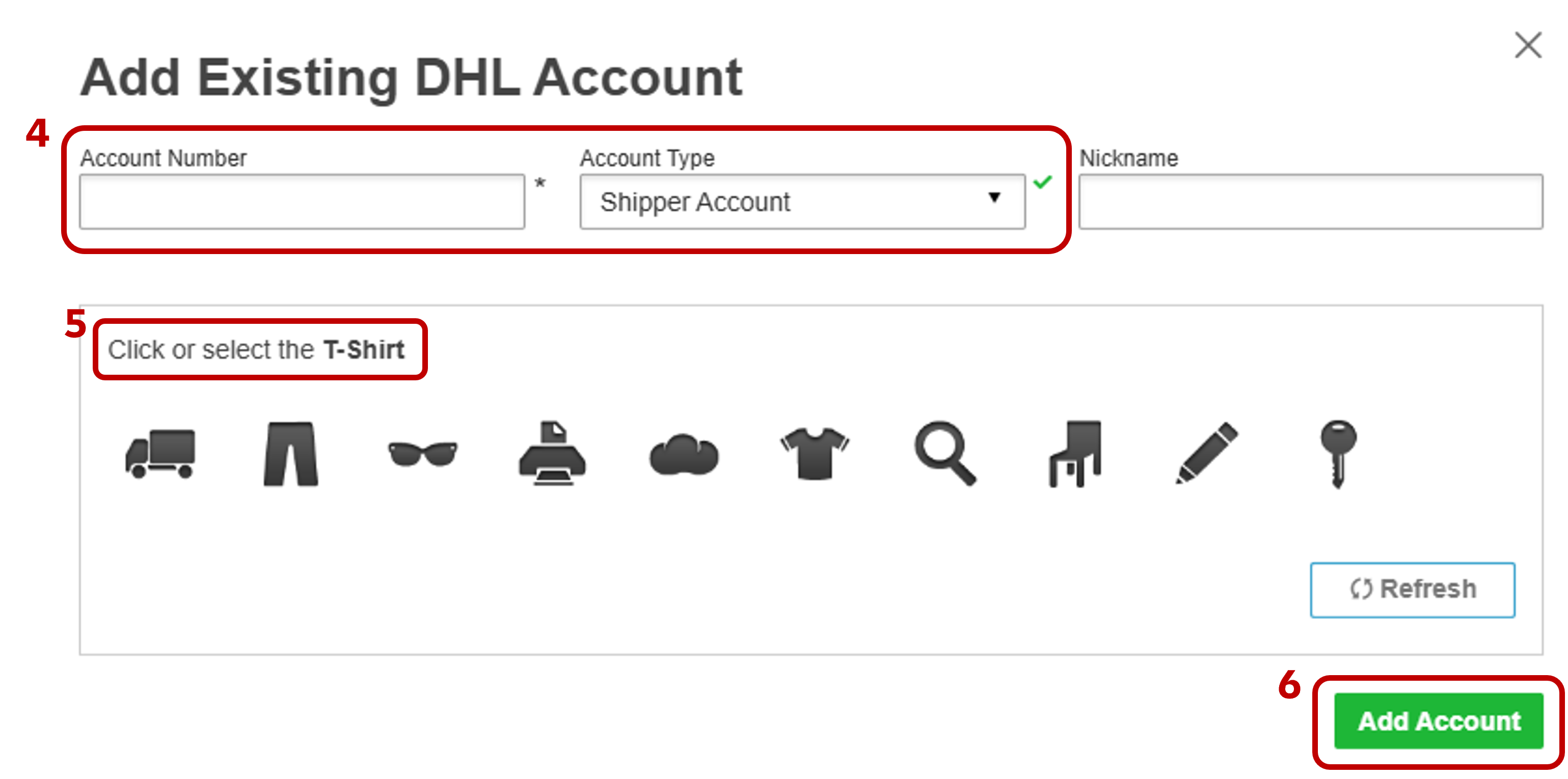
Step 4: Enter the DHL account number in ‘Account Number’ field and keep Account Type default as ‘Shipper Account’.
Step 5: Complete the verification by selecting the matching icon.
Step 6: Click ‘Add Account’.
Once the account has been added, it will be available for future shipments, eliminating the need to repeat the setup process.


 Share
Share
Similar Stories