No. Customers can use the Forgot/Reset Password option available on the MyDHL+ login page to reset their password through DHLPass.

To enhance security and provide better customer experience, DHL introduced DHLPass Multi-Factor Authentication (MFA). You will need to verify your identity with One-Time Password (OTP) during login process. DHLPass is an integrated login system designed to provide enhanced security and seamless access to multiple DHL applications using a single account.
DHLPass is DHL's secure authentication platform that provides a single sign-on experience for DHL digital services. It helps protect customer accounts through enhanced security controls while making login management easier and more convenient.
With DHLPass, customers can:
The goal is simple: provide a seamless and secure login experience.
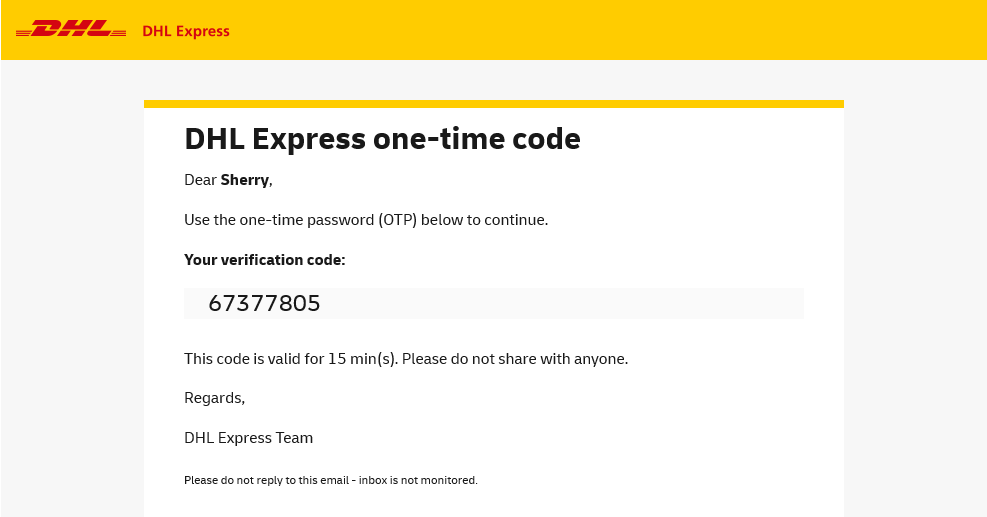
OTP (temporary password) authentication is triggered when a security threat is detected.
After entering your email address and password, a pop-up window will appear prompting you to enter the OTP, as shown in the image below.
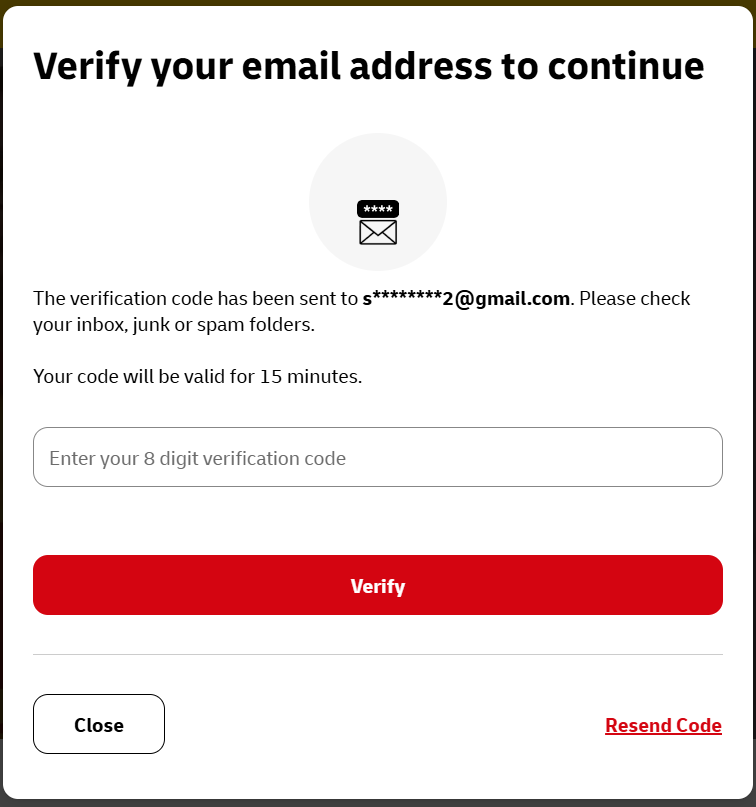
The OTP is sent to your MyDHL+ login email or registered mobile phone number.
Note: OTP is not required every time you use a new device. It is normally only needed the first time a device is recognized.
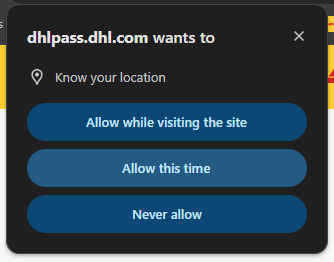
You may also receive an OTP if your browser blocks location access or if DHLPass detects unusual login activity.
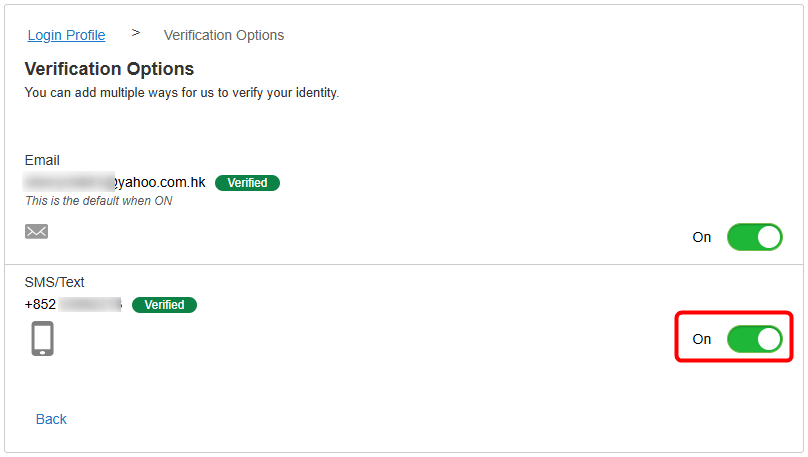
You can only add one mobile number to receive SMS. During the initial registration, only email authentication is available. After registration is completed, you can change the authentication method to SMS.
Step 1: After login to MyDHL+, click on the top right corner of the screen, select 'My Profile' → 'DHL Express Login Profile'
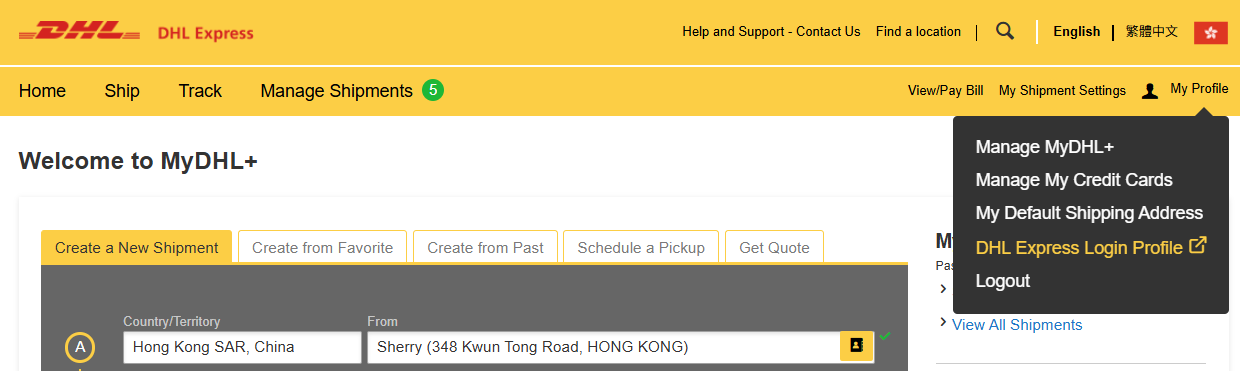
Step 2: Click on “Verification options”
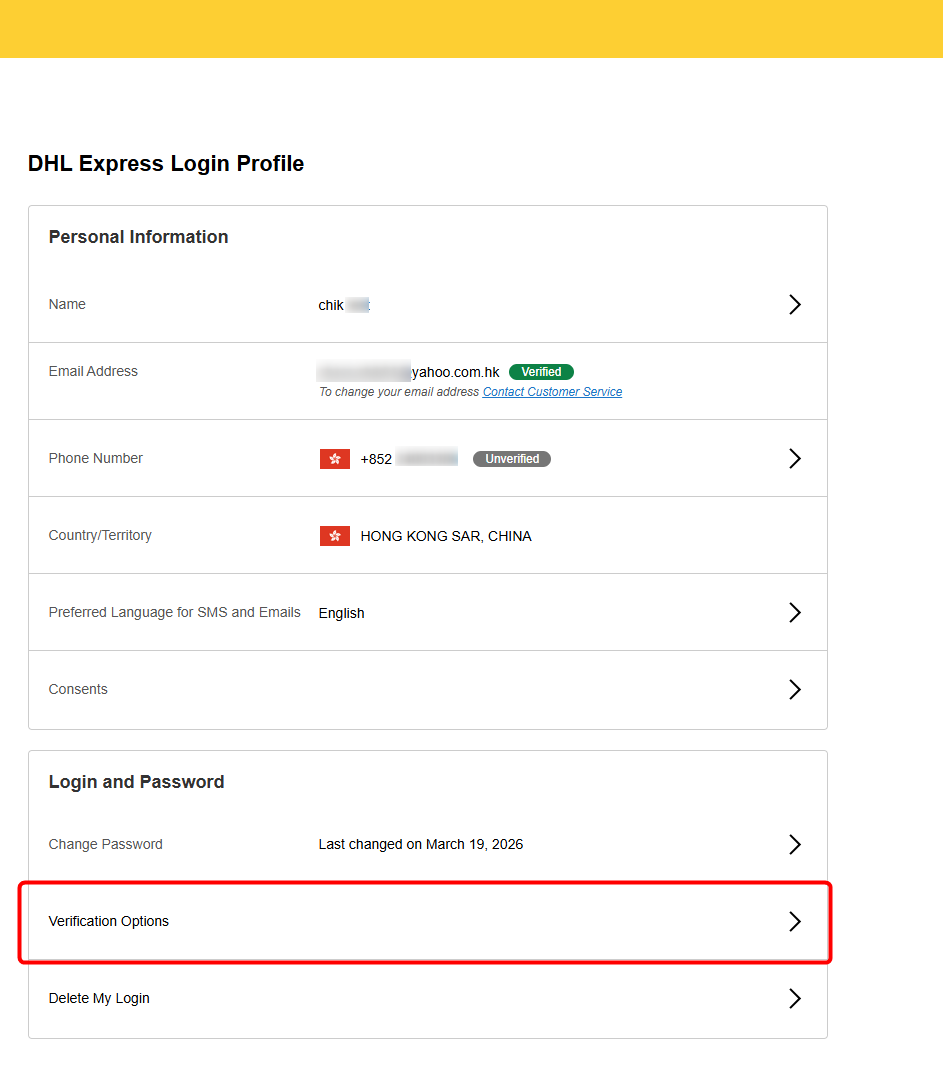
Step 3: Change from “Off” to “On”
No. Customers can use the Forgot/Reset Password option available on the MyDHL+ login page to reset their password through DHLPass.
Please:
The verification email is sent to the registered email account on file
Even if the sender is the same, OTP emails may not be delivered if they are sent from different IP addresses. This can happen if your internal security measures have blocked specific IP addresses. You should contact your internal IT or security team to unblock DHL domains and IP addresses.
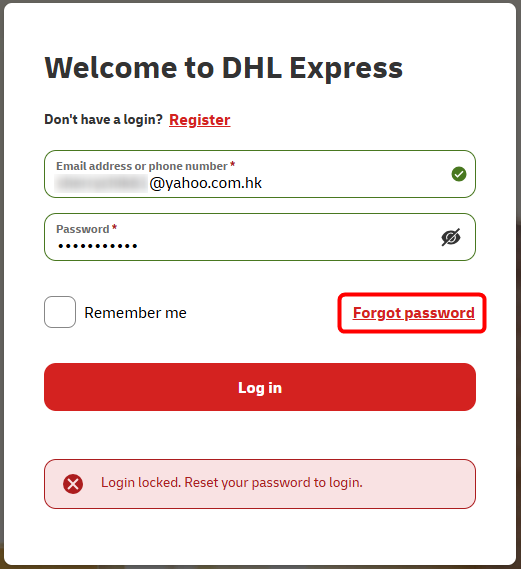
You could reset your login via the steps below:
With DHLPass, you can manage your MyDHL+ account securely and independently. Whether you need to reset your password, verify your identity, or log in from a new device, most issues can be resolved quickly. This means less waiting and more time focusing on your shipments.


 Share