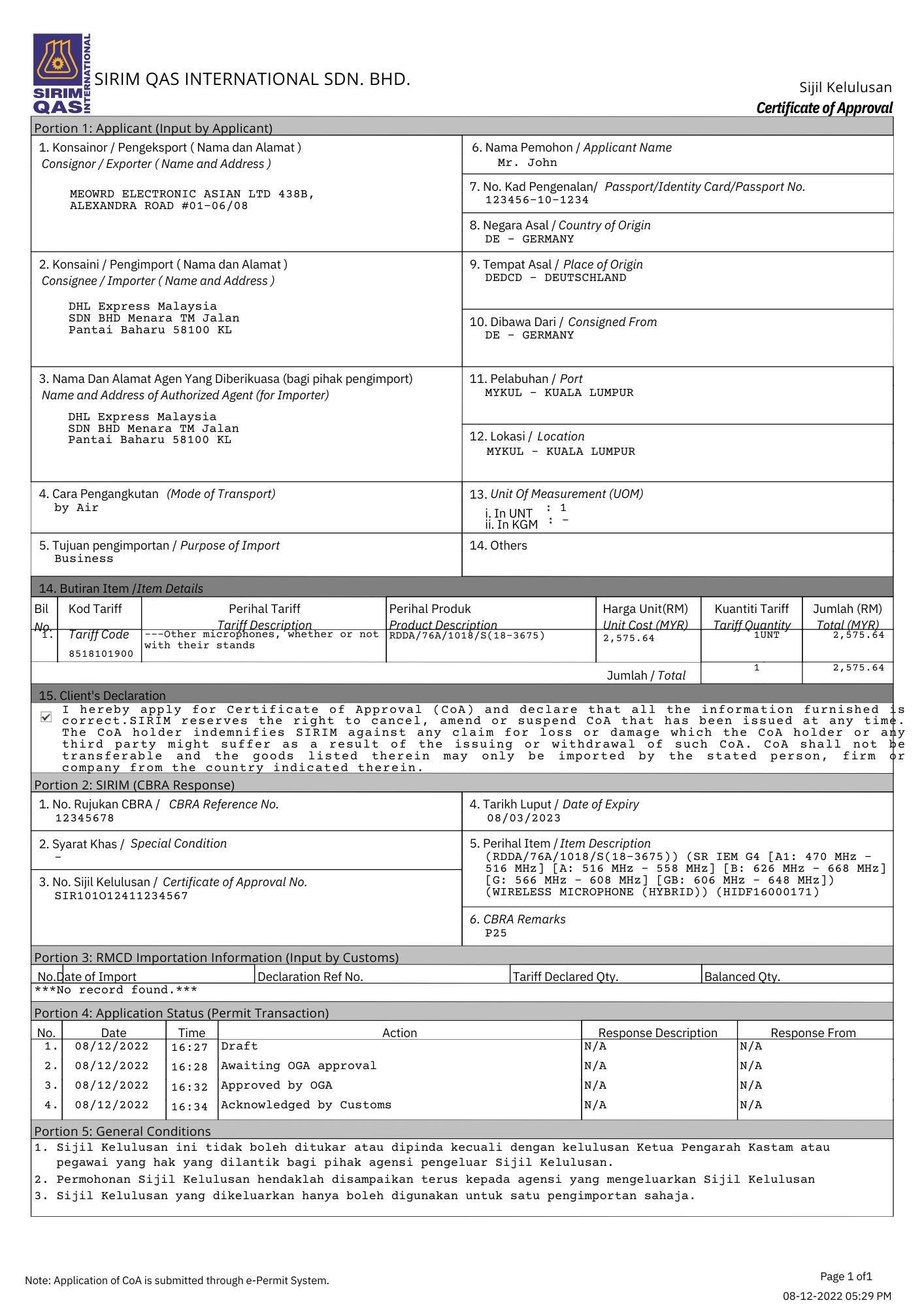


Communication devices such as phones and laptops are classified as restricted imports in Malaysia. To clear customs, a SIRIM Special Approval and Clearance Letter (SACL) is required, even for personal shipments.
Whether you are preparing ahead or trying to clear a shipment that is already held at customs, this guide explains how to apply for the SACL through eComM. Processing typically takes up to 24 hours.
Before you begin, prepare your invoice, product technical specifications, identity card, and user manual (if available) to avoid delays.
Follow the steps below to complete your application:
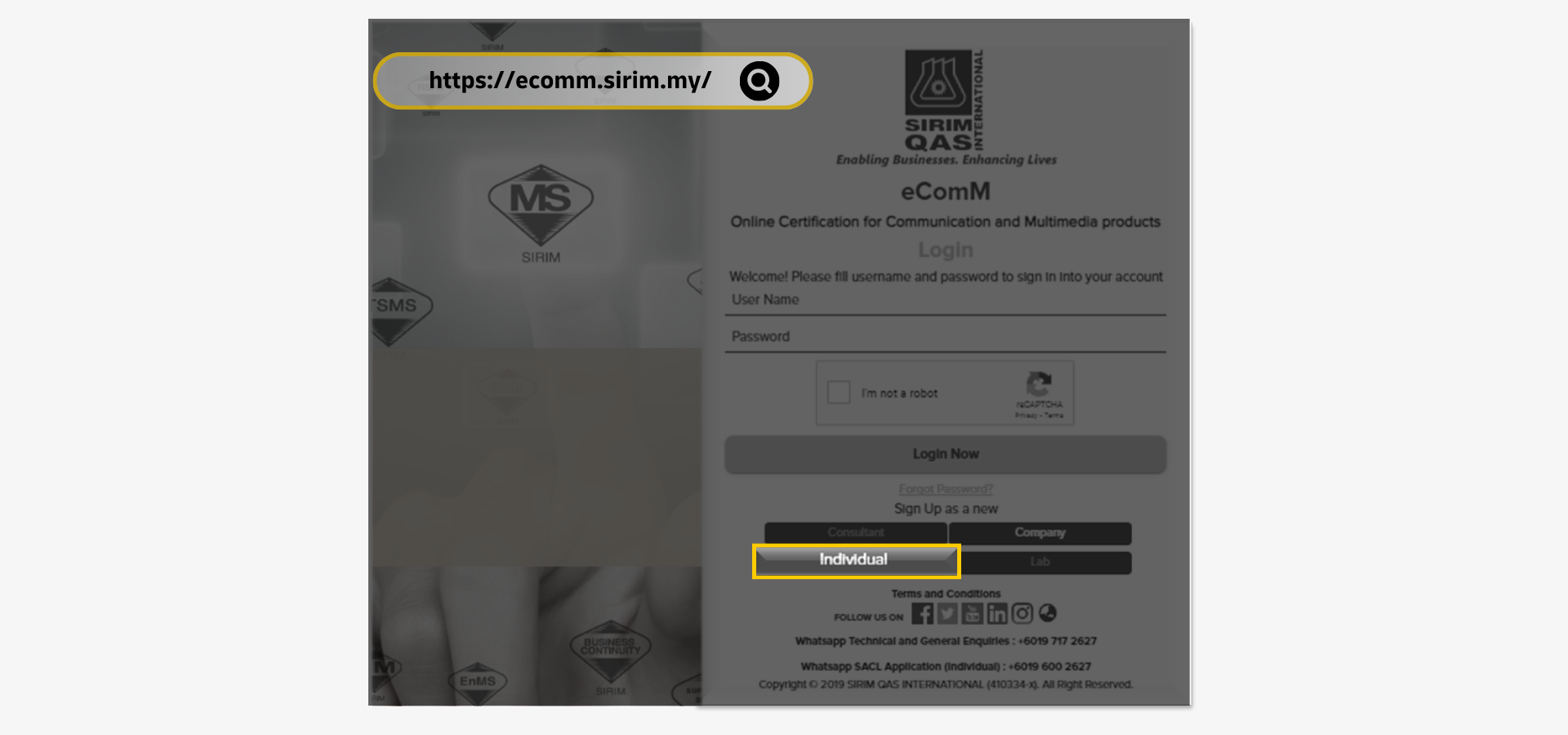
Step 1: Sign Up as an Individual
Go to the SIRIM QAS e-ComM website and sign up as an 'Individual'.
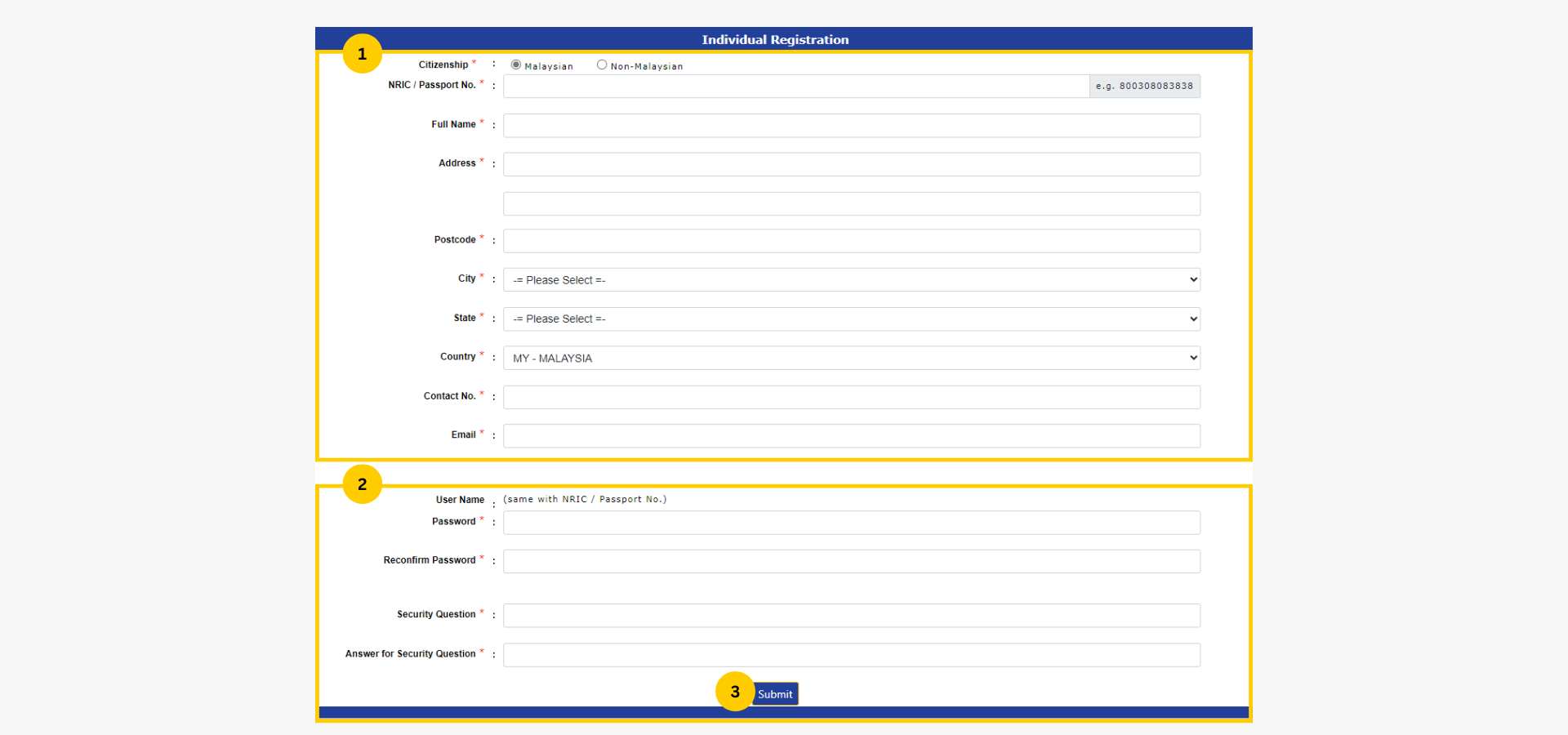
Step 2: Create an Account
Complete 2 parts of the form to proceed:
- Select citizenship status and fill in personal details
- Setup login details
- Click submit
SIRM QAS will send an 'Activation Code' via email. Use the code provided to activate the account and complete registration.
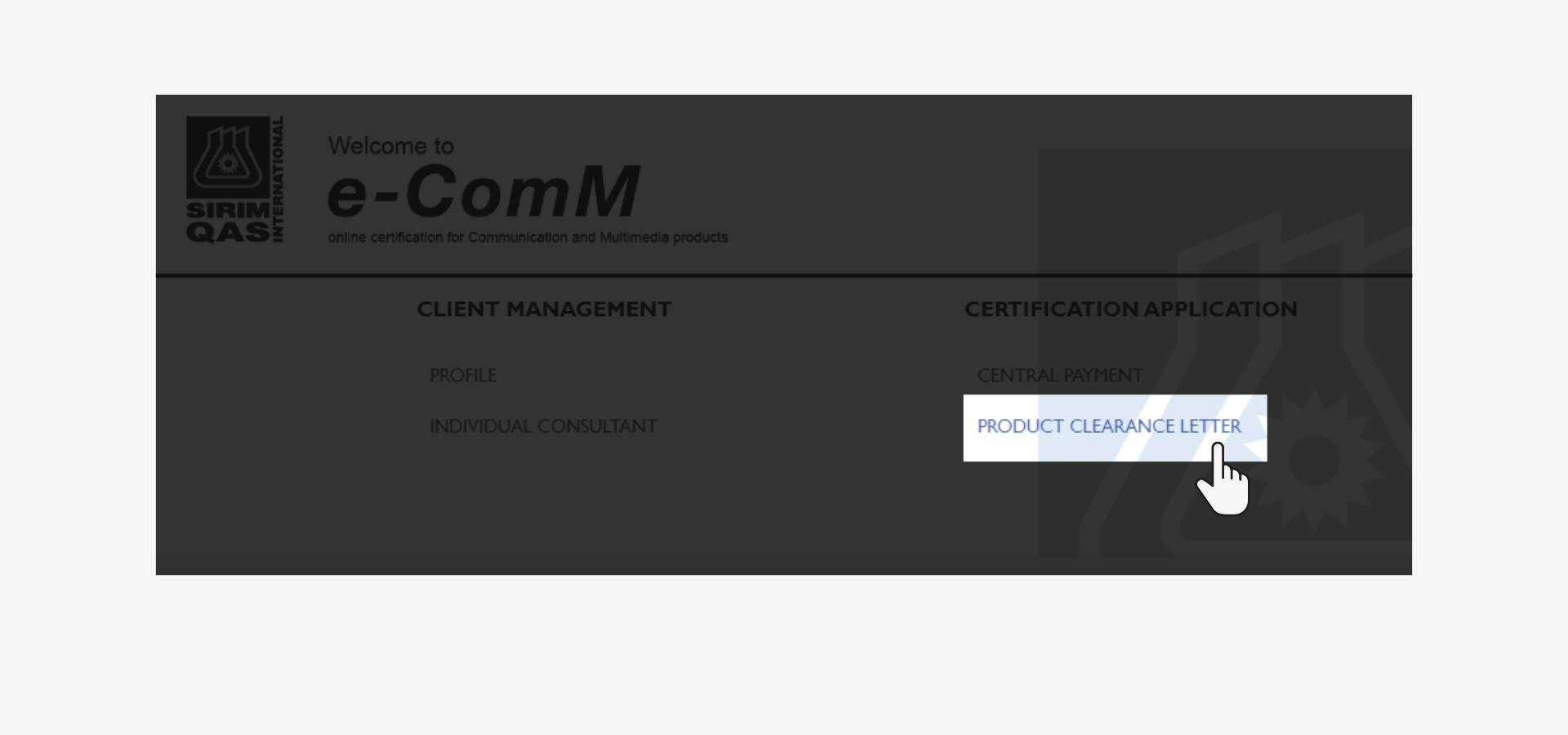
Step 3: Select Relevant Certification Application
Click 'Product Clearance Letter' under Certification Application.
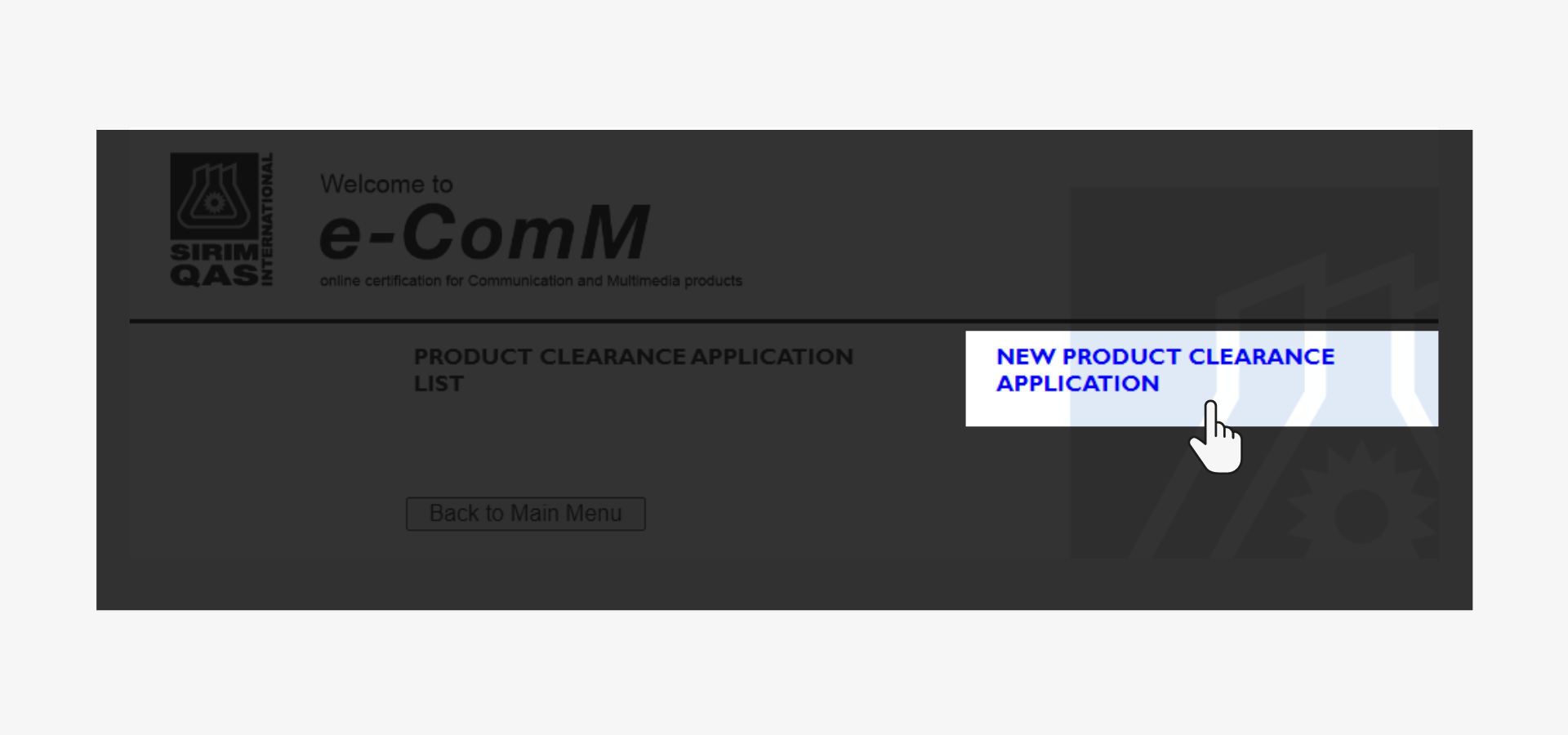
Step 4: Select Product Clearance Application
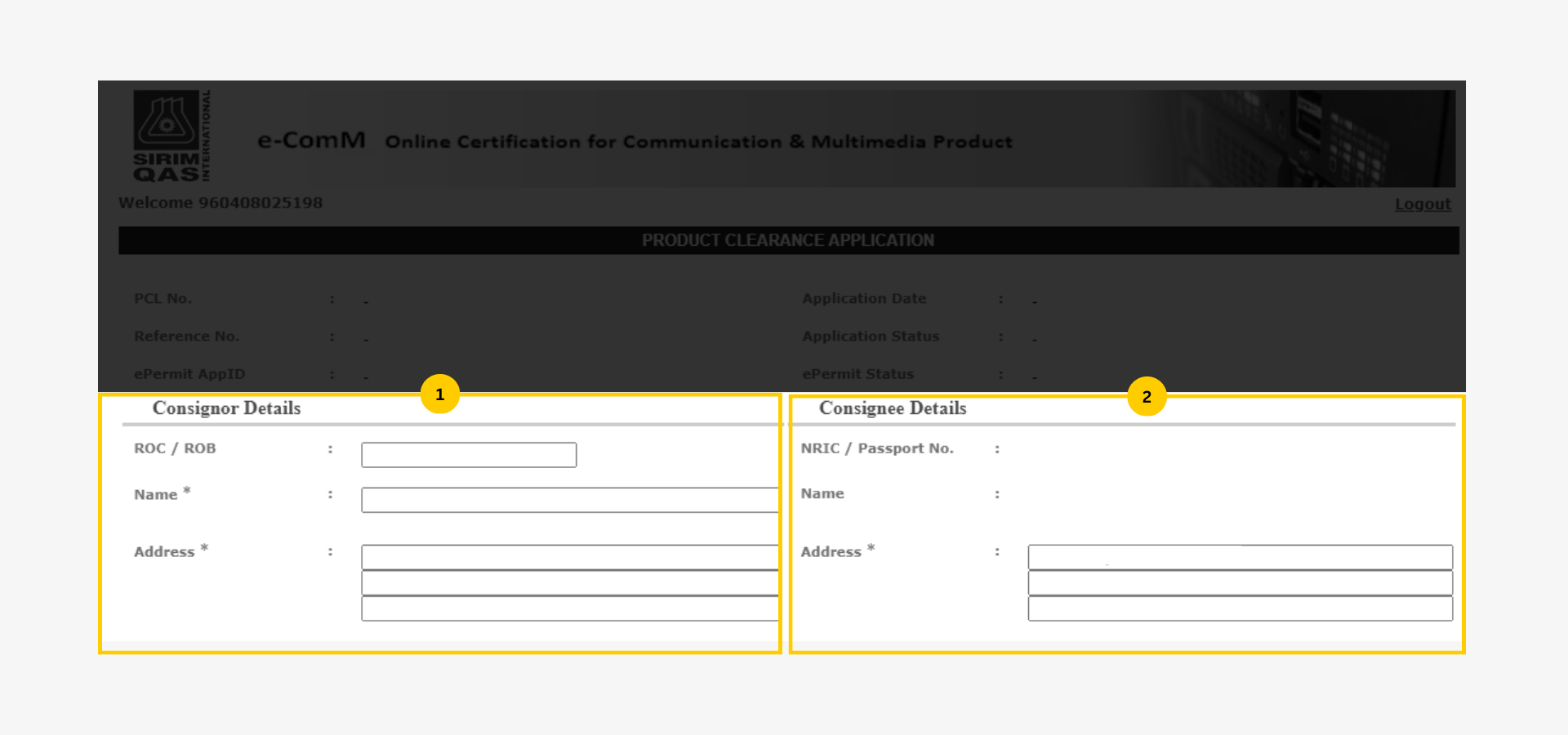
Step 5: Fill in Consignor and Consignee Details
Enter the sender's name and address in the 'consignor' column on the left.
Fill in the receiver's address in the 'consignee' column on the right; the name and ID number will be auto-filled from the previous section.
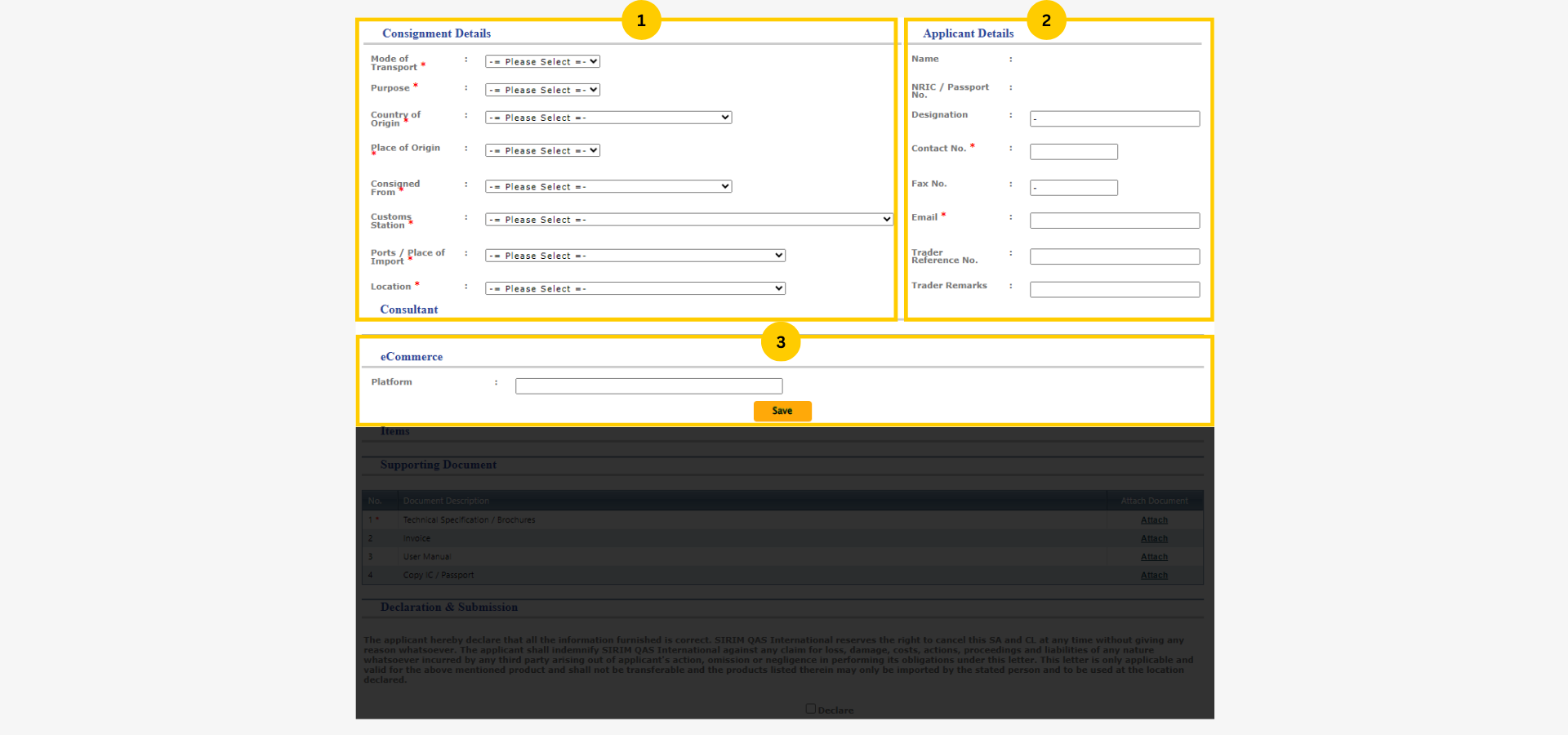
Step 6: Fill in the Consignment & Applicant details
Complete all 3 parts of this section:
Consignment details
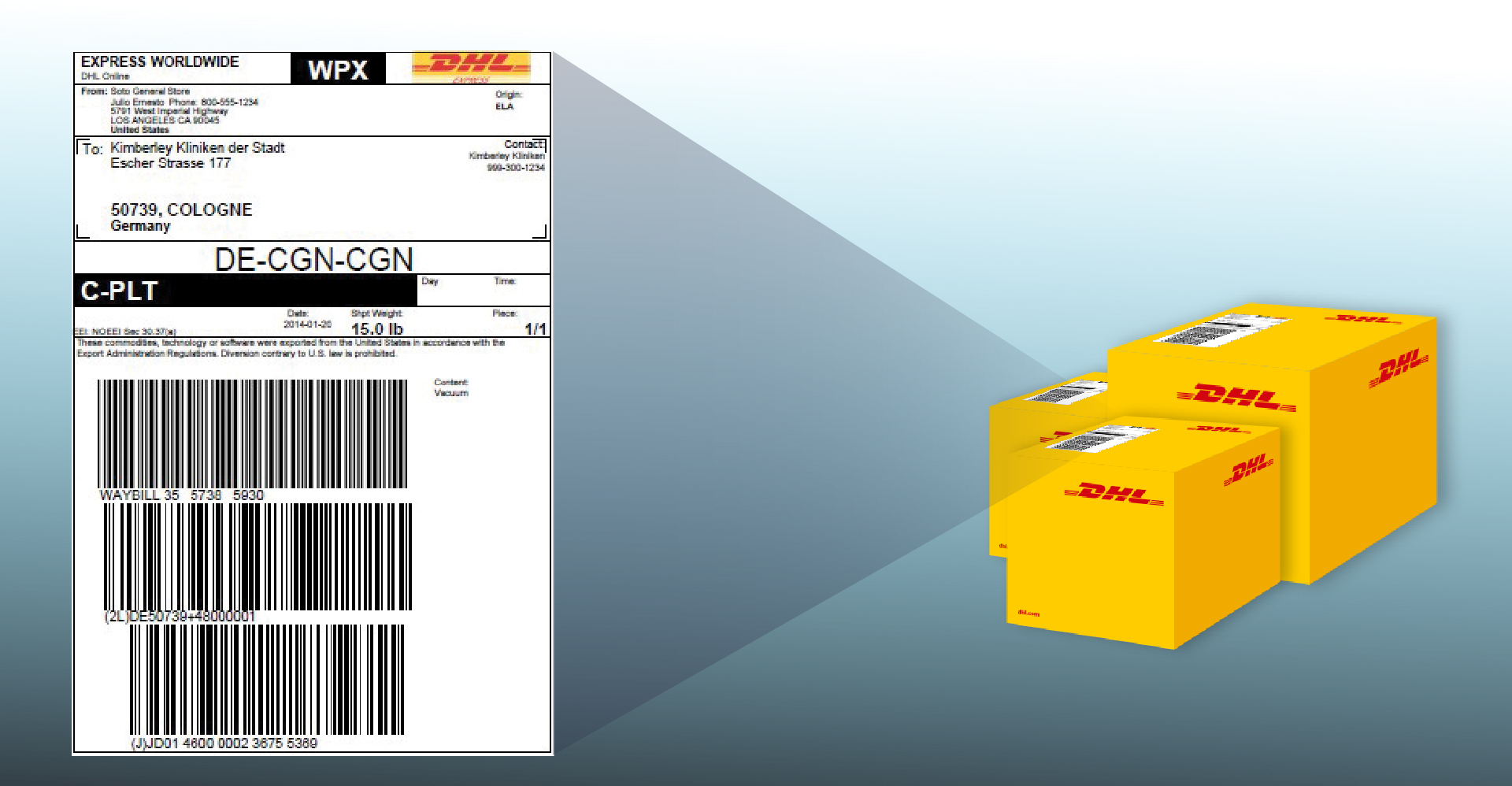
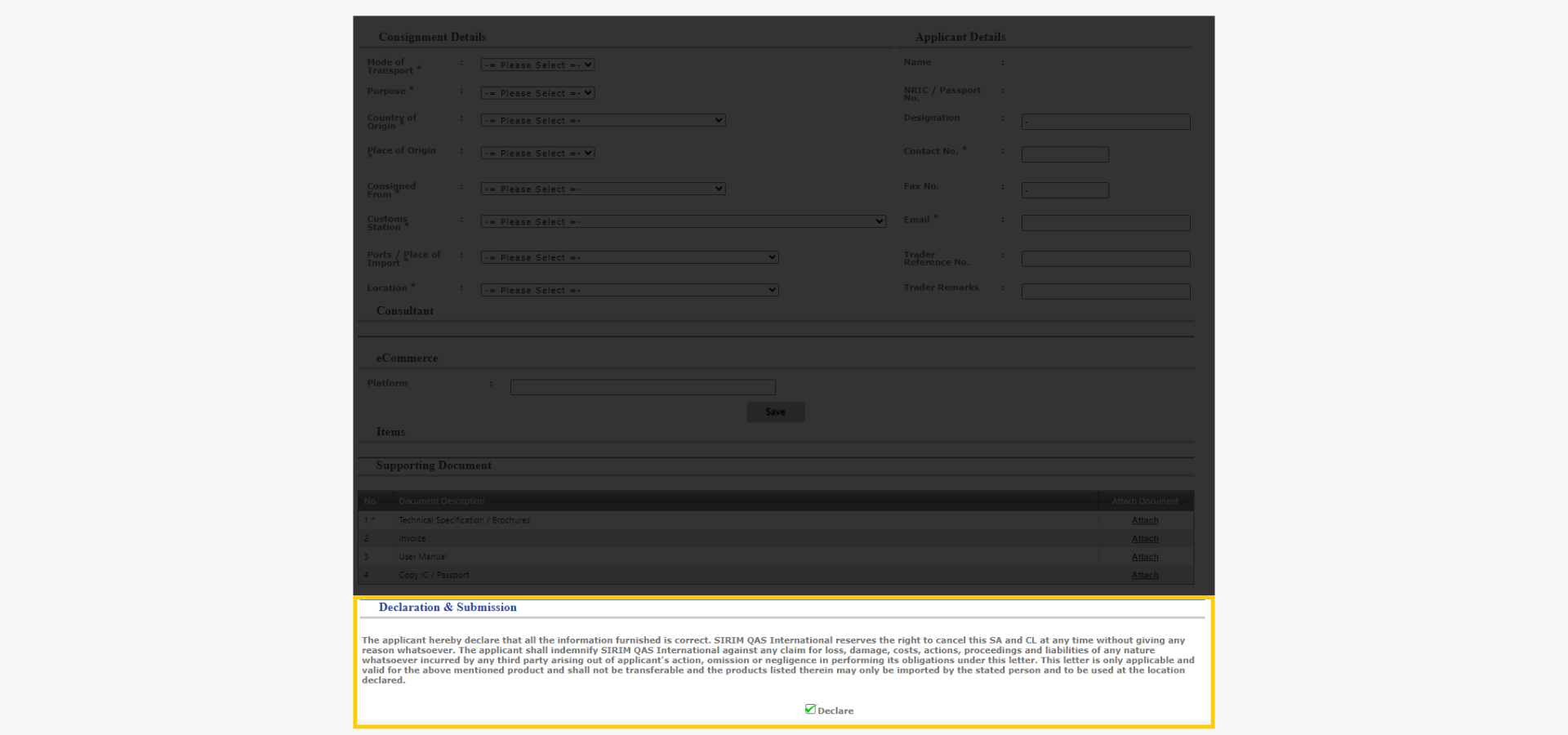
Complete all mandatory selection fields in this section, namely, Mode of Transport, Purpose, Country of Origin, Place of Origin, Consigned From, Customs Station, Ports/Place of Import, and Location based on the shipment's airway bill.
If you don't know the customs station, check with your shipping agent.
For DHL Express shipments, reach out to the customs agent who sent you the shipment notification email.
Applicant details
Name, identification card number, and contact number will be auto-filled.
Verify the contact number's accuracy and provide a trader reference number if you have it.
eCommerce detail
Provide the eCommerce platform where the purchase was made.
Once done, click save.
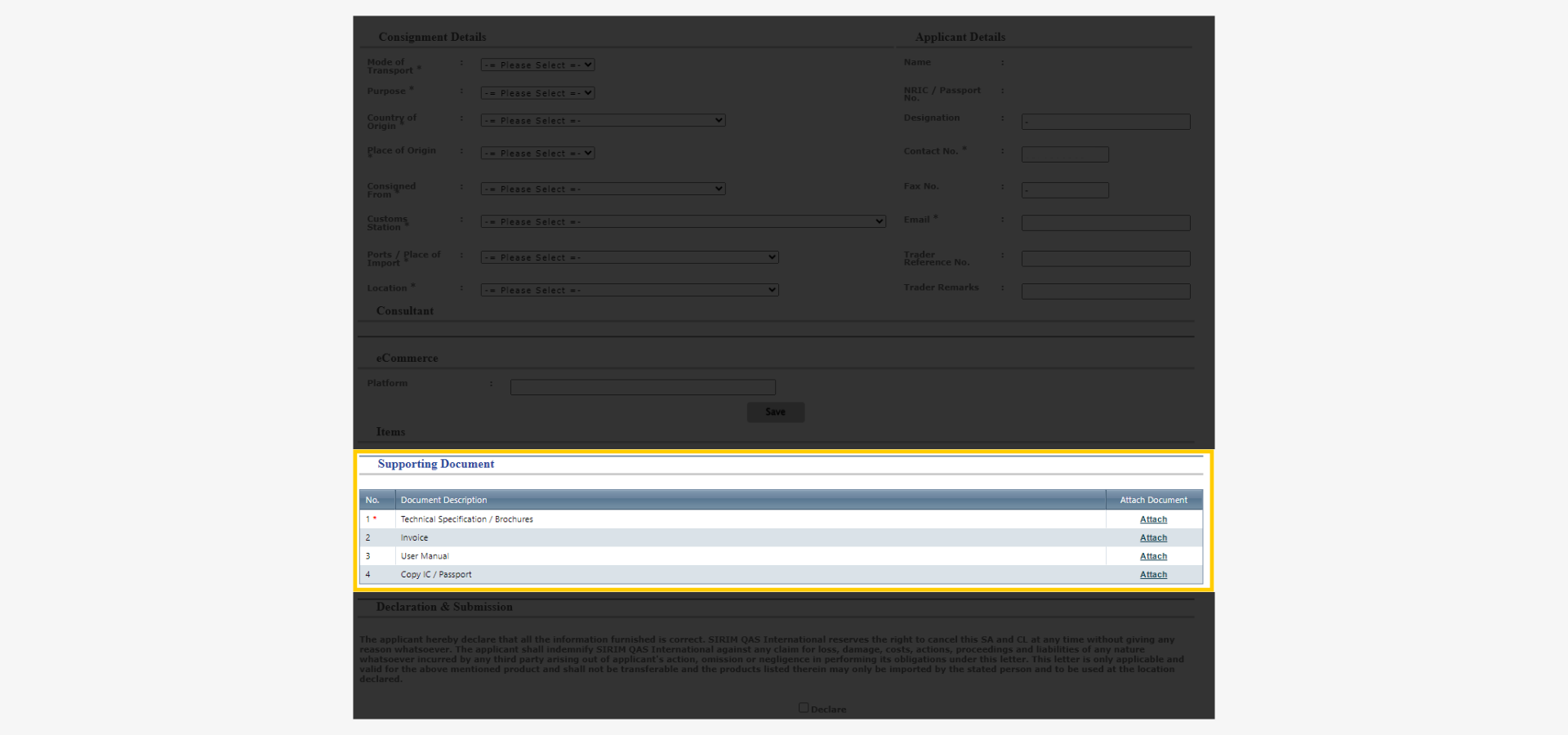
Step 7: Provide Support Documents
4 types of support documents are required -
- Techincal specification or brochures (mandatory): The booklet specifying key details of the product.
- Invoice: A shipping document containing information for customs.
- User manual
- Copy of identification card or passport
Step 8: Confirm Declaration and Submission
Once everything is filled, check the 'declare' box to proceed.
After submission, SIRIM officer will review and approve the application.
Step 9: Submission Review
Status: Approved
If the application is approved, proceed to make payment via central payment on eComM website.
The fee is RM20 for certified product and RM40 for non-certified product.
Status: Not approved or prohibited
Your application can be flagged in one of two ways:
- Not approved usually means your submission was incomplete or unclear. For example, the technical specification did not show the device's wireless features, the invoice was missing sender details, or the product identification was ambiguous. In most cases you can correct the issue and resubmit the application through eComM without starting over.
- Prohibited means the device uses a frequency band that is reserved for other use in Malaysia, and SIRIM cannot issue a SACL for it regardless of documentation. In this case, the clearance officer will send you a detained letter, and the shipment cannot legally enter the country. You can appeal directly to the customs officer handling your case, but if the prohibition is confirmed, the shipment must be returned to the sender or abandoned.
If you are unsure which status applies to your application or how to respond, contact SIRIM eComM support for clarification, or reply to the notification email from your courier's customs team for assistance.
Step 10: Prepare for Clearance
After payment, the Sirim Approval Confirmation letter (SACL) will be available on the e-ComM website within 24 hours.
Print the SACL and download the Product Clearance Letter (PCL) from the e-ComM website.
Submit them to Customs or a forwarding agent for customs clearance.
SACL Application Conditions
An individual can only send maximum 12 units of electronic communication devices per year.
Devices with the same model only need one SACL. Or else, each unique model will need its own SACL.


 Share
Share
Similar Stories