

What is eSecure?
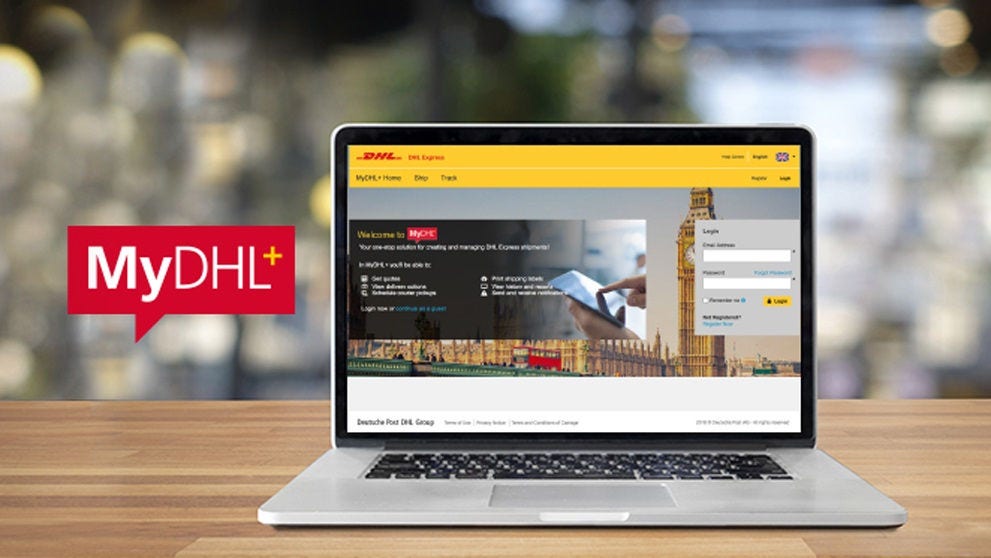
eSecure is designed to help prevent unauthorized users (e-mail addresses) from using your DHL account number in the MyDHL+ or eMailShip shipping solutions.
How does it work?
When a DHL account is opened, you, the customer will nominate an eSecure Customer Administrator in your business who will then be responsible for managing eSecure.
If an unauthorized user tries to use the account number in MyDHL+ or eMailShip, the following happens...
The requestor is sent an e-mail to say the request is pending approval.
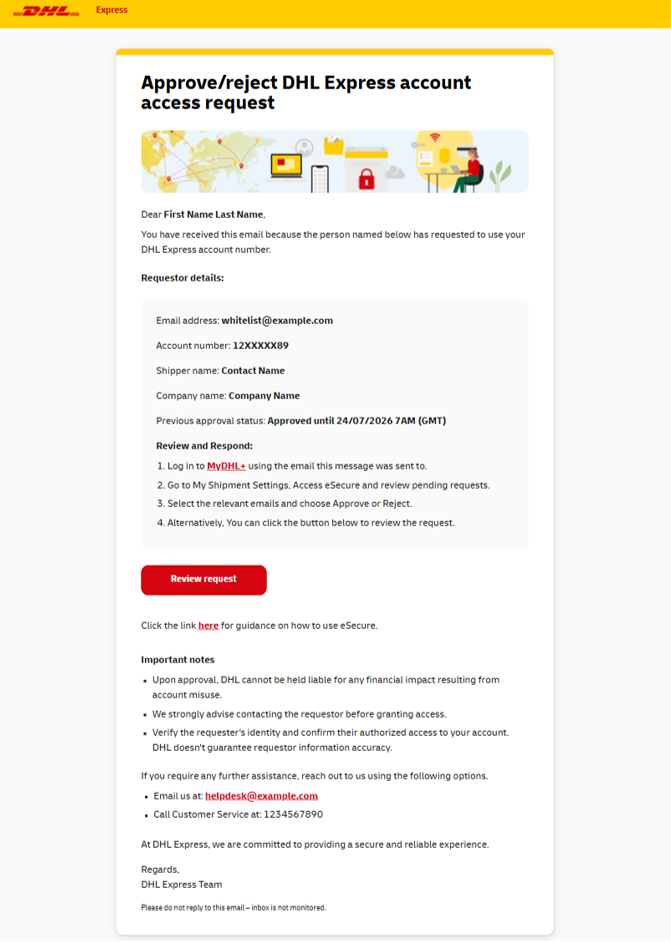
A request e-mail is sent to the eSecure Customer Administrator(s) at your company.
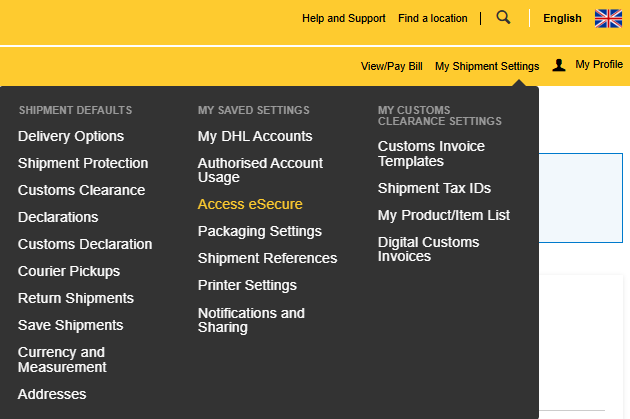
The eSecure Customer Administrator clicks on the link in the e-mail, logs in to MyDHL+ and browses to My Shipment Settings > Access eSecure.
The Pending request(s) will be displayed in a list at the bottom.
The eSecure Customer Administrator can then either Approve or Reject the request by clicking the appropriate button.
Approving means the user will be able to use the account number indefinitely - or until you Reject them.
If approved, the requester will receive an e-mail and they will be able to ship immediately. In some cases, they may need to log out of MyDHL+ and login again.
If rejected, the requestor will receive an e-mail and will not be able to use the account.
If no action is taken...
The user remains in Pending and cannot ship.
If there are any Pending requests not actioned, the eSecure Customer Administrator will receive a Summary e-mail at the end of the day to remind them.
Starting with eSecure
We recommend you do the following when you start using eSecure...
Review the Authorized Users Approved list.
Add more eSecure Customer Administrators.
Create a process within your Business for pre-authorizing users if you give your account number to any suppliers.
Managing eSecure
The eSecure Customer Administrator(s) at your company will manage eSecure through MyDHL+.
To manage eSecure...
Login to MyDHL+
Browse to My Shipment Settings > Access eSecure
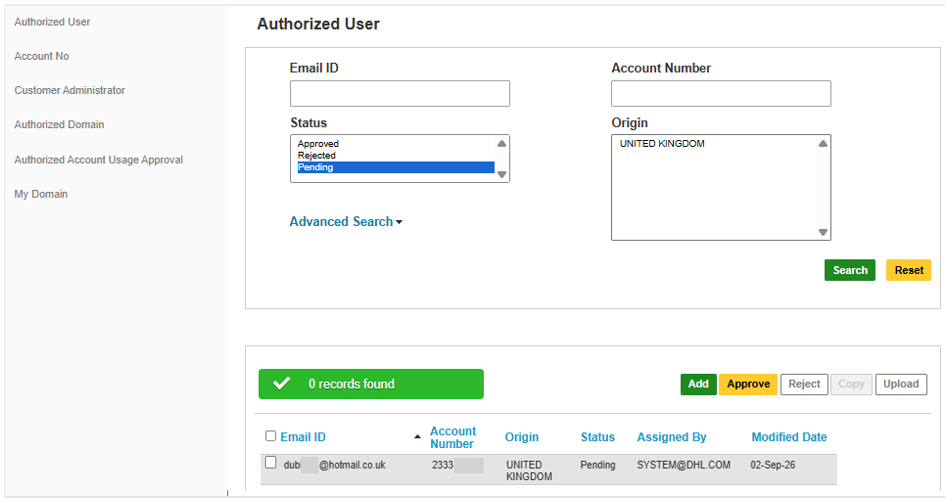
You will land in the Authorized User page which shows any Pending requests.
Note: If the Access eSecure option is not in the menu, then you are not logged in to MyDHL+ as a user who is an eSecure Account Administrator.
You will land in the Authorized User page showing any Pending requests.
Below talks about the main options in the left hand menu - Authorized User, Customer Administrator, Authorized Domain and My Domain.
Authorized User
The Authorized User page will display which e-mail addresses are Pending approval to use your account number.
By changing the Status filter, you can also see which users are Approved and Rejected.
You can also pre-authorize users so they can ship without waiting for approval.
Users pending approval will be displayed in the Pending list.
To approve or reject the user, simply place a tick to the left of the e-mail address(es) and click the Reject or Approve button
If you are Approving a user, ensure you know who they are. If you do not know them, either contact them to verify their identity or reject them. A user cannot use your account while they are Pending.
Also, be aware that approving means the user will be able to use the account number indefinitely or until you Reject them.
Once the user is approved or rejected, they will receive an e-mail to notify them. If approved, they will be able to use your account with immediate effect.
The Approved list shows e-mail addresses authorised to use your account number in MyDHL+ or eMailShip.
We recommend regularly reviewing the e-mail addresses in your Approved list. If you do not recognise them or they no longer have your approval to use your account number, you should reject them.
To reject, place a tick to the left of the e-mail address(es) and click the Reject button.
The Rejected list shows e-mail addresses who have been rejected.
If you would like to authorise them to use your account number, place a tick to the left of the e-mail address(es) and click the Approve button
To pre-authorize a user, click the green Add button, enter the account number and the e-mail address(es) you would like to pre-authorise. Click Save and the user will receive an e-mail notifying them that they are approved to use your account number. By being pre-authorized, they will be able to ship without waiting for your approval.
You can also pre-authorize everyone in a domain e.g. everyone with an e-mail address ending @testcompany.com. See the Authorized Domain option
Customer Administrator
The eSecure Customer Administrators can be one or several people within your company and they are responsible for controlling who is authorized to use your DHL account number in MyDHL+ or eMailShip.
When someone becomes an eSecure Customer Administrator, they will receive an e-mail so they can register for MyDHL+ (if they are not already registered).
The Customer Administrator page shows who the eSecure Customer Administrator(s) are.
It is recommended to have several eSecure Customer Administrators in case one is not available.
To add an eSecure Customer Administrator...
Place a tick to the left of an existing one.
Click the Add button
Note: You should avoid adding generic e-mail addresses e.g. Shipping@Company.com because you will not be able to tell which individual approved or rejected a user.
Complete the required information and then click Save
You will see the new eSecure Customer Administrator in the list
If anyone in the Customer Administrator list should no longer be an eSecure Customer Administrator, select them and tick the Inactive button. Once made Inactive, they will no longer be able to manage eSecure.
Authorized Domain
Here, you can authorize a domain e.g. @testcompany.com to use your account number. If you authorize a domain, all users within that domain are automatically approved. This might be useful if you want to authorize everyone your company to use your account number.
Note: If a user in the authorised domain has already been rejected, they will remain rejected.


 Share
Share
Similar Stories