
Planning to send documents or packages overseas? DHL Express makes international shipping from the Philippines quick and convenient with MyDHL+. Instead of visiting a service point, you can schedule a courier pickup from your home, office, or business address, allowing you to prepare your shipment for delivery to destinations around the world without leaving your location.
Whether you're sending important documents to the Middle East, business shipments to Singapore, packages to Australia, or deliveries to the United Kingdom, scheduling a pickup through MyDHL+ helps streamline the shipping process and save valuable time.
Here is a Step-by-Step Guide:
Follow these simple steps to book your pickup through MyDHL+ and prepare your shipment for international delivery.
Step 1: Navigate MyDHL+
Ensure you have all the information needed to schedule your pickup:
Before scheduling a pickup:
- Go to MyDHL+ and select your country.
- Sign in, create a MyDHL+ account, or continue as a guest.
- Please note that a MyDHL+ account is separate from a DHL Business Account. You do not need a DHL Business Account to book a pickup through MyDHL+.
- Make sure you have a DHL Air Waybill (AWB) number.
- If you don't have one, create a shipment first to generate your shipping documents.
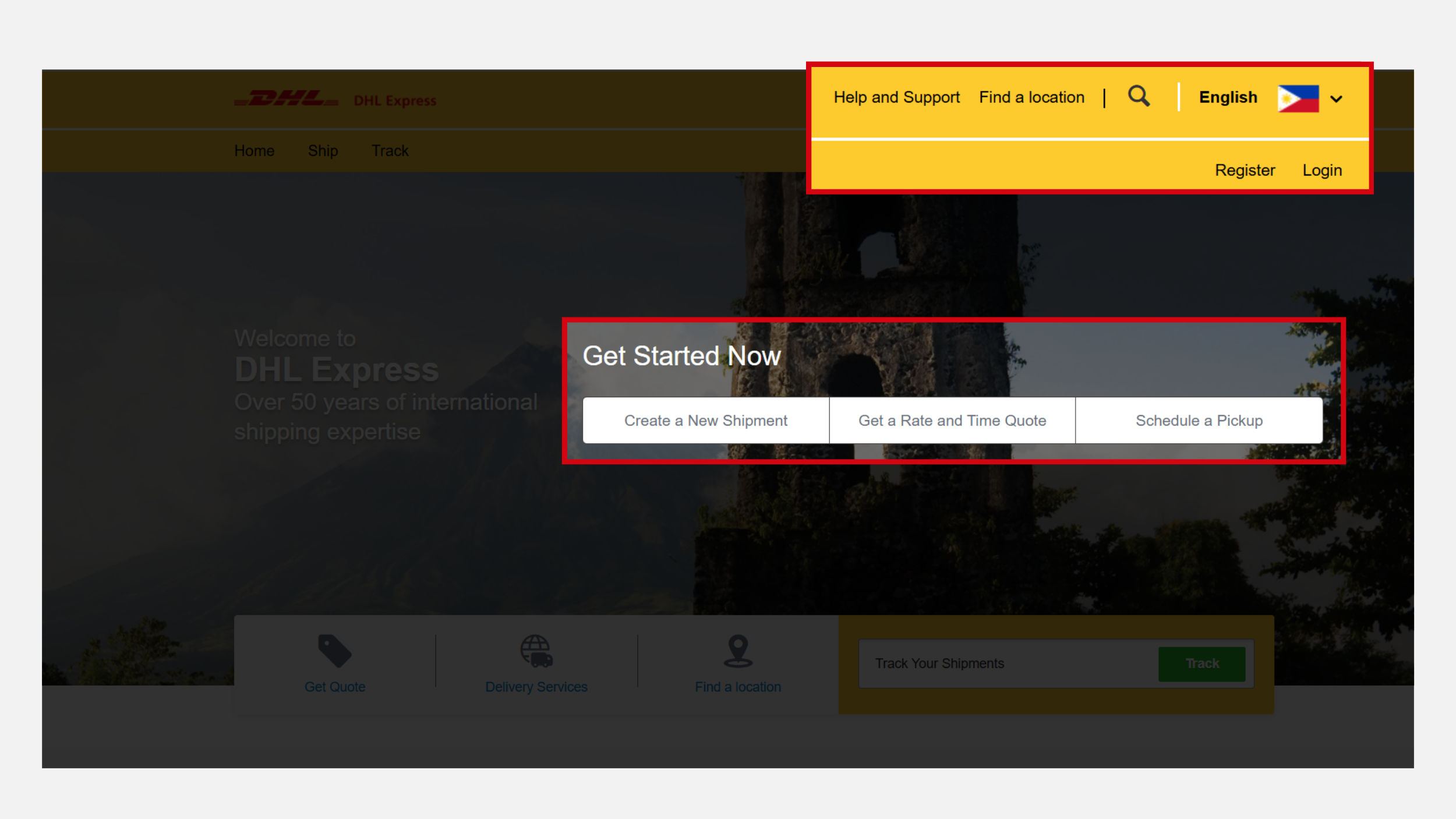
To schedule a pickup:
- Click Schedule a Pickup.
- If prompted about creating a shipping label:
- Select Yes, Create Label if you don't have an AWB yet.
- Select No if you already have one.
- Choose I Have a DHL Waybill Number.
- Enter your AWB number.
- Enter the shipment holder's Country Code and Phone Number.
- Click Next to proceed.
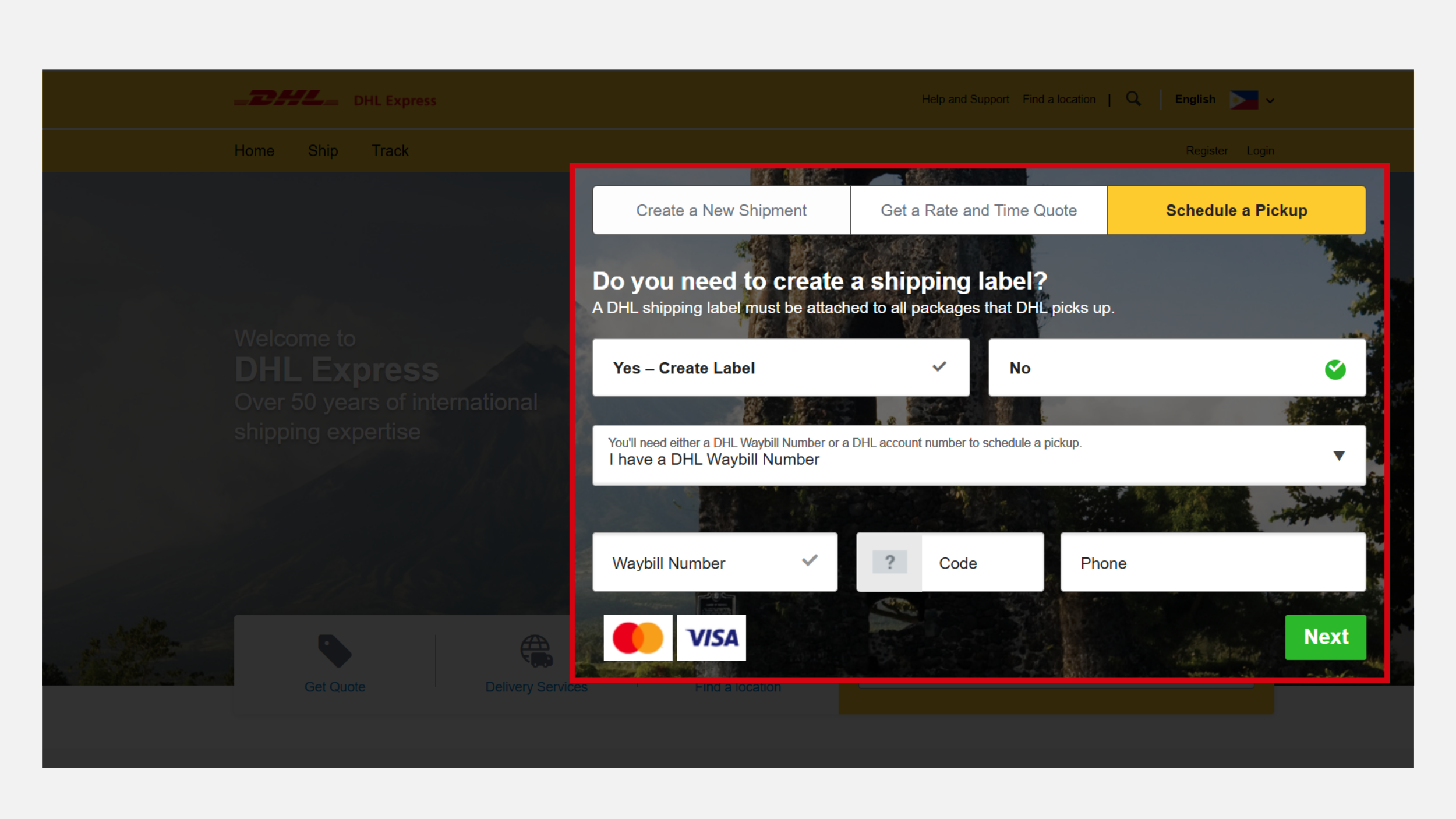
Step 2: Enter Pickup and Contact Details
Provide the necessary pickup and contact information to ensure a smooth collection process.
- Enter your details as the shipment holder, including your name, company (if applicable), pickup address, email address, and phone number.
- Add any special instructions for the courier in the request box (e.g., "Please bring a DHL Box for my shipment" or "Pick up at the building reception area").
Tip: If you require DHL packaging materials such as a DHL box, be sure to mention this in the pickup notes so the courier can prepare accordingly.
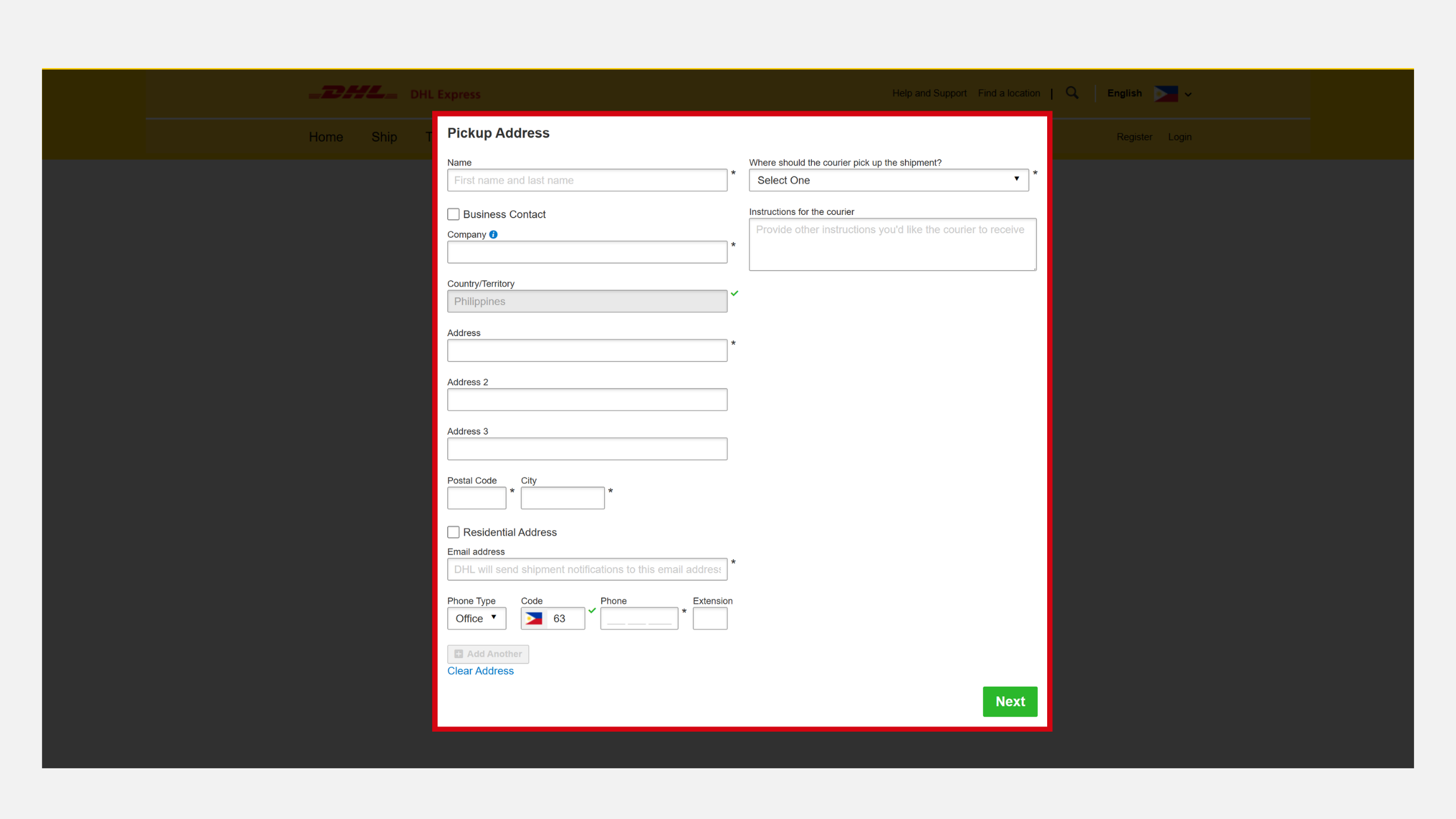
Step 3: Enter Shipment Specifications
Provide details about the shipment to help DHL prepare for pickup and international transport.
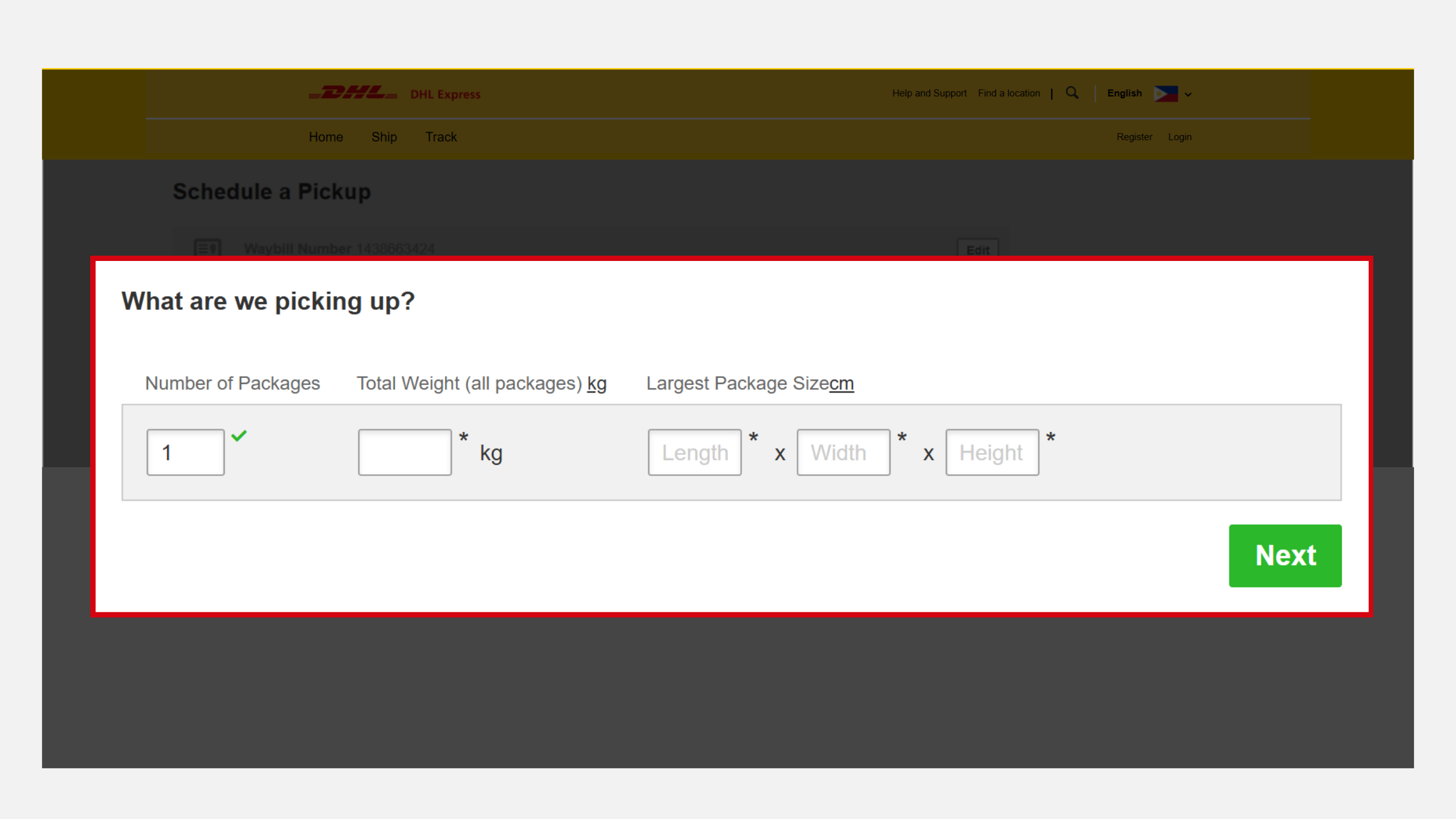
- Enter the number of packages included in the shipment.
- Enter the total shipment weight.
- Enter the shipment dimensions, including length, width, and height.
- Click Next to continue.
Accurate shipment information helps avoid delays and ensures proper processing.
Step 4: Select Your Pickup Date and Time
Choose your preferred collection schedule.
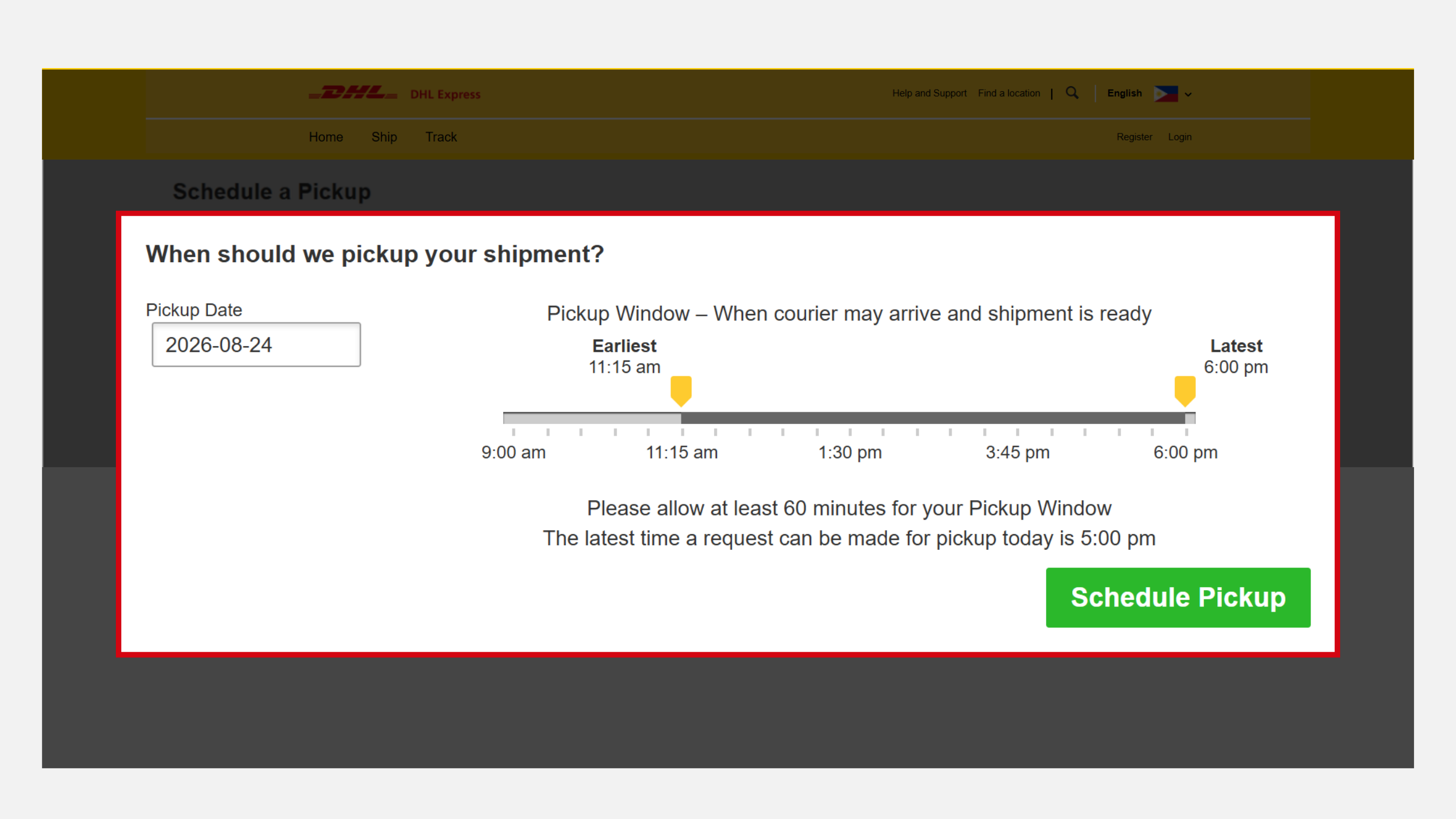
- Select your desired pickup date.
- Choose a pickup time range using the available slider.
- Click Schedule Pickup to proceed.
Before finalizing your booking, ensure your shipment is packed securely and ready for collection.
Step 5: Receive Pickup Confirmation
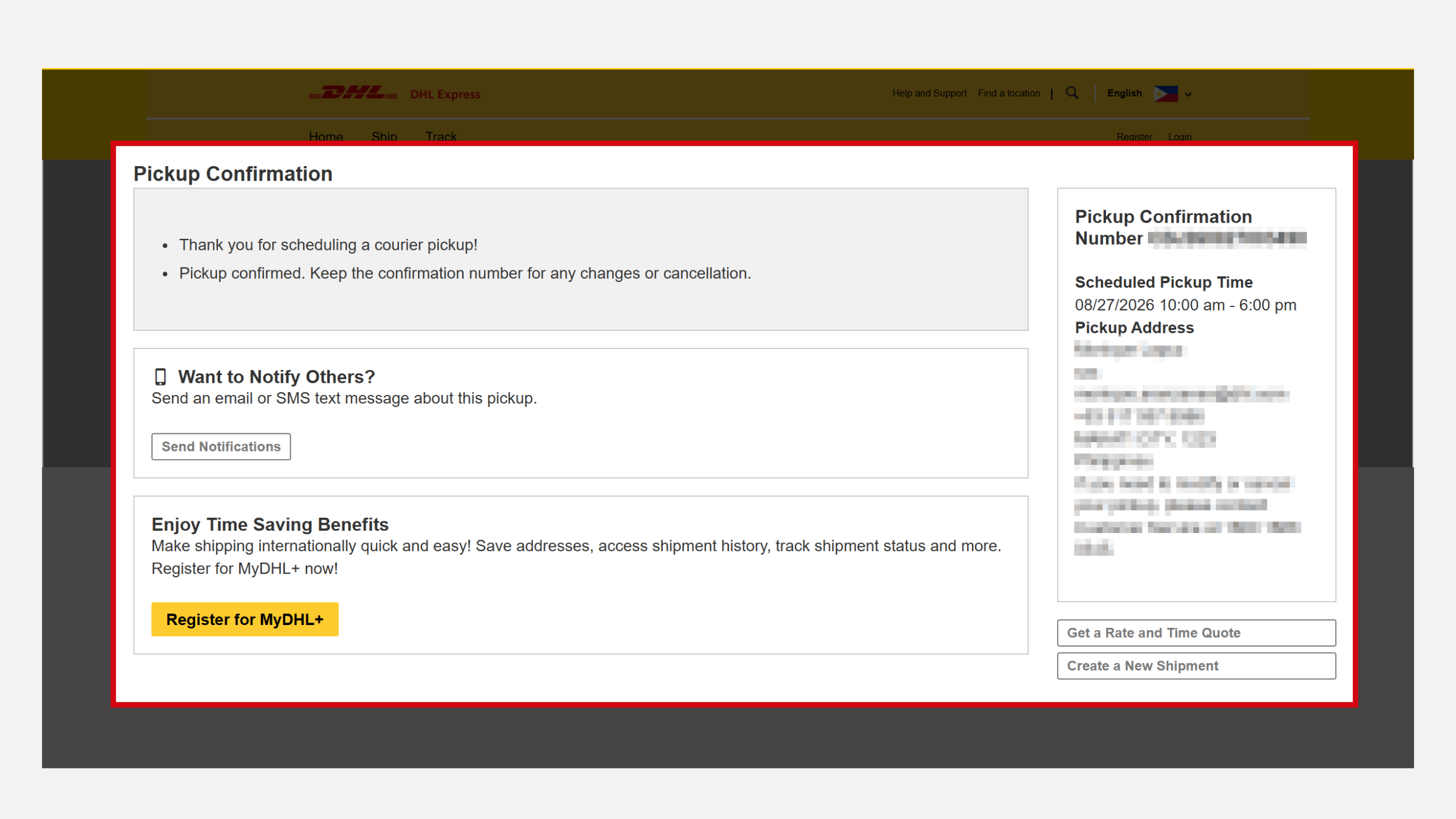
Once your pickup request has been submitted, you'll receive a pickup confirmation.
You may:
- Enter a phone number or email address to receive pickup notifications.
- Register for a MyDHL+ account if you haven't already.
- Review the shipment details displayed on the confirmation page.
Make sure your shipment is prepared before the scheduled pickup date.
Important Reminders
To help ensure a smooth pickup and international delivery experience, make sure everything is ready before your courier arrives.
- Prepare the required shipping documents
- One (1) printed copy of the DHL Air Waybill (AWB)
- Two (2) printed copies of the Commercial Invoice
These documents must be handed to the courier during pickup to help avoid shipment processing delays.
- Ensure your items have the proper packaging
Labels should be visible and securely attached to help prevent delays or misrouting. - Verify recipient details before shipping
Double-check the recipient's name, address, and contact information to help avoid delivery issues. - Be ready at the scheduled pickup time
Have someone available to hand over the shipment. If the package is located at a warehouse, reception desk, or another specific location, ensure this is reflected in your pickup booking. - Schedule pickups within available service hours
Pickup availability may vary by location and service area.
Common DHL Pickup Issues and Tips to Avoid Delays
To ensure a smooth pickup and international shipping experience, watch out for these common issues that can lead to delays or unsuccessful collections.
Missed Pickups
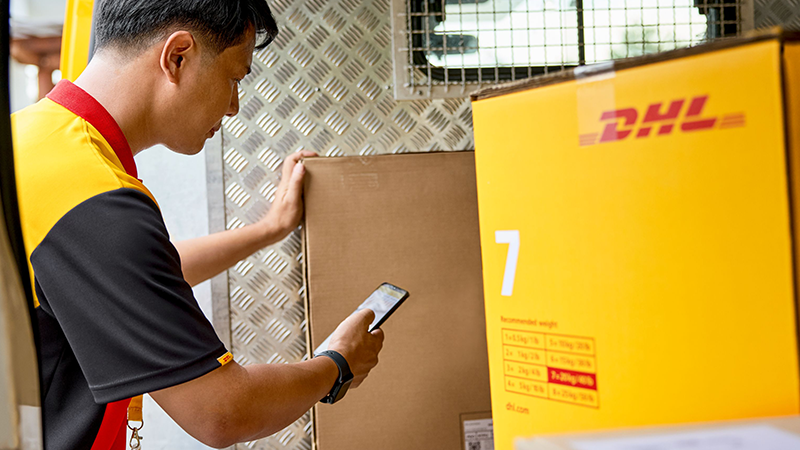
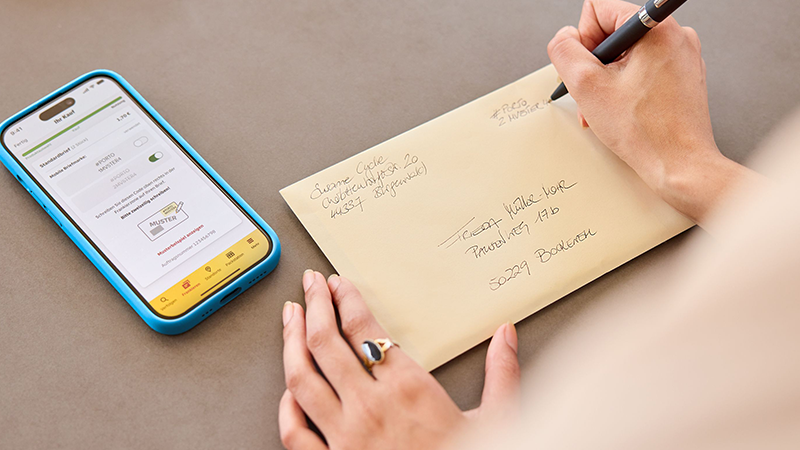
Missed pickups often occur when the selected pickup time is incorrect or no one is available to hand over the shipment. Before confirming your booking, review the pickup date and time and ensure someone is present when the courier arrives.
Incorrect or Incomplete Pickup Address
Even minor errors in the pickup address can make it difficult for the courier to locate your shipment. Always verify the address details and provide clear instructions, such as building names, floor numbers, or reception areas, when applicable.

Shipment Not Ready for Collection
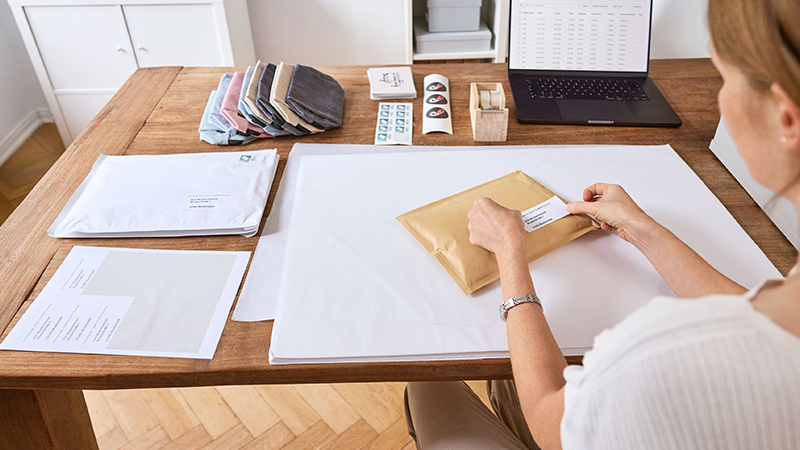
A shipment that is not properly packed, sealed, or labeled before the scheduled pickup may result in delays. To avoid disruptions, ensure your package is fully prepared and ready for collection before the courier arrives.
Missing or Incorrect Shipping Documents
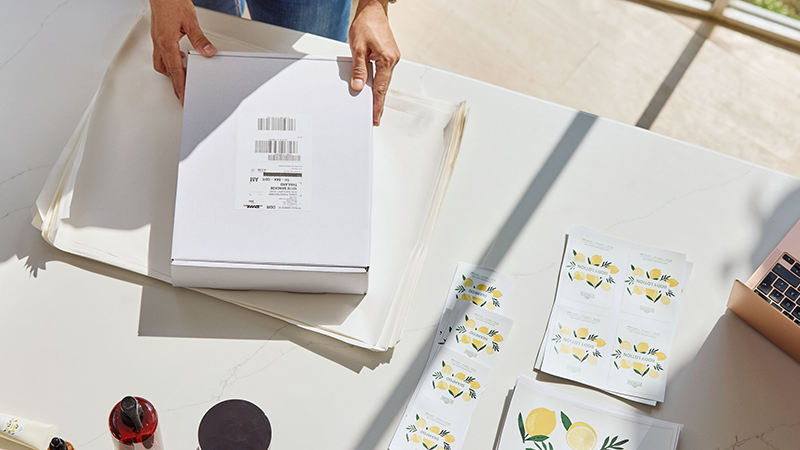
Incomplete or inaccurate shipping documents can delay both pickup and international delivery. Before your scheduled pickup, make sure your DHL Air Waybill (AWB), Commercial Invoice, and any required customs documents are completed and ready for handover.
Missing Contact Information
Couriers may need to contact someone at the pickup location for assistance or clarification. Providing accurate phone numbers and email addresses, along with an alternate contact if available, can help prevent missed collections and unnecessary delays.
Schedule Your DHL Express Pickup Today
Sending shipments abroad doesn't have to be complicated. Book your pickup, prepare your shipment, and let DHL Express connect you to customers, family, and business partners around the world through fast, secure, and reliable international delivery services.
Open a DHL Business Account
If your business ships internationally on a regular basis, consider opening a DHL Business Account to access tailored shipping solutions, dedicated account support, and streamlined shipment management.


 Share
Share
Similar Stories