It is when there is more than one picker, more than one sales channel or products with batch and expiry control. Cloud WMS with monthly billing lowers the upfront investment, but the gain only shows if the warehouse already has defined locations.



 Share

A WMS (warehouse management system) is the software that runs a warehouse's daily routine in Brazil or anywhere else: receiving, putaway, order picking, cycle counts and dispatch. It records which location holds each item, tells operators what to pick and in what order, and sends the real stock balance back to the ERP, bin by bin.
The symptom that sends a company looking for a WMS is usually the same. The system says there are 40 units, the shelf shows 32, and nobody knows where the other eight went. Meanwhile, the customer who bought the last unit gets a cancellation email.
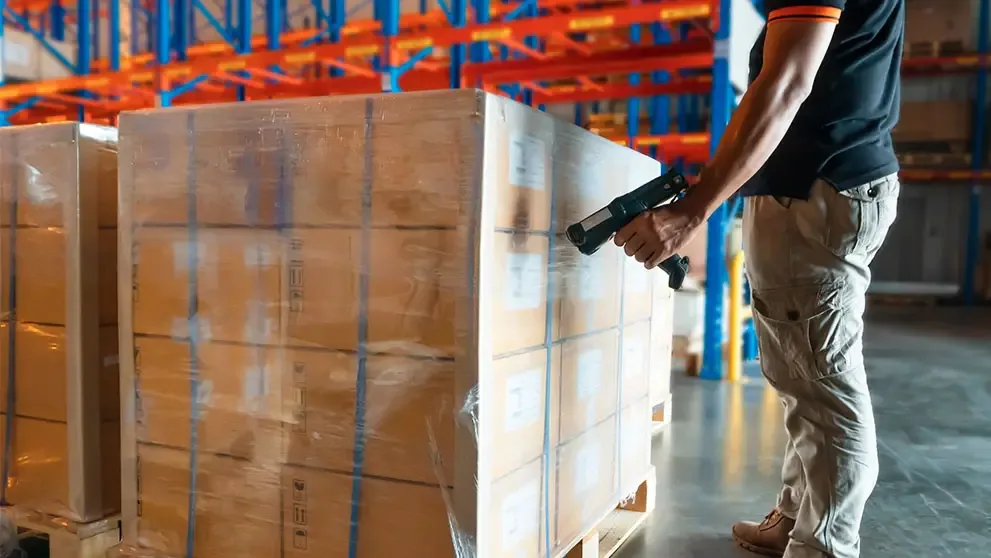
A WMS turns every physical movement into a record with a time, an operator and a location. Stock only "exists" in the system once it is scanned at receiving, and it only leaves when it is scanned at dispatch. Every move in between leaves a trail.
The typical flow runs in this order:
Counting runs in parallel. Instead of shutting the warehouse once a year to count everything, a WMS lets you run cycle counts by location without stopping operations.
The three systems work side by side, and mixing them up is behind many failed rollouts. The ERP handles money and tax records, the WMS handles space and movement inside the building, and the TMS handles transport once the load leaves the dock. The table sums up each role.
System | Question it answers | Typical functions |
ERP | How much do I have, what is it worth, what did I invoice? | purchasing, invoicing, accounting, tax stock balance |
WMS | Where is each item and who moved it? | putaway, picking, stock by location, batch tracking |
TMS | How does the load reach its destination and what does freight cost? | route planning, freight quotes, delivery tracking |
An ERP with an inventory module knows you have 500 T-shirts. A WMS knows that 200 sit in aisle C, level 2, and the other 300 are still on the pallet at dock 4 waiting for putaway. With a single aisle, the ERP is enough. With ten aisles and three shifts, it is not. For the wider picture of where the warehouse fits, see our guide to what logistics is.
A WMS depends on standard identification to work without typing. On the product, the most common code is the GTIN, the number printed under the barcode on the packaging. On the logistics unit, the key is the SSCC: according to GS1 Brasil, it is an 18-digit numeric code that uniquely identifies a pallet, carton or container (Source: GS1 Brasil, October 2026).
In practice, this changes receiving. If your supplier ships the pallet with an SSCC and an electronic advance shipping notice, one scan books in everything on it. Without that, someone opens the pallet and scans carton by carton.
The other half is the location label. Each position in the warehouse needs its own code, fixed to the racking, so the system can confirm putaway and picking. This is where a WMS relies on a warehouse layout with logical addressing: software cannot organise a building that has no defined aisles, levels and bins.
Integration is where the project succeeds or fails. The order is created in the online store or the ERP, goes down to the WMS as a picking task and returns to the ERP as a dispatched order, with quantity, batch and parcel data. If that loop depends on spreadsheets exported by hand, the WMS becomes a parallel system and errors simply move elsewhere.
Three integrations deserve proof before you sign:
If you sell abroad, there is a bonus. The WMS already holds actual weight, dimensions and contents for each parcel, which is exactly the data needed on the shipping label and the commercial invoice. Retyping it at dispatch is rework and a source of mismatches at customs.
A WMS turns guesses into numbers. The most useful ones to start with:
Start with accuracy and perfect orders. If accuracy is low, every other KPI measures a reality that does not exist in the system. For counting and replenishment routines, read our guide to inventory control.
You need a WMS when the problem shifts from "how much do I have" to "where is it". Some concrete signs:
If the operation fits in one room and one person picks everything, good ERP stock control with barcode scanning will do. A WMS pays for itself when the number of movements exceeds what the team can keep in their heads.
Choose by process, not by demo. Every sales presentation shows a tidy warehouse and a simple order. Yours has returns mixed with receiving and an urgent order at 5:50 pm.
Step 6 is the one most often ignored. Going live in November, with Black Friday at the door, is the fastest way to turn good software into a bad project.
It is when there is more than one picker, more than one sales channel or products with batch and expiry control. Cloud WMS with monthly billing lowers the upfront investment, but the gain only shows if the warehouse already has defined locations.
Yes, with barcode readers plugged into computers or with smartphones running the WMS app. What does not work is recording movements by typing, because accuracy drops back to spreadsheet level.
Most do, and it is a key selection criterion for food, cosmetics and medicines. With batch and expiry recorded, the system sends pickers to the earliest-expiring stock first and blocks anything out of date.
Someone who knows the warehouse floor, backed by IT. Projects run only by technology teams tend to build into the system a process that works differently on the floor.
A well-implemented WMS leaves every order ready to ship with correct weight, dimensions and contents. When that order goes to another country, the next step is express transport that carries the parcel with door-to-door tracking and handles clearance at destination.
If your business already picks and packs with that level of control, open a DHL Express business account and connect your warehouse in Brazil to more than 220 countries and territories.
Share